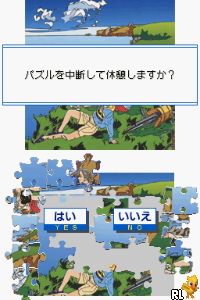
Yukkuri Tanoshimu – Otona no Jigsaw Puzzle DS – Watase Seizou – Love Umi to Blue (Japan)
0 1 0
Yukkuri Tanoshimu – Otona no Jigsaw Puzzle DS – Watase Seizou – Love Umi to Blue (Japan) is a classic Nintendo DS puzzle game that provides a relaxing, straightforward jigsaw experience. It’s designed for those who prefer calm, contemplative gameplay, featuring scenic images of the sea and shades of blue. Fans of relaxing puzzles and casual gaming might find it appealing. The game is easy to access online, letting you enjoy a nostalgic handheld feel right on your computer, no downloads needed.
Getting Into Yukkuri Tanoshimu – Otona no Jigsaw Puzzle DS – Watase Seizou – Love Umi to Blue
This title revolves around completing jigsaw puzzles by fitting together pieces that form beautiful images of the sea. You pick a picture, which then gets broken into several pieces. Your task is to drag and connect these pieces to recreate the scene. Different difficulty levels are available, with more pieces making the puzzle harder, and fewer making it quicker to finish.
In play, you choose a puzzle and assemble it at your own pace. The interface is simple, with drag-and-drop mechanics that work well in your browser. It’s suitable for short breaks or longer casual sessions. Progress is saved automatically if you need to pause and come back later. There are no timers or penalties, so it’s accessible whether you’re new to puzzles or have some experience.
Standout Features
The visuals lean toward calming, blue-toned images of the sea, beaches, and ocean scenes. The artwork feels peaceful, and the clarity of the images helps you identify puzzle pieces easily, even at higher difficulty levels. The interface is minimal, keeping the focus on the puzzle itself for a smooth, distraction-free experience.
As you finish puzzles, you unlock new images to work on. The variety of scenes encourages replay, whether to try completing puzzles faster or to revisit favorite images. The game doesn’t have complex mechanics or extra modes, but its simplicity makes it perfect for relaxing afternoons and casual play. It’s a collection that prizes laid-back enjoyment over challenge.
Strategy and Tips
Starting with easier puzzles helps get familiar with the shapes and how pieces fit. Sorting edge pieces from the middle can speed things up. Using the image preview is helpful for figuring out where certain pieces go, especially with more complex pictures.
- Begin with the edges and corners to frame the puzzle quickly.
- Group pieces by color or pattern to make matching faster.
- If you get stuck, taking a break can help you see things differently.
- Adjust the view if possible to better see details or change perspective.
- Take your time and enjoy the peaceful ocean scenes.
Quick Questions
How do I start a new puzzle in this browser version?
Just pick a new image from the main menu, and it will load right away so you can start solving.
What’s a common mistake beginners make?
Trying to place pieces without sorting out the edges first can slow you down. It’s usually best to start with the border pieces.
Can I play this comfortably on a mobile device?
Yes, since it runs in your browser, it works well with touch controls, making it easy to drag and connect pieces on phones or tablets.
Yukkuri Tanoshimu – Otona no Jigsaw Puzzle DS – Watase Seizou – Love Umi to Blue offers a calm, accessible puzzle experience that’s great for casual players. Its simple mechanics, relaxing visuals, and straightforward gameplay make it a good choice for puzzle fans looking for a peaceful, nostalgic pastime right in your browser.
Related games: you can also try Lock's Quest (Europe) (En,Fr,De,Es,It) and Burnout Legends (Europe) (En,Fr,De,Es,It,Nl), or browse all other games in the Nintendo DS category.
How to Play Yukkuri Tanoshimu – Otona no Jigsaw Puzzle DS – Watase Seizou – Love Umi to Blue (Japan)?
Select a puzzle image, then drag and connect pieces to complete the scene at your own pace. Use the simple interface to assemble the picture, starting with edges and grouping similar pieces.
Game Controls
Arrow keys for navigation; mouse or keyboard for dragging and placing pieces.
You may be interested in:
-
 Nintendo DS
♥ 1
Casper’s Scare School – Classroom Capers (USA)
Nintendo DS
♥ 1
Casper’s Scare School – Classroom Capers (USA) -
 Nintendo DS
♥ 1
Zunou Nouryoku Koujou Machine – Touch de Zunoo DS (Japan)
Nintendo DS
♥ 1
Zunou Nouryoku Koujou Machine – Touch de Zunoo DS (Japan) -
 Nintendo DS
♥ 1
Zunou ni Asekaku Game Series! Vol. 1 – Cool 104 Joker & Setline (Japan)
Nintendo DS
♥ 1
Zunou ni Asekaku Game Series! Vol. 1 – Cool 104 Joker & Setline (Japan) -
 Nintendo DS
♥ 9
Zuma’s Revenge (USA)
Nintendo DS
♥ 9
Zuma’s Revenge (USA) -
 Nintendo DS
♥ 1
Zubo (USA) (En,Fr,Es)
Nintendo DS
♥ 1
Zubo (USA) (En,Fr,Es) -
 Nintendo DS
♥ 1
Zubo (Europe) (En,Fr,De,Es,It,Nl,Sv)
Nintendo DS
♥ 1
Zubo (Europe) (En,Fr,De,Es,It,Nl,Sv) -
 Nintendo DS
♥ 1
Zorro – Quest for Justice (USA) (En,Fr,De,Es,It)
Nintendo DS
♥ 1
Zorro – Quest for Justice (USA) (En,Fr,De,Es,It) -
 Nintendo DS
♥ 1
Zorro – Quest for Justice (Europe) (En,Fr,De,Es,It)
Nintendo DS
♥ 1
Zorro – Quest for Justice (Europe) (En,Fr,De,Es,It)
Comments (0)
No comments yet. Be the first to comment!