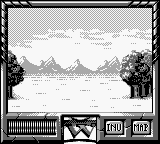
DragonHeart (France)
0 1 0
DragonHeart (France) is a classic Game Boy role-playing game that takes players back to the 8-bit era with its simple gameplay and nostalgic visuals. Designed for fans of turn-based adventures, it offers an easy-to-play experience that works right in your browser, so you can jump in without downloading anything. If you like vintage RPGs and pixelated worlds, DragonHeart provides a solid dose of retro charm.
Getting Into DragonHeart
The gameplay centers on traditional turn-based battles and exploration. You move through different screens, talk to characters, collect items, and fight enemies that appear randomly or along specific paths. The mechanics are straightforward, with a steady rhythm of moving around and engaging in combat when encounters happen. Sessions usually mix wandering, story moments, and managing your character’s health and supplies.
Combat involves strategic choices made during battles, which start automatically when enemies appear. You pick actions from a small menu — attacking, using items, or defending — and then watch as the game processes each move. The pace is steady, making it good for quick plays or longer sessions. The simple interface makes it accessible for newcomers, but success depends on managing your resources and making smart decisions in fights.
Standout Features
The visuals stay true to the Game Boy’s pixel art style, with simple but clear sprites and a limited color palette that capture the era’s charm. Environments are functional, with distinct tiles for towns, dungeons, and wilderness areas, making navigation straightforward. The progression is linear but satisfying — as you gain experience, items, and new abilities, tougher enemies become manageable. The straightforward design encourages replaying, especially if you want to optimize tactics or explore different paths.
Replay value comes from the classic RPG structure, where players can try different combat strategies or revisit earlier areas with new gear. Short play sessions make it suitable for quick bursts, and the simple gameplay invites experimentation. While there aren’t complex side quests or branching stories, the focus on tactical battles and resource management keeps things interesting for fans of the genre.
Strategy and Tips
Getting the most out of DragonHeart involves understanding the basic mechanics and planning ahead. Here are some tips:
- Save often, especially before boss fights or entering new areas, to avoid losing progress.
- Use healing items carefully; don’t wait until your health is very low to use them.
- Pay attention to enemy weaknesses and resistances when choosing your attacks.
- Mix offensive moves with defensive or healing actions to survive longer in tough fights.
- Explore each area thoroughly to find hidden items or shortcuts that can make progress easier.
- Keep your inventory organized, focusing on useful items for difficult encounters.
Quick Questions
How do I start playing DragonHeart?
The game runs immediately in your browser as a classic Game Boy experience, so just load the page and start your adventure without any extra setup.
What is a common mistake new players make?
Many new players forget to save often or don’t use items at the right moments, which can lead to setbacks.
Can I play DragonHeart on mobile or touch devices?
Yes, the game works on any device with a browser, including phones and tablets, with controls adapted for touchscreens.
DragonHeart offers a straightforward RPG experience focused on tactical battles and exploration. Its simplicity makes it easy to pick up, but it still offers enough challenge to keep players coming back. Playing it in your browser makes it a fun way to enjoy the charm of Game Boy RPGs on modern devices.
Related games: you can also try Dragon Ball Z – Gokuu Hishouden (Japan) and Baseball Kids (Japan), or browse all other games in the Game Boy category.
How to Play DragonHeart (France)?
Explore towns and dungeons, engage in turn-based battles, and manage your resources to defeat enemies and progress through the story. Move around, talk to characters, and fight when enemies appear.
Game Controls
Arrow keys move; Enter confirms selections; other keys handle actions and menus.








Comments (0)
No comments yet. Be the first to comment!