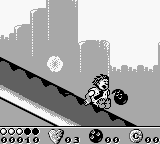
Flintstones, The (USA, Europe)
0 13 1
Flintstones, The (USA, Europe) is a classic Game Boy game that captures the charm of the beloved animated series. As a straightforward platformer, it’s easy to pick up, making it accessible for players of all ages and skill levels. The game’s simple controls and familiar setting make it a good choice for casual gaming sessions and nostalgic trips back to the early handheld era.
What Is Flintstones, The?
This game is a platformer that tasks players with navigating through levels inspired by the Stone Age world of the Flintstones. The core gameplay involves moving, jumping, and avoiding obstacles as you progress through different stages. The goal is to complete each level, often by reaching a specific endpoint or collecting certain items, depending on the stage design. Its simple mechanics and cartoon setting make it easy to understand, even for first-time players or younger audiences.
As a platformer, it emphasizes timing and accuracy. Levels are designed with straightforward layouts that encourage players to learn patterns and develop their reflexes. The game doesn’t depend on complex mechanics or advanced strategies, but it offers enough challenge to keep players interested. Its focus on progression and completing levels provides a satisfying experience for those looking for a nostalgic, no-frills platforming adventure.
What Keeps You Coming Back
One reason players return to Flintstones, The is its familiar cartoon style, which remains charming and inviting. The stages are short but varied, encouraging players to beat their best times or scores with each attempt. The simple design means it’s easy to pick up and play for a few minutes, making it great for quick gaming breaks or casual sessions.
Replayability comes from trying to improve personal bests, finding the most efficient routes, or simply enjoying the colorful environments. Although it doesn’t have complex modes or unlockables, its straightforward approach makes it easy to play again and again. Its nostalgic appeal and gentle challenge keep players coming back, especially those looking for a light, fun platformer on their Game Boy.
Handy Tips
Getting the most out of Flintstones, The can be simple with a few easy strategies:
- Practice jumping early to avoid falling or hitting hazards.
- Familiarize yourself with level layouts to find the best routes and save time.
- Look out for hidden shortcuts or safe spots for a breather during levels.
- Focus on finishing levels quickly for better scores, but don’t rush at first—safety comes first.
- Use retries to memorize obstacle patterns and sharpen your reflexes.
- Be patient; timing jumps and avoiding enemies requires care.
Player FAQ
Is Flintstones, The easy enough for younger players?
Yes, the game’s simple mechanics and familiar setting make it suitable for children and newcomers to platformers.
Can I play Flintstones, The offline or is an internet connection needed?
This classic from the Game Boy era runs directly in your browser, so no internet connection is needed once it’s loaded. It’s good for quick, offline fun.
Is Flintstones, The suitable for players who aren’t familiar with platformers?
Absolutely. Its straightforward gameplay and gentle difficulty make it easy for newcomers to enjoy without prior experience.
Playing Flintstones, The offers a simple, nostalgic platforming experience rooted in its classic Game Boy origins. Its controls are easy to pick up, and the cartoon theme adds a relaxing, fun vibe. Whether you’re revisiting childhood memories or just looking for a casual game, Flintstones, The remains a charming choice for fans of platformers and those seeking a relaxed gaming session.
Related games: you can also try Battle Bull (Japan) and Brain Drain (Japan), or browse all other games in the Game Boy category.
How to Play Flintstones, The (USA, Europe)?
Move your character through levels by running and jumping to reach the end while avoiding obstacles and collecting items. Complete each stage as quickly and accurately as possible.
Game Controls
Arrow keys act as the D-pad; Enter is Start; other keys handle jump and action buttons.








Comments (0)
No comments yet. Be the first to comment!