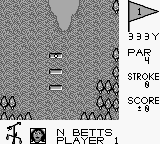
Golf Classic (Europe)
0 1 0
Golf Classic (Europe) is a simple Game Boy game that captures the relaxed, straightforward feel of miniature golf. As a title from the Game Boy era, it’s easy to pick up and enjoy, whether for quick sessions or casual play. The game runs directly in your browser, so there’s no need to download or install anything. Its minimal design and simple controls make it accessible for players of all ages and skill levels who want a classic golf experience with a retro touch.
What Is Golf Classic?
This game from the Game Boy lineup is a digital version of miniature golf, focusing more on precision and timing than on complex mechanics. The goal is to finish each hole with as few strokes as possible, navigating around obstacles and adjusting shot strength. It offers a straightforward, pick-up-and-play style that’s more about fun than deep simulation, making it suitable for newcomers or players looking for a relaxed challenge.
The game features a series of holes set on simple, cartoon-like courses, each with different layouts and obstacles such as bumps, slopes, and barriers. Planning your shots carefully, considering the terrain and shot power, is part of the challenge. While it doesn’t include fancy modes or multiplayer options, its simplicity means you can jump in anytime for a quick round. That keeps it engaging across multiple sessions.
What Keeps You Coming Back
Part of Golf Classic’s appeal is its easy-to-understand gameplay combined with the challenge to improve your score on each hole. Its straightforward mechanics let you focus on perfecting your shots and learning the course quirks without a steep learning curve. The clean, uncluttered visuals help keep your attention on the game and add a nostalgic feel, turning each hole into a little puzzle to solve.
Playing again and again comes from trying to beat your best scores and get better at each course. Without complicated modes or unlockables, the game’s simple idea encourages you to improve your accuracy and consistency. It’s fun to challenge friends or yourself to finish holes in fewer strokes, adding a bit of friendly competition. The design makes it easy to keep playing, especially if you enjoy refining your skills or testing your patience on tougher holes.
Handy Tips
Getting a handle on shot timing and power controls is key to doing well in Golf Classic.
- Practice your shot strength to avoid overshooting or falling short of the hole.
- Watch how slopes and obstacles influence the ball before you shoot.
- Use gentle, controlled shots on tricky spots to avoid losing strokes.
- Position your shots well to set up easier putts on the next turn.
- Keep track of your strokes to motivate yourself to do better in future rounds.
- Don’t rush your shots; patience often leads to better accuracy and lower scores.
Player FAQ
Is Golf Classic easy for newcomers?
Yes, it’s simple to pick up, with controls and gameplay that don’t require a lot of learning, making it accessible for beginners.
Can kids enjoy Golf Classic?
Definitely. Its cartoon-like visuals and straightforward mechanics make it suitable for children and casual players who want a relaxed golf game.
Does Golf Classic need an internet connection to play?
Since it runs directly in your browser as a web-based emulation, you don’t need an internet connection after loading it, so you can play anytime offline.
With its straightforward style and nostalgic feel, Golf Classic provides easy access to a fun, casual golf game. Its simple approach still offers enough challenge if you’re aiming to improve your scores. Playing this game gives quick moments of relaxing fun and a taste of vintage gaming right in your browser.
Related games: you can also try Bouken! Puzzle Road (Japan) and Duck Tales (Japan), or browse all other games in the Game Boy category.
How to Play Golf Classic (Europe)?
Aim to finish each golf hole in as few strokes as possible by adjusting shot power and direction, navigating obstacles and slopes. Practice to improve your accuracy and beat your best scores.
Game Controls
Arrow keys move the shot direction; spacebar or a designated key adjusts shot power and takes the shot.








Comments (0)
No comments yet. Be the first to comment!