Metroid II DX
0 8 3
Metroid II DX is a classic Game Boy game you can play right in your browser, bringing a beloved era of portable gaming directly to your screen. If you enjoy exploring mysterious worlds, collecting upgrades, and facing tough enemies, this game offers a simple yet satisfying experience rooted in the original Game Boy classic. It’s great for those looking for a nostalgic adventure focused on exploration and pattern recognition, all without needing to download or install anything.
Getting Into Metroid II DX
In Metroid II DX, you take control of a lone explorer moving through an alien planet filled with underground tunnels, hostile creatures, and hidden secrets. The game is about exploring these areas, defeating enemies, and gathering upgrades that boost your abilities. Usually, you’ll move through connected screens, fight enemies, and search for items that unlock new paths or help you survive longer.
The gameplay centers around a simple cycle: explore a new area, fight or avoid enemies, collect upgrades, and revisit earlier spots with new abilities. Success depends on recognizing enemy patterns, managing limited resources, and knowing when to backtrack for better equipment or safe zones. The game doesn’t have complicated modes; it’s an uncomplicated adventure with a focus on exploration and gradual progress, making each session a mix of discovery and careful resource management.
Standout Features
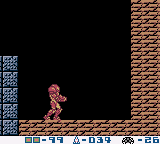
This game’s visuals stay true to the original Game Boy style, with pixel art that clearly shows enemies, landscapes, and items. The limited color palette gives it a nostalgic charm, making each new environment feel like part of a bigger interconnected world. As you explore, new upgrades unlock abilities that let you reach areas you couldn’t access before, encouraging thorough exploration and replaying to find everything.
Metroid II DX’s progression is based on earning new gear, which keeps the gameplay interesting over multiple sessions. The map isn’t displayed explicitly but is built through your exploration, so you often rely on memory or taking notes. This design adds a challenge and makes completing the game or finding all secrets a rewarding puzzle on its own.
Strategy and Tips
If you’re new to Metroid II DX, here are some tips to help you along:
- Take your time exploring each area; rushing can leave you vulnerable to enemies.
- Save upgrades for tougher enemies or crucial moments; conserving resources helps a lot.
- Pay attention to enemy attack patterns to avoid unnecessary damage.
- Backtrack when you can, especially when you’ve gained new abilities or found secrets.
- Use the environment to your advantage, like hiding behind walls or dodging patrols.
- Patience and careful planning often beat rushing ahead in this game.
Quick Questions
How do I get started with Metroid II DX?
Just click to load the game — it runs instantly in your browser, no setup needed. Start exploring from your initial position and uncover new areas as you go.
What’s a common mistake for newcomers?
Many players try to rush through without exploring thoroughly or managing resources carefully, which can lead to getting stuck or losing health early on.
Can I play Metroid II DX on mobile or touch devices?
Yes, since the game runs right in your browser, it works well on mobile screens with touch controls. Just tap or swipe to move around and interact with the game.
Metroid II DX offers a faithful version of a Game Boy classic that emphasizes exploration, patience, and strategic thinking. Its straightforward design makes it accessible for new players but still offers enough challenge for those familiar with the genre. Playing here in your browser means you can jump into this nostalgic adventure anytime without fuss, experiencing the charm and challenge of this era firsthand.
Related games: you can also try Jungle no Ouja Tarchan (Japan) and Daisenryaku (Japan) [En by Gaijin v1.0], or browse all other games in the Game Boy category.
How to Play Metroid II DX?
Explore the alien planet, defeat enemies, find upgrades, and unlock new areas. Move through screens, collect items, and revisit spots to progress and uncover secrets.
Game Controls
Arrow keys control movement; action buttons are mapped to keyboard keys for shooting and interacting.








Comments (0)
No comments yet. Be the first to comment!