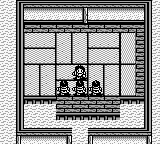
Oni II – Innin Densetsu (Japan)
0 1 0
Oni II – Innin Densetsu (Japan) is a role-playing game originally made for the Game Boy, a portable console that was a key part of handheld gaming in the late 20th century. As a classic from that era, it features turn-based combat, exploration, and character development. Its Japanese origins and hardware limitations give it a distinct style, emphasizing strategic choices and resource management within pixel art that captures the look of early RPGs.
Oni II – Innin Densetsu: Gameplay Overview
The main activity in Oni II – Innin Densetsu involves moving through maps filled with enemies, items, and story moments. Combat is turn-based, with players choosing actions like attacking, defending, or using items, all through a simple menu system. Success depends on careful planning, as each fight tests your resource management and positioning skills—common elements in RPGs from that time.
Exploring different environments—dungeons, towns, and wilderness—adds variety to the game. As you progress, you level up characters, gather weapons and gear, and unlock new areas. Its mechanics reward tactical thinking and patience, with difficulty gradually rising as the story unfolds. Designed for portable play, it’s built for short sessions that can be completed in one go or over multiple sittings.
Modes, Levels and Progression
The game follows a straightforward path, with players moving through levels that get tougher as they go. The focus is on exploring and developing characters, with multiple locations and enemies to encounter. While the main story is simple, the variety of enemies and environments keeps things interesting beyond the first playthrough.
It doesn’t have different modes like some modern games, but its level design and enemy placement offer a sense of challenge and discovery. Revisiting earlier areas with stronger characters or better equipment adds replay value. The game encourages strategic planning as the difficulty ramps up, making each new section a test of your skills.
Winning Strategies
Start by developing your main characters evenly. Improving their abilities early on helps deal with tougher foes later. Use items wisely—saving healing supplies for critical moments rather than using them on minor fights.
- Pay attention to enemy weaknesses and resistances to get the most damage.
- Explore thoroughly to find hidden items and shortcuts that can make progress easier.
- Save often, especially before tough battles or entering new areas.
- Manage your resources carefully—balancing attack and defense to survive longer encounters.
Common Questions About Oni II – Innin Densetsu
How does the difficulty change as I go through the game?
The game gets tougher as you move forward, with stronger enemies and more complex fights. Early parts act as tutorials, but the challenges increase as you progress.
Are there different modes or difficulty options?
This game sticks to a single, linear experience. It doesn’t have difficulty settings, but you can replay it to try different strategies, optimize your characters, and find hidden items.
How replayable is Oni II – Innin Densetsu?
While the story is straightforward, you might replay to experiment with different character builds, discover secrets, and explore alternative battle tactics. It rewards multiple playthroughs for those interested in mastering its mechanics.
Oni II – Innin Densetsu shows what early portable RPGs could do, offering a turn-based experience that’s easy to pick up and enjoy. Its mechanics, resource management, and exploration make it a title worth checking out for fans of vintage gaming and classic RPGs on the Game Boy platform.
Related games: you can also try NBA Jam – Tournament Edition (USA, Europe) and Bo Jackson 2 Games in 1 – Hit and Run! (USA), or browse all other games in the Game Boy category.
How to Play Oni II – Innin Densetsu (Japan)?
Move through maps, fight enemies turn-by-turn, gather items, and improve your characters to progress through the story and unlock new areas.
Game Controls
Arrow keys move; Enter selects actions; other keys handle menu options.








Comments (0)
No comments yet. Be the first to comment!