Turn and Burn (USA)
0 1 0
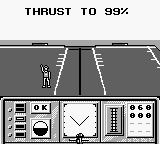
Turn and Burn (USA) is a classic Game Boy flight simulator that provides a simple yet engaging experience of flying through tricky courses. With pixelated visuals and chiptune sounds, it reflects the style of early handheld gaming, drawing players into high-speed aerial maneuvers. The game showcases the straightforward and challenging nature of the Game Boy era, offering a compact dose of aviation excitement wrapped in monochrome graphics.
Step Into the World of Turn and Burn
The visuals are clean, with pixel art showing aircraft and course layouts in shades of gray. The atmosphere is marked by beeping sounds and rhythmic engine noises reminiscent of early 90s handheld audio. The environment is minimal, emphasizing speed and accuracy as you navigate tight courses. Its simplicity lets players focus on flying without storylines or complicated menus—just pure flight simulation.
Playing on this browser-based emulator, you get the game as it was on the original Game Boy: quick, tactile, and nostalgic. The interface is pared down to essential controls, highlighting immediate action. The music and sound effects evoke the feeling of flying through a digital sky, creating a focused but immersive atmosphere that tests your reflexes without overwhelming your senses.
How the Gameplay Hooks You
Turn and Burn’s main loop involves flying through a series of courses that demand quick reflexes and precise control. The pace is lively—each run tests your concentration, with difficulty ramping up as you progress. The challenge is to keep your speed while avoiding obstacles and staying within course limits, giving you a sense of constant motion and adrenaline.
Progress depends on completing courses under strict conditions. Success unlocks new routes or boosts the speed, encouraging improvements in reflexes and planning. Its mechanics are simple but hide a surprising depth of challenge, making each session rewarding whether you beat a record or just finish a course. Short, intense gameplay sessions suit players who like quick bursts of skill-based flying action.
Pro Tips for Turn and Burn
If you want to enjoy the game fully, spend time mastering your aircraft’s pitch and speed early on. Anticipate obstacles instead of reacting at the last second.
- Practice flying straight to understand how your aircraft responds at different speeds.
- Make small, controlled adjustments to stay within the course boundaries—avoid overcorrecting.
- Observe visual cues on the course to anticipate turns or hazards.
- Keep your speed steady; sudden accelerations can complicate navigation.
- Focus on completing courses efficiently rather than rushing—patience can boost your score.
Frequently Asked Questions
Does Turn and Burn get repetitive after a while?
The challenge grows as difficulty increases, but since the mechanics stay simple, it can feel repetitive after many sessions.
Can I play this game in short bursts or only for long sessions?
The quick gameplay makes it perfect for short play sessions. You can jump in and out easily without losing progress, thanks to its straightforward design.
Is the atmosphere suitable for players of all ages?
Yes, the minimalistic graphics and non-violent gameplay make it accessible for a wide range of ages, especially for those who enjoy focused, skill-based challenges.
In essence, Turn and Burn offers a tight, retro flight experience that rewards precision and quick thinking. Its simple mechanics and atmospheric sounds make it a good pick for fans of classic handheld simulators who want to turn and burn through a few tough courses in a browser session.
Related games: you can also try Simpsons, The – Bart & the Beanstalk (USA, Europe) and Indiana Jones – Saigo no Seisen (Japan), or browse all other games in the Game Boy category.
How to Play Turn and Burn (USA)?
Fly through courses by controlling your aircraft's pitch and speed, avoiding obstacles and staying within boundaries to complete levels quickly and improve your best times.
Game Controls
Arrow keys control movement; other keys handle actions as mapped on the emulator.








Comments (0)
No comments yet. Be the first to comment!