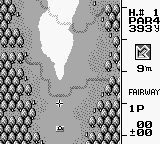
Ultra Golf (USA)
0 1 0
Ultra Golf (USA) is a classic Game Boy game that highlights the straightforward yet engaging style of vintage golf titles on the portable console. Its simple mechanics and clean visuals make it a familiar choice for fans of the genre who enjoy a challenge that emphasizes accuracy and consistency. As a game from the Game Boy era, it offers a nostalgic experience that you can play directly in your browser without any extra downloads or setups.
Ultra Golf: Gameplay Overview
The main gameplay of Ultra Golf involves making well-judged golf shots on a 2D course. Players control the direction and power of each shot, aiming to get the ball in the hole with as few strokes as possible. The mechanics depend on timing and understanding how wind, terrain, and shot angle affect the ball’s path, so developing a sense of shot control and course management is key.
After a shot, the game shows the ball’s flight, simulating physics within the simple graphics style of the Game Boy. The core loop involves choosing shot settings, watching the result, and adjusting for the next shot based on what happened before. This cycle continues across different holes, each with its own layout and obstacles that test accuracy and planning.
Modes, Levels and Progression
Ultra Golf offers a series of courses that gradually get more difficult. It doesn’t have complex modes or branching paths but features multiple holes per course, each presenting challenges like water hazards, sand traps, and slopes. The different course designs mean players face various shot requirements and risk considerations as they go along.
You progress mainly by completing courses and unlocking new levels, with difficulty increasing through more intricate layouts and tighter shot restrictions. While the structure is simple, the challenge is in mastering each hole and minimizing strokes. Many players enjoy replaying to improve scores and perfect their shots, making it appealing for casual players and perfectionists alike.
Winning Strategies
To do well in Ultra Golf, understanding each course’s details and controlling your shots is important. Here are some tips:
- Keep an eye on wind indicators and adjust your shot direction to match or counteract the breeze.
- Practice controlling shot power to avoid overshooting or falling short, especially near hazards.
- Check out the terrain before shooting, noting slopes and obstacles that could influence the ball’s movement.
- Use conservative shots to set up easier putts; avoid risky shots that could lead to penalties or tough recoveries.
- Replaying holes helps memorize their layouts, which makes planning shots easier on later attempts.
- Stay patient and aim for consistent performance rather than risky, aggressive shots that could cause mistakes.
Common Questions About Ultra Golf
How does the difficulty increase as I play?
The game becomes more challenging by introducing more complicated course layouts and hazards, pushing you to adapt your strategy and sharpen your precision as you go along.
Are there different modes or levels of play?
Mostly, Ultra Golf offers a series of courses with different layouts rather than separate modes. The main change is that courses get more complex as you progress.
Is there much replay value?
Yes, especially if you want to beat your scores or finish all holes with the fewest strokes possible. The simple design encourages trying again and mastering each layout.
Playing Ultra Golf gives you a clean, classic golf experience inspired by the Game Boy. Its focus on shot accuracy and course management appeals to those who enjoy refining their technique, and it’s available free in your browser. It’s a straightforward choice for fans of vintage golf games wanting a quick, focused session of in-browser play.
Related games: you can also try Splitz – Nigaoe 15 Game (Japan) and Pro Wrestling (Japan), or browse all other games in the Game Boy category.
How to Play Ultra Golf (USA)?
Aim and adjust your shot power and direction to get the ball into the hole in as few strokes as possible, considering wind and terrain. Repeat across holes to complete courses and improve your score.
Game Controls
Arrow keys control aiming; a specific key adjusts power; another key hits the ball.








Comments (0)
No comments yet. Be the first to comment!