Vegas Stakes (USA, Europe)
0 1 0
Vegas Stakes (USA, Europe) is a classic Game Boy title that offers a straightforward gambling experience set in an electronic casino environment. It’s designed for players who want to test their luck and decision-making skills, providing a simple yet engaging way to enjoy casino-style gameplay without needing to leave your browser. If you enjoy games centered on chance, managing risks, and strategic betting, this game gives you a compact dose of casino action on your device.
Getting Into Vegas Stakes
This game revolves around a series of gambling activities, mainly featuring casino-style games like poker, blackjack, and other classic card and dice games. The main gameplay involves selecting a game, placing bets, and playing rounds to try and increase your winnings or protect your chips. You start with a set amount of chips, with the goal of maximizing your chips before running out or hitting a specific target.
Progress depends on managing your bankroll through different gambling rounds, with each choice—whether to bet, fold, or raise—affecting the result. There aren’t complex storylines or character development, but it rewards strategic decisions and risk assessment. You can switch between various gambling activities during a session, adding variety and allowing you to test different tactics. Play sessions can be short or longer, depending on your interest and success rate.
Standout Features
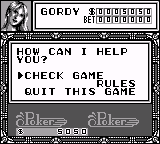
The visuals keep to a simple pixel art style typical of Game Boy classics, with clear screens showing your chips, cards, and betting options. The interface is minimal but effective, letting you focus on the gameplay rather than navigating complicated menus. Sound effects help create a genuine casino atmosphere without overwhelming the experience.
Your progress depends on your accumulated chips and how well you understand each game’s rules and strategies. The game encourages replay by offering different gambling options and the chance to improve your performance over multiple sessions. While there’s no story mode, the variety of games and the randomness of gambling keep each session interesting, especially if you experiment with different betting tactics or aim to beat your high score.
Strategy and Tips
Luck plays a big role, but making smart decisions can boost your chances. Here are some helpful tips:
- Start with small bets until you get a feel for the odds in each game. This helps limit early losses.
- Watch for patterns or tendencies, especially in blackjack and poker, to make smarter moves.
- Set a target for winnings and a limit for losses to prevent chasing losses or risking too much at once.
- Use conservative betting strategies in high-variance games to preserve your chips longer.
- Practice different games to learn their rules and strategies before risking larger bets.
Quick Questions
How do I start a new game session?
Just pick a gambling game from the menu, and you’ll begin with a set amount of chips to wager.
What is a common mistake beginners make?
Many tend to bet too aggressively early on, risking lots of chips on high-stakes rounds without understanding the odds.
Can I play Vegas Stakes on mobile or touchscreen devices?
Since it runs right in your browser, it works well on mobile devices with touch screens, making it easy to play anywhere.
Vegas Stakes offers a straightforward gambling experience that focuses on decision-making and luck. Its simple design and quick gameplay make it a good choice for casual gaming, whether you’re trying to beat the house or just enjoy some quick casino fun in your browser.
Related games: you can also try Tenchi o Kurau (Japan) and SD Command Gundam – G-Arms (Japan), or browse all other games in the Game Boy category.
How to Play Vegas Stakes (USA, Europe)?
Choose a game, place bets, and play rounds to increase your chips. Manage your bankroll by making decisions like betting, folding, or raising, aiming to maximize winnings before running out.
Game Controls
Arrow keys move; Enter confirms; other keys handle game actions.








Comments (0)
No comments yet. Be the first to comment!