WordZap (USA)
0 2 0
WordZap (USA) is a classic Game Boy puzzle game that combines quick thinking with simple word formation. Its mechanics are easy to grasp, making it a good example of early handheld puzzle titles. Designed for the Game Boy’s monochrome screen, it offers a timeless challenge that tests mental agility and vocabulary skills.
WordZap: Gameplay Overview
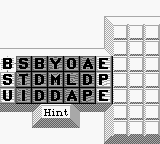
At its core, WordZap has players assembling words from a constantly changing grid of letters. As the game goes on, new letters appear, and players need to quickly form valid words to clear the screen and stop it from filling up. The pace picks up over time, requiring faster responses and sharper focus to keep up with the increasing difficulty.
The main gameplay involves spotting and selecting letter combinations that form real words. When a word is completed, it disappears, making room for new letters to fall into place. There aren’t any complex mechanics—just selecting letters and managing the grid—making it accessible but still engaging for anyone looking for a mental challenge. The focus on vocabulary and speed makes for a tense, satisfying experience.
Modes, Levels and Progression
WordZap features a single continuous mode where players aim to get the highest score. Since it’s centered on scoring, there aren’t different levels or stages. Still, the difficulty naturally increases as the game speeds up and letter sequences become more complicated. This gradual rise in challenge encourages players to keep trying, whether to beat their high score or improve their reaction time.
The game’s progress depends on how long you can keep going without the grid filling up or making a mistake. Its simplicity means there aren’t unlockables or branching paths, but the rising speed and the need for quick word recognition give players a reason to keep practicing. It’s perfect for quick sessions, with high scores motivating repeated attempts to test vocabulary and reflexes.
Winning Strategies
To get a better score in WordZap, try recognizing common word patterns quickly. It’s helpful to start with shorter words to free up space, then work on longer ones when possible. Keep scanning the entire grid instead of focusing on just one area—that way, you can spot multiple opportunities at once.
- Think of common prefixes and suffixes to speed up recognizing words.
- Clear the bottom rows early to prevent the grid from filling from below.
- Practice quick scanning to spot potential words before making your move.
- Don’t overthink; often, the first valid word you see is the best choice to keep things moving.
- Use shorter, high-scoring words when under pressure to maximize points without risking a fill-up.
Common Questions About WordZap
How does the difficulty change as I play?
The game speeds up gradually, with new letters coming faster, so you need quicker recognition and decisions. There aren’t different difficulty levels, but the challenge grows over time.
Are there different modes or levels to unlock?
No, the game has just one mode focused on high scores. How long you can last without filling the grid or making mistakes is the main variation.
How much replay value does it have?
Since it’s about beating scores and reacting quickly, players often come back to improve their best results. It’s great for quick, competitive play rather than long-term campaigns.
WordZap is a straightforward way to test your vocabulary and reflexes. Its simple mechanics and increasing challenge keep it interesting, making it a solid choice for puzzle fans who enjoy high score competitions. This classic offers a pure word-forming challenge that stays engaging through repeated attempts.
Related games: you can also try Cliffhanger (USA, Europe) and Totsugeki! Ponkotsu Tank (Japan), or browse all other games in the Game Boy category.
How to Play WordZap (USA)?
Arrange and select letters on the grid to form valid words quickly before the screen fills up. Clear words to keep the game going and score higher as the pace increases.
Game Controls
Arrow keys move the cursor; Enter selects letters to form words.








Comments (0)
No comments yet. Be the first to comment!