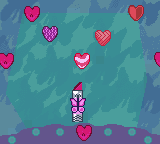
Barbie – Fashion Pack Games (USA, Europe)
0 4 0
Barbie – Fashion Pack Games (USA, Europe) is a classic Game Boy Color title that blends simple gameplay with fashion-themed activities. As part of the popular Barbie series, it offers a lighthearted experience centered around dressing up and styling characters, appealing to younger players or fans of the franchise. Its easy mechanics and colorful visuals showcase the best of what the Game Boy Color era had to offer, all playable directly in your browser without any downloads or installations.
Barbie – Fashion Pack Games: Gameplay Overview
The game focuses on fashion design and character styling, giving players options to dress up Barbie and her friends. The main gameplay involves choosing different clothing items, accessories, and hairstyles to customize characters based on specific themes or personal tastes. The menus are simple and straightforward, allowing for quick selections and changes, making it accessible to players of all ages.
While it doesn’t have complex mechanics or puzzles, the game encourages creativity through its dressing choices. Players can experiment with outfits, mixing and matching items to create unique looks. The gameplay mainly involves completing styling challenges and themed tasks, with rewards like new items or customization options as players progress. This simple approach keeps things fun without feeling overwhelming.
Modes, Levels and Progression
Barbie – Fashion Pack Games offers a small but varied selection of modes focused on dressing up and styling. Each scenario has a different theme, such as getting ready for a party, a beach day, or a special event. While it doesn’t have traditional levels or big worlds, the different themes keep the game interesting over multiple sessions.
Progression mainly comes from unlocking new clothing and accessories as players complete styling challenges. There aren’t complex level systems, but the game encourages replay by offering new outfits and styles for each scenario. This variety makes it fun to keep experimenting with fashion in a playful way.
Winning Strategies
Since the game is about creative dressing, matching outfits to the theme of each challenge helps you do well. Try different combinations to find looks that stand out.
- Pay attention to the theme of each styling task to choose suitable clothes and accessories.
- Mix and match items to create distinctive styles.
- Save your favorite outfits for later tweaking or revisiting, if that’s an option.
- Use the accessories available to add personal touches to each look.
- Complete all challenges to unlock extra items and styles.
- Keep experimenting to find the best combinations for each scenario, which adds to the replay value.
Common Questions About Barbie – Fashion Pack Games
How does the game change in difficulty or complexity?
The game stays simple and easy for all ages, with progression mainly through unlocking new items instead of increasing difficulty.
Are there different modes or themes to try?
Yes, the game features themes like parties, beach days, and special events, each requiring different styling approaches.
What about replay value and content?
Playing again is fun because you can try out different outfit combinations across themes, with new items unlocking more ways to customize and enjoy the game.
Barbie – Fashion Pack Games offers a charming dressing experience that stays engaging thanks to its variety of themes and unlockable content. It’s a good pick for fans of fashion or anyone looking for a relaxing, creative activity on the Game Boy Color platform, now available for free in your browser.
Related games: you can also try All Star Tennis 2000 (Europe) and 4×4 World Trophy (Europe) (En,Fr,De,Es,It), or browse all other games in the Game Boy Color category.
How to Play Barbie – Fashion Pack Games (USA, Europe)?
Choose outfits and accessories to style Barbie for different themed challenges. Mix and match items to create unique looks and complete tasks to unlock new clothing options.
Game Controls
Arrow keys act as the D-pad; Enter is Start; action buttons are mapped to other keys.
You may be interested in:
-
 Game Boy Color
♥ 43
Zook Hero Z
Game Boy Color
♥ 43
Zook Hero Z -
 Game Boy Color
♥ 1
Zok Zok Heroes (Japan)
Game Boy Color
♥ 1
Zok Zok Heroes (Japan) -
 Game Boy Color
♥ 1
Zoids – Shirogane no Juukishin Liger Zero (Japan)
Game Boy Color
♥ 1
Zoids – Shirogane no Juukishin Liger Zero (Japan) -
 Game Boy Color
♥ 1
Zoids – Jashin Fukkatsu! Genobreaker Hen (Japan)
Game Boy Color
♥ 1
Zoids – Jashin Fukkatsu! Genobreaker Hen (Japan) -
 Game Boy Color
♥ 2
Zoboomafoo – Playtime in Zobooland (USA)
Game Boy Color
♥ 2
Zoboomafoo – Playtime in Zobooland (USA) -
 Game Boy Color
♥ 1
Zidane Football Generation (Europe) (En,Fr,De,Es,It)
Game Boy Color
♥ 1
Zidane Football Generation (Europe) (En,Fr,De,Es,It) -
 Game Boy Color
♥ 1
Zen-Nihon Shounen Soccer Taikai – Mezase Nihon Ichi! (Japan)
Game Boy Color
♥ 1
Zen-Nihon Shounen Soccer Taikai – Mezase Nihon Ichi! (Japan) -
 Game Boy Color
♥ 1
Zebco Fishing! (USA)
Game Boy Color
♥ 1
Zebco Fishing! (USA)
Comments (0)
No comments yet. Be the first to comment!