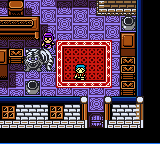
Cross Hunter – Treasure Hunter Version (Japan)
0 1 0
Cross Hunter – Treasure Hunter Version (Japan) is a classic Game Boy Color game that mixes exploration and puzzle-solving within an adventure setting. It stands out among GBC titles thanks to its focus on treasure hunting and its easy-to-understand gameplay. Designed for those who enjoy a nostalgic feel, it combines strategic movement with item collection, all in a lightweight, portable package.
Cross Hunter – Treasure Hunter Version: Gameplay Overview
The game is about moving through different levels or areas to find hidden treasures. You control a character who can go in four directions on a grid-like map, searching for items and avoiding obstacles or enemies. The main idea is to explore each level, gather treasures or key items, and unlock new areas or tools to help with further exploration. It requires pattern recognition, timing, and resource management, making each attempt a thoughtful challenge.
As you progress, each level layout tests your navigation and puzzle-solving skills. The game doesn’t rely on fighting mechanics but instead focuses on careful movement and using items wisely. Because it’s a Game Boy Color game, the visuals are simple but effective, with clear sprites and sound that make the most of the hardware. The gameplay loop is fairly short but encourages replaying levels to improve your speed or find hidden secrets.
Modes, Levels and Progression
You move through a series of levels that get harder as you go. The game doesn’t have branching storylines or multiple modes, but the variety of levels keeps things interesting. Each stage introduces new puzzles, obstacles, or enemies, requiring different strategies. There are no difficulty settings, with the challenge gradually increasing as you advance.
The game offers a modest amount of content, with each level testing your exploration skills and quick thinking. Its simplicity makes it accessible, but the increasing complexity and hidden items add depth for players who want to explore more thoroughly. You can replay levels to beat your times or find secrets, making it fun for shorter sessions or longer, more deliberate attempts.
Winning Strategies
Try to memorize level layouts to make treasure hunting more efficient and avoid unnecessary moves.
- Gather key items early so you can unlock new areas or hidden paths.
- Learn enemy patterns and obstacles to prevent damage or setbacks.
- Explore all parts of each level to find hidden treasures or shortcuts that speed things up.
- Use your resources wisely, especially if you have limited-use items or tools.
- Go back to completed levels to discover secrets or improve your times.
Common Questions About Cross Hunter – Treasure Hunter Version
How does the difficulty increase as I go?
Every level adds new puzzles and enemies, requiring more planning and quick reactions. The early levels act as tutorials, but later ones need more strategic thinking and resource management.
Are there multiple modes or just a single path?
The game follows a single, linear path through levels. You can replay to improve your times or find secrets, but there aren’t different modes.
How long does it usually take to finish?
It depends on your familiarity and approach. Most players spend about an hour or two exploring and mastering the levels, but if you memorize layouts, you might finish faster.
Cross Hunter – Treasure Hunter Version offers a straightforward, engaging treasure hunt on the Game Boy Color. Its simple mechanics and gradually increasing difficulty make it worth revisiting, especially if you’re after a compact exploration game you can play without needing extra downloads.
Related games: you can also try Barbie – Magic Genie Adventure (USA) and Boku no Camp-jou (Japan), or browse all other games in the Game Boy Color category.
How to Play Cross Hunter – Treasure Hunter Version (Japan)?
Move through levels to find hidden treasures, avoid obstacles, and unlock new areas by solving puzzles and managing resources efficiently.
Game Controls
Arrow keys control movement; other keys handle actions like selecting items or using tools.
You may be interested in:
-
 Game Boy Color
♥ 43
Zook Hero Z
Game Boy Color
♥ 43
Zook Hero Z -
 Game Boy Color
♥ 1
Zok Zok Heroes (Japan)
Game Boy Color
♥ 1
Zok Zok Heroes (Japan) -
 Game Boy Color
♥ 1
Zoids – Shirogane no Juukishin Liger Zero (Japan)
Game Boy Color
♥ 1
Zoids – Shirogane no Juukishin Liger Zero (Japan) -
 Game Boy Color
♥ 1
Zoids – Jashin Fukkatsu! Genobreaker Hen (Japan)
Game Boy Color
♥ 1
Zoids – Jashin Fukkatsu! Genobreaker Hen (Japan) -
 Game Boy Color
♥ 2
Zoboomafoo – Playtime in Zobooland (USA)
Game Boy Color
♥ 2
Zoboomafoo – Playtime in Zobooland (USA) -
 Game Boy Color
♥ 1
Zidane Football Generation (Europe) (En,Fr,De,Es,It)
Game Boy Color
♥ 1
Zidane Football Generation (Europe) (En,Fr,De,Es,It) -
 Game Boy Color
♥ 1
Zen-Nihon Shounen Soccer Taikai – Mezase Nihon Ichi! (Japan)
Game Boy Color
♥ 1
Zen-Nihon Shounen Soccer Taikai – Mezase Nihon Ichi! (Japan) -
 Game Boy Color
♥ 1
Zebco Fishing! (USA)
Game Boy Color
♥ 1
Zebco Fishing! (USA)
Comments (0)
No comments yet. Be the first to comment!