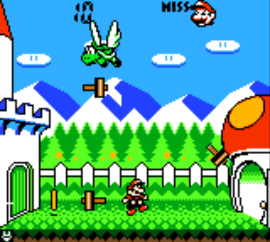
Game Boy Gallery 3 (Australia)
0 2 0
Game Boy Gallery 3 (Australia) is a collection of classic Game Boy Color titles you can play right in your browser. It offers a nostalgic look back at the handheld’s library, perfect for anyone who likes retro gaming or wants to try out a range of titles without any fuss. As a faithful emulation of the original hardware, it captures that authentic feel from the era when Game Boy Color was at its peak. The games are simple and straightforward, focused on fun and challenge.
Getting Into Game Boy Gallery 3
The main idea is choosing from a selection of classic Game Boy Color titles, each with its own gameplay style. You can jump into any game quickly, enjoying short sessions that usually last a few minutes. The interface makes it easy to move between titles or pick up where you left off.
Most of the games are designed for quick play, with easy controls and clear goals. Whether you’re testing your reflexes, solving puzzles, or trying to remember patterns, the collection encourages trying again and learning as you go. Since it runs directly in your browser, there’s no need to download anything. It’s convenient to play on any device with internet access. Playing usually involves choosing a game, aiming for high scores, or completing specific challenges, depending on what you’re playing.
Standout Features
One of the best parts is how accurately it recreates the original visuals. The pixel art keeps that charm and simplicity of the Game Boy Color, with sharp sprites and limited colors that bring back memories. The menus are clean and easy to navigate, even on small screens.
Progress in each game depends on what you do—some challenge you to beat high scores, while others unlock new modes after repeated play. You can keep coming back to improve your skills or try to beat your own records. The variety of game types—puzzle, platform, action—means there’s always something new to try out. Because it includes different styles, it appeals to a lot of players and keeps things fresh as a browser-based collection.
Strategy and Tips
Starting with familiar titles can make things easier, but exploring lesser-known games might reveal hidden gems. Focus on getting comfortable with the controls to score higher or progress faster.
- Pay attention to each game’s mechanics and goals to avoid making mistakes.
- Take breaks if you start to feel frustrated; short play sessions keep it enjoyable.
- Practice regularly to beat your best scores or unlock extra content when available.
- If there’s a pause option, use it to plan or take a breather during longer sessions.
- Try out different games to see which genres or styles you prefer for longer playtime.
Quick Questions
Can I start playing Game Boy Gallery 3 right away?
Yes, it runs in your browser, so no downloads or setup are necessary. Just open the page and start playing.
What’s a common mistake for beginners?
Many jump into games without learning the controls, which can lead to quick failures. Spending a moment to understand how everything works helps improve your game.
Does it work well on mobile or touch devices?
Definitely. Since it runs in-browser, it adapts easily to touch screens, making it simple to play on smartphones and tablets without extra software.
Game Boy Gallery 3 is a straightforward way to enjoy classic Game Boy Color titles in your browser. Its simplicity and variety make it a good pick for fans of retro games or anyone curious about the handheld’s library. Whether you’re aiming for high scores or just want a bit of nostalgia, it’s a practical collection to explore without any hassle.
Related games: you can also try Aliens – Thanatos Encounter (USA, Europe) and Babe and Friends (Europe) (En,Fr,De,Es,It), or browse all other games in the Game Boy Color category.
How to Play Game Boy Gallery 3 (Australia)?
Choose a game, use the keyboard to move or press buttons, and try to achieve high scores or complete levels. Play short sessions to enjoy different titles and improve your skills over time.
Game Controls
Arrow keys control movement; other keys handle actions like start and select.
You may be interested in:
-
 Game Boy Color
♥ 43
Zook Hero Z
Game Boy Color
♥ 43
Zook Hero Z -
 Game Boy Color
♥ 1
Zok Zok Heroes (Japan)
Game Boy Color
♥ 1
Zok Zok Heroes (Japan) -
 Game Boy Color
♥ 1
Zoids – Shirogane no Juukishin Liger Zero (Japan)
Game Boy Color
♥ 1
Zoids – Shirogane no Juukishin Liger Zero (Japan) -
 Game Boy Color
♥ 1
Zoids – Jashin Fukkatsu! Genobreaker Hen (Japan)
Game Boy Color
♥ 1
Zoids – Jashin Fukkatsu! Genobreaker Hen (Japan) -
 Game Boy Color
♥ 2
Zoboomafoo – Playtime in Zobooland (USA)
Game Boy Color
♥ 2
Zoboomafoo – Playtime in Zobooland (USA) -
 Game Boy Color
♥ 1
Zidane Football Generation (Europe) (En,Fr,De,Es,It)
Game Boy Color
♥ 1
Zidane Football Generation (Europe) (En,Fr,De,Es,It) -
 Game Boy Color
♥ 1
Zen-Nihon Shounen Soccer Taikai – Mezase Nihon Ichi! (Japan)
Game Boy Color
♥ 1
Zen-Nihon Shounen Soccer Taikai – Mezase Nihon Ichi! (Japan) -
 Game Boy Color
♥ 1
Zebco Fishing! (USA)
Game Boy Color
♥ 1
Zebco Fishing! (USA)
Comments (0)
No comments yet. Be the first to comment!