Honkaku Yonin Uchi Mahjong – Mahjong Ou (Japan)
0 0 0
What Is Honkaku Yonin Uchi Mahjong – Mahjong Ou?
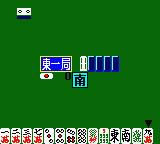
Honkaku Yonin Uchi Mahjong – Mahjong Ou is a classic Game Boy Color game that brings the traditional Japanese four-player mahjong experience to your browser. It’s easy to pick up, so newcomers can get started quickly, but it also offers enough depth to keep seasoned players engaged. The digital version sticks closely to real mahjong rules, focusing on strategy, tile management, and reading opponents.
The game follows the familiar Japanese mahjong rules, where players aim to complete a winning hand by drawing and discarding tiles. Sessions are quick, usually around 15-30 minutes, making it great for casual play or short breaks. Despite its simplicity, Honkaku Yonin Uchi Mahjong – Mahjong Ou captures the essence of traditional mahjong, making it a solid choice for fans of this classic game style.
What Keeps You Coming Back
One of the main draws is how well it replicates the classic mahjong experience. The interface mimics physical tiles and gameplay flow, helping players sharpen their skills or learn the game. Its rules match traditional Japanese mahjong, so familiar players can enjoy the challenge, while newcomers can learn through practice.
The game stays interesting because each round is different—tile draws and discards change every time, encouraging new tactics. The AI opponents have varying difficulty levels, so players can choose a relaxed game or a tougher challenge. Playing against virtual opponents means you can enjoy a quick match anytime without waiting around for friends or dealing with complicated multiplayer setups.
Handy Tips
Getting started with Honkaku Yonin Uchi Mahjong – Mahjong Ou? Focus on understanding common tile patterns and typical winning hands.
- Watch what tiles opponents discard; it can give clues about their hand and strategy.
- Build flexible hands that can complete multiple winning combinations for better chances.
- Keep track of your discards and potential waits to avoid unnecessary risks.
- Practice recognizing “yaku” (special hand patterns) that can boost your score or help you win.
- Don’t rush to complete a hand; sometimes folding early can save points and improve your position.
Player FAQ
Is Honkaku Yonin Uchi Mahjong – Mahjong Ou easy for beginners?
Yes, the game is simple enough for newcomers to pick up quickly, especially if they know the basics of mahjong. Its digital format helps new players understand tile management without complicated setups.
Can younger players enjoy Honkaku Yonin Uchi Mahjong – Mahjong Ou?
While it’s suitable for players of all ages who understand the rules, younger children might find the Japanese text tricky if the game is in Japanese. The gameplay itself is straightforward and can be enjoyed by older kids interested in traditional mahjong.
Do I need an internet connection to play Honkaku Yonin Uchi Mahjong – Mahjong Ou?
No, once the game loads in your browser, you can play without being connected to the internet. It’s handy for quick sessions on the go.
Closing
Honkaku Yonin Uchi Mahjong – Mahjong Ou offers an authentic mahjong experience right in your browser, with simple controls and enough strategy to keep you interested. Its faithful recreation of traditional Japanese mahjong makes it a good choice for anyone wanting to practice or enjoy this classic game. Whether you’re new or experienced, this game from the Game Boy Color era remains a fun and accessible way to enjoy mahjong.
Related games: you can also try Godzilla – The Series – Monster Wars (Europe) (En,Fr,De) and Bomberman Max – Red Challenger (USA), or browse all other games in the Game Boy Color category.
How to Play Honkaku Yonin Uchi Mahjong – Mahjong Ou (Japan)?
Draw and discard tiles to form a complete winning hand based on Japanese mahjong rules. Play against AI opponents, aiming to improve your hand and score by recognizing patterns and managing tiles effectively.
Game Controls
Arrow keys navigate; Enter confirms actions; other keys handle tile selection and discarding.
You may be interested in:
-
 Game Boy Color
♥ 43
Zook Hero Z
Game Boy Color
♥ 43
Zook Hero Z -
 Game Boy Color
♥ 1
Zok Zok Heroes (Japan)
Game Boy Color
♥ 1
Zok Zok Heroes (Japan) -
 Game Boy Color
♥ 1
Zoids – Shirogane no Juukishin Liger Zero (Japan)
Game Boy Color
♥ 1
Zoids – Shirogane no Juukishin Liger Zero (Japan) -
 Game Boy Color
♥ 1
Zoids – Jashin Fukkatsu! Genobreaker Hen (Japan)
Game Boy Color
♥ 1
Zoids – Jashin Fukkatsu! Genobreaker Hen (Japan) -
 Game Boy Color
♥ 2
Zoboomafoo – Playtime in Zobooland (USA)
Game Boy Color
♥ 2
Zoboomafoo – Playtime in Zobooland (USA) -
 Game Boy Color
♥ 1
Zidane Football Generation (Europe) (En,Fr,De,Es,It)
Game Boy Color
♥ 1
Zidane Football Generation (Europe) (En,Fr,De,Es,It) -
 Game Boy Color
♥ 1
Zen-Nihon Shounen Soccer Taikai – Mezase Nihon Ichi! (Japan)
Game Boy Color
♥ 1
Zen-Nihon Shounen Soccer Taikai – Mezase Nihon Ichi! (Japan) -
 Game Boy Color
♥ 1
Zebco Fishing! (USA)
Game Boy Color
♥ 1
Zebco Fishing! (USA)
Comments (0)
No comments yet. Be the first to comment!