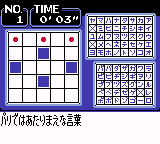
Loppi Puzzle Magazine – Hirameku Puzzle Soukangou (Japan) (Rev A) (NP)
0 1 0
Loppi Puzzle Magazine – Hirameku Puzzle Soukangou (Japan) (Rev A) (NP) is a classic Game Boy Color puzzle game that captures the feel of handheld gaming from the late 1990s and early 2000s. Its simple mechanics and charming visuals bring back a sense of nostalgia, providing a quiet challenge for puzzle fans. This game is part of the handheld puzzle genre that thrived on straightforward design and clever ideas, now playable directly in your browser through an emulator that needs no extra setup.
Step Into the World of Loppi Puzzle Magazine – Hirameku Puzzle Soukangou (Japan)
When you start this Game Boy Color game, you’re met with a clean, minimal interface that hints at its Japanese origins. Its visuals are modest but colorful, with simple shapes and grid-based puzzles that are easy to read on the small screen. The sound is subtle, with soft melodies and gentle effects that keep the focus on the gameplay rather than loud noises. The atmosphere feels calm and focused, making it a good choice for quick puzzle sessions or for anyone looking for a gentle mental workout without distractions.
How the Gameplay Hooks You
Loppi Puzzle Magazine – Hirameku Puzzle Soukangou offers a straightforward puzzle loop centered around matching, flipping, or arranging shapes within a limited space. The pace is steady enough to make you think carefully without feeling rushed, but it also keeps you engaged. As you progress through the levels, more complex arrangements appear, giving a satisfying sense of achievement as you figure out each challenge. Its design suits short bursts of play, perfect for fitting into small free moments or for casual puzzle solving over multiple sessions.
Pro Tips for Loppi Puzzle Magazine – Hirameku Puzzle Soukangou (Japan)
To get the most out of this classic puzzle game, try to recognize patterns and plan your moves ahead of time. Here are some tips:
- Take a moment to examine the grid before acting—hasty moves can block future options.
- Look for symmetrical or repeating shapes that can be easily aligned or flipped to fit the space.
- Finish the easier sections first to reduce clutter and open up more options for trickier areas.
- If available, use the undo feature to experiment with different strategies without penalty.
- Sometimes, a small change in approach can reveal a clear solution that wasn’t obvious at first.
Frequently Asked Questions
Does the game get repetitive after a while?
It keeps to a consistent puzzle style, but each level introduces new setups, keeping your brain busy. The steady pace helps prevent it from feeling dull as long as you enjoy thinking through each challenge.
Is this game good for short gaming sessions?
Absolutely. It’s designed for quick, focused play. You can finish a puzzle or two in just a few minutes, making it perfect for a quick break or casual play.
Can I enjoy it if I don’t read Japanese?
Yes. The gameplay is based on visual puzzles rather than language, so you can play it without understanding Japanese. The interface is simple enough to navigate intuitively.
Playing Loppi Puzzle Magazine – Hirameku Puzzle Soukangou (Japan) directly in your browser offers a real taste of retro handheld puzzles. Its straightforward design and calming vibe make it a good pick for puzzle lovers seeking a nostalgic challenge without any downloads or setup. This game remains a concise and satisfying puzzle experience, ideal for quick sessions or for fans looking to revisit a classic from the Game Boy Color days.
Related games: you can also try Dokapon! – Millennium Quest (Japan) and Konchuu Hakase 2 (Japan), or browse all other games in the Game Boy Color category.
How to Play Loppi Puzzle Magazine – Hirameku Puzzle Soukangou (Japan) (Rev A) (NP)?
Arrange and match shapes within the grid to clear levels. Use careful planning and pattern recognition to solve puzzles without rushing, progressing through increasingly complex arrangements.
Game Controls
Arrow keys move the cursor; action buttons select and flip shapes; undo is available.
You may be interested in:
-
 Game Boy Color
♥ 43
Zook Hero Z
Game Boy Color
♥ 43
Zook Hero Z -
 Game Boy Color
♥ 1
Zok Zok Heroes (Japan)
Game Boy Color
♥ 1
Zok Zok Heroes (Japan) -
 Game Boy Color
♥ 1
Zoids – Shirogane no Juukishin Liger Zero (Japan)
Game Boy Color
♥ 1
Zoids – Shirogane no Juukishin Liger Zero (Japan) -
 Game Boy Color
♥ 1
Zoids – Jashin Fukkatsu! Genobreaker Hen (Japan)
Game Boy Color
♥ 1
Zoids – Jashin Fukkatsu! Genobreaker Hen (Japan) -
 Game Boy Color
♥ 2
Zoboomafoo – Playtime in Zobooland (USA)
Game Boy Color
♥ 2
Zoboomafoo – Playtime in Zobooland (USA) -
 Game Boy Color
♥ 1
Zidane Football Generation (Europe) (En,Fr,De,Es,It)
Game Boy Color
♥ 1
Zidane Football Generation (Europe) (En,Fr,De,Es,It) -
 Game Boy Color
♥ 1
Zen-Nihon Shounen Soccer Taikai – Mezase Nihon Ichi! (Japan)
Game Boy Color
♥ 1
Zen-Nihon Shounen Soccer Taikai – Mezase Nihon Ichi! (Japan) -
 Game Boy Color
♥ 1
Zebco Fishing! (USA)
Game Boy Color
♥ 1
Zebco Fishing! (USA)
Comments (0)
No comments yet. Be the first to comment!