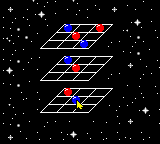
Microsoft Entertainment Pack (Europe)
0 1 0
The Microsoft Entertainment Pack (Europe) is a collection of classic puzzle and strategy games originally made for Windows, now playable as a Game Boy Color game emulated right in your browser. It offers a bit of nostalgia for those who remember the early 90s PC gaming scene, adapted for portable play. If you enjoy puzzles or testing your logic skills, this version keeps things simple and straightforward, capturing the feel of Windows entertainment software from back then.
Getting Into Microsoft Entertainment Pack
This game has a basic gameplay loop centered on solving puzzles and tackling strategic challenges. You pick a game mode—anything from arranging objects to optimizing setups—and try to complete the objective within certain rules. The gameplay is turn-based or puzzle-focused, so it’s easy to pick up and stop whenever you want. The controls are simple, which suits the limited buttons of the Game Boy Color.
Most of the time, success comes down to trial and error, adjusting your approach based on how the game responds. Whether you’re racing against a clock or trying to piece together a logical sequence, it rewards careful observation and planning. Since the collection includes multiple titles, each offers its own mechanics and challenges, but all stay within the strategy genre, emphasizing thinking ahead rather than quick reflexes. The process is straightforward: pick a game, try to complete the challenge, then see if you can do better next time.
Standout Features
The graphics stay true to the Game Boy Color era—simple and colorful, helping you easily distinguish different game elements without cluttering the screen. Progress comes through repeated attempts, gradually improving your score or efficiency. If you enjoy mastering each challenge, replay value is high. Since each game has different goals, switching between them keeps things fresh and encourages trying new strategies or beating your best scores.
While the visuals are minimal, the variety of puzzles keeps things interesting. The mechanics are simple enough to jump into without a long learning curve, making it perfect for quick gaming sessions. The design encourages experimenting with different approaches, and solving puzzles brings a satisfying sense of achievement. Many players find themselves coming back to improve their skills and scores over time.
Strategy and Tips
Take your time with each puzzle—rushing can lead to mistakes. Pause to understand what each goal requires before making a move.
- Make sure you understand the rules clearly; misreading instructions can slow you down.
- If you get stuck, try different solutions. Many puzzles can be approached in multiple ways.
- Solve one part of the puzzle fully before moving on to the next to keep things organized.
- Learn from each attempt—review what didn’t work to develop better strategies.
- Focus on making efficient moves to complete puzzles faster or improve your score.
- Switch between different games in the pack to keep your mind sharp and challenge different skills.
Quick Questions
How do I start playing Microsoft Entertainment Pack?
Just pick a game from the menu and get going. It’s designed to be quick and easy to access.
What’s a common mistake beginners make?
Many rush their moves without fully understanding the rules, which can lead to errors and frustration.
Can I play this on mobile or touch devices?
Yes, since it runs in your browser, it works on any device with a compatible browser, including smartphones and tablets. That makes it easy to play anywhere.
Overall, the Microsoft Entertainment Pack offers a straightforward, nostalgic experience rooted in strategy. Its simple mechanics and variety of puzzles make it accessible yet engaging enough to keep you coming back. Enjoy exploring this classic collection, now free to play in your browser, and see how well you can solve each challenge.
Related games: you can also try Dave Mirra Freestyle BMX (USA, Europe) and Daikatana GB (Japan) (NP), or browse all other games in the Game Boy Color category.
How to Play Microsoft Entertainment Pack (Europe)?
Select a puzzle, analyze the goal, and use the keyboard to move or arrange objects. Complete each challenge by following the rules and improving your solution with multiple attempts.
Game Controls
Arrow keys control movement; other keys handle actions like selecting or confirming.
You may be interested in:
-
 Game Boy Color
♥ 1
Monsters, Inc. (Europe) (En,Es,Nl)
Game Boy Color
♥ 1
Monsters, Inc. (Europe) (En,Es,Nl) -
 Game Boy Color
♥ 1
Monster Traveler (Japan) (Rev A)
Game Boy Color
♥ 1
Monster Traveler (Japan) (Rev A) -
 Game Boy Color
♥ 1
Monster Rancher Explorer (USA)
Game Boy Color
♥ 1
Monster Rancher Explorer (USA) -
 Game Boy Color
♥ 5
Monster Rancher Battle Card GB (USA)
Game Boy Color
♥ 5
Monster Rancher Battle Card GB (USA) -
 Game Boy Color
♥ 2
Monster Race 2 (Japan)
Game Boy Color
♥ 2
Monster Race 2 (Japan) -
 Game Boy Color
♥ 2
Monster Farm Battle Card GB (Japan)
Game Boy Color
♥ 2
Monster Farm Battle Card GB (Japan) -
 Game Boy Color
♥ 1
Monster AG, Die (Germany)
Game Boy Color
♥ 1
Monster AG, Die (Germany) -
 Game Boy Color
♥ 2
Monkey Puncher (Europe)
Game Boy Color
♥ 2
Monkey Puncher (Europe)
Comments (0)
No comments yet. Be the first to comment!