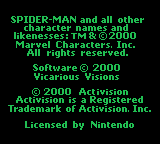
Spider-Man (USA, Europe)
0 14 1
Spider-Man (USA, Europe) is a classic Game Boy Color game that puts players in the role of the iconic superhero navigating a city filled with enemies and obstacles. This action, adventure, and brawler game offers a straightforward yet engaging experience suited for fans of handheld gaming from the late 1990s and early 2000s. If you enjoy side-scrolling combat combined with exploration, this game provides a nostalgic taste of what the Game Boy Color could deliver in superhero-themed titles.
Getting Into Spider-Man
The game focuses on moving through levels, fighting enemies, and avoiding hazards. Players control Spider-Man as he patrols the city, taking on various foes in side-scrolling brawling combat. The gameplay mainly involves jumping, punching, and dodging to clear each stage. Levels mix enemy encounters with platforming sections, requiring quick reflexes and good timing.
Sessions usually start by selecting a level or section, then progressing through it while keeping an eye on health and resources. The game follows a linear path with increasing difficulty, and players often replay levels to improve scores or learn enemy patterns. It doesn’t have complex story modes or branching paths, but it rewards skill and persistence, making it enjoyable for quick plays or longer sessions.
Standout Features
Visually, Spider-Man captures the sprite-based charm typical of Game Boy Color titles, with colorful backgrounds and character animations that evoke the comic book style. Despite the hardware limitations, the game manages to give clear visual cues for combat and movement, helping players identify enemies and hazards quickly. Completing levels unlocks new challenges, encouraging players to replay to improve times and scores.
The replay value comes from the challenge and simplicity. Each level can be approached differently, and mastering enemy attack patterns or timing can boost performance. The game is short but fairly tough, appealing to those who enjoy learning levels through trial and error. Its straightforward design is accessible for newcomers yet engaging enough for experienced players to improve over multiple attempts.
Strategy and Tips
To get the most out of Spider-Man, try to learn enemy patterns and time your attacks well. Patience often beats rushing through levels. Watch your health and save power-ups for tougher sections.
- Use jump attacks to avoid enemy projectiles and take out groups of foes fast.
- Practice dodging at the right moments to avoid damage, especially in tight spots.
- Explore levels carefully for hidden areas or shortcuts that can speed up progress.
- Revisit levels to improve your score or performance, as the game rewards mastery.
- Pay attention to visual cues for enemy attacks to block and counter more effectively.
Quick Questions
How do I start playing Spider-Man?
The game begins right after loading; pick your level and start moving through the stages using the controls in your browser emulator.
What is a common mistake for beginners?
Many new players rush into enemies without watching attack patterns, taking unnecessary damage early on. Take your time to learn enemy movements.
Can I play Spider-Man on a mobile device or touch screen?
Yes, since it runs in your browser, you can play it on mobile devices with touch controls, but you might need to adjust the emulator settings for the best experience.
Spider-Man on the Game Boy Color offers a satisfying action experience for fans of classic handheld brawlers. Its simple gameplay and nostalgic visuals make it a good choice for quick gaming sessions or trying to beat high scores. If you’re into superheroes or retro titles, this game is worth swinging into.
Related games: you can also try Babe and Friends (USA) and Pro Mahjong Tsuwamono GB (Japan), or browse all other games in the Game Boy Color category.
How to Play Spider-Man (USA, Europe)?
Move through levels, fight enemies by jumping and punching, and avoid hazards. Clear each stage by defeating foes and mastering timing, aiming for high scores and better times.
Game Controls
Arrow keys control movement; other keys handle jumping, attacking, and actions.
You may be interested in:
-
 Game Boy Color
♥ 2
Super Chinese Fighter EX (Japan)
Game Boy Color
♥ 2
Super Chinese Fighter EX (Japan) -
 Game Boy Color
♥ 3
Super Breakout! (USA)
Game Boy Color
♥ 3
Super Breakout! (USA) -
 Game Boy Color
♥ 1
Super Breakout! (Europe) (En,Fr,De,Es,It,Nl)
Game Boy Color
♥ 1
Super Breakout! (Europe) (En,Fr,De,Es,It,Nl) -
 Game Boy Color
♥ 1
Super Bombliss DX (Japan)
Game Boy Color
♥ 1
Super Bombliss DX (Japan) -
 Game Boy Color
♥ 1
Super Black Bass Pocket 3 (Japan)
Game Boy Color
♥ 1
Super Black Bass Pocket 3 (Japan) -
 Game Boy Color
♥ 1
Super Black Bass – Real Fight (Japan)
Game Boy Color
♥ 1
Super Black Bass – Real Fight (Japan) -
 Game Boy Color
♥ 1
Stuart Little – The Journey Home (USA, Europe)
Game Boy Color
♥ 1
Stuart Little – The Journey Home (USA, Europe) -
 Game Boy Color
♥ 1
Stuart Little – The Journey Home (Europe) (Fr,De)
Game Boy Color
♥ 1
Stuart Little – The Journey Home (Europe) (Fr,De)
Comments (0)
No comments yet. Be the first to comment!