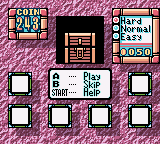
Wario Land 2 – Enhanced Graphics
0 7 0
Wario Land 2 – Enhanced Graphics is a classic Game Boy Color game that can be played right in your browser. It brings back a piece of handheld gaming history in a way that feels fresh yet familiar. This platformer mixes puzzle-solving, exploration, and jumping mechanics into an adventure that encourages players to think on their feet and try different approaches. Its bright visuals and simple gameplay make it a great choice for anyone who enjoys retro gaming from the 1990s handheld era.
Why Wario Land 2 – Enhanced Graphics Is Worth Playing
This game is memorable thanks to its creative level layouts and the fact that you don’t have to follow a strict path. Unlike many platformers of its time, it promotes trying different routes, with hidden areas and secrets that reward curiosity. The visuals, now clearer and more detailed, make exploring its lively worlds more fun. The overall feel combines light humor with straightforward gameplay that keeps your focus on solving puzzles and avoiding dangers. The controls are simple, and the mechanics are forgiving, but the real challenge is figuring out how to use enemies and objects to move forward.
Players often come back for the multiple endings and the thrill of discovering hidden spots. Instead of the traditional lives system, the game offers a more relaxed approach that rewards exploration and experimentation. The upgraded graphics make it easier to see clues and hazards, which can be crucial for reacting quickly. It’s a well-made platformer that balances fun and difficulty, all wrapped up in a charming package that looks great on the Game Boy Color’s palette.
Tips to Get Ahead
Getting started with Wario Land 2 – Enhanced Graphics involves understanding its main mechanics. Here are some useful tips:
- Explore every corner of each level; hidden areas often have useful items or shortcuts.
- Try different routes instead of rushing to the finish; multiple paths can lead to different rewards.
- Watch enemy patterns and environmental cues to avoid taking damage.
- Use Wario’s unique abilities to move objects and solve puzzles — don’t hesitate to experiment with different solutions.
- Save your progress when you can, especially before tricky sections or boss fights.
- If you get stuck, go back and check previously completed areas for secrets or alternative routes that could help you progress.
Things to Know Before You Start
How long does a session of Wario Land 2 – Enhanced Graphics usually take?
It varies, but most levels take just a few minutes, so you can play in short bursts or spend more time exploring.
Is Wario Land 2 – Enhanced Graphics suitable for casual players?
Absolutely. Its forgiving mechanics and simple controls make it easy to pick up and enjoy without feeling overwhelmed.
What kind of difficulty should I expect?
The game offers a fair challenge that encourages exploration and trying different solutions. It’s not punishing for mistakes, making it friendly for players who enjoy puzzle-platformers with some testing moments.
This version runs smoothly right in your browser, with no extra software needed. It’s a fun way to experience a beloved classic, whether you’re nostalgic or new to it. The game’s design is straightforward but offers enough depth to keep things interesting as you learn its secrets.
Jump into Wario Land 2 – Enhanced Graphics and enjoy a colorful puzzle-platformer that’s still engaging. Its clever level design and lively visuals make it a must-try for fans of vintage Game Boy Color titles.
Related games: you can also try Denki Blocks! (Europe) (En,Fr,De,Es,It) and Tom Clancy's Rainbow Six (USA, Europe) (En,Fr,De), or browse all other games in the Game Boy Color category.
How to Play Wario Land 2 – Enhanced Graphics?
Guide Wario through levels by jumping, exploring, and solving puzzles to find secrets and reach the end. Use different routes and items to unlock multiple endings.
Game Controls
Arrow keys move Wario; jump and interact with action keys; pause with a designated key.
You may be interested in:
-
 Game Boy Color
♥ 1
Wizardry Empire (Japan) (Rev A)
Game Boy Color
♥ 1
Wizardry Empire (Japan) (Rev A) -
 Game Boy Color
♥ 1
Wizardry Empire (Japan)
Game Boy Color
♥ 1
Wizardry Empire (Japan) -
 Game Boy Color
♥ 1
Wizardry Empire – Fukkatsu no Tsue (Japan)
Game Boy Color
♥ 1
Wizardry Empire – Fukkatsu no Tsue (Japan) -
 Game Boy Color
♥ 3
Winnie the Pooh – Adventures in the 100 Acre Wood (USA)
Game Boy Color
♥ 3
Winnie the Pooh – Adventures in the 100 Acre Wood (USA) -
 Game Boy Color
♥ 1
Winnie the Pooh – Adventures in the 100 Acre Wood (Europe) (En,Fr,De,Es,It,Nl,Da)
Game Boy Color
♥ 1
Winnie the Pooh – Adventures in the 100 Acre Wood (Europe) (En,Fr,De,Es,It,Nl,Da) -
 Game Boy Color
♥ 2
Wings of Fury (USA)
Game Boy Color
♥ 2
Wings of Fury (USA) -
 Game Boy Color
♥ 1
Wings of Fury (Europe) (En,Fr,De)
Game Boy Color
♥ 1
Wings of Fury (Europe) (En,Fr,De) -
 Game Boy Color
♥ 3
Wild Thornberrys, The – Rambler (USA)
Game Boy Color
♥ 3
Wild Thornberrys, The – Rambler (USA)
Comments (0)
No comments yet. Be the first to comment!