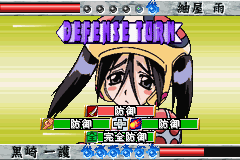
Bleach Advance (J)(Caravan)
0 2 0
Bleach Advance (J)(Caravan) is a classic Game Boy Advance title that combines action and fighting elements into a portable game. It reflects the style of the popular anime series while keeping the gameplay straightforward. Designed for fans of quick-paced combat, the game is easy to pick up with its simple controls and character-based fighting system, all playable directly in your browser without any downloads.
Bleach Advance: Gameplay Overview
The game features one-on-one battles where you select characters inspired by the anime. The main gameplay involves pulling off combos, special moves, and blocking to outsmart your opponent. Each character has unique attacks and defensive options, adding a layer of strategy. Timing and recognizing patterns are key, rewarding players who learn their characters’ move sets and find weaknesses in their opponents.
While the mechanics are accessible for newcomers, getting the timing right and mastering combos can make a difference. The game uses a simple attack setup with light and heavy strikes, along with special moves that require specific input sequences. Battles tend to be short and fast, encouraging quick reactions and adaptability. Since it runs in-browser, it provides a smooth experience of this vintage fighting game.
Modes, Levels and Progression
This GBA-era classic offers a basic single-player mode where you face AI opponents across different stages. It doesn’t include a complex story mode, but the variety of characters and difficulty settings help keep things interesting. Progress mainly comes from defeating opponents and unlocking new characters or moves along the way.
The fight locations and opponent types vary, but the game makes up for it with a wide roster of characters and the challenge of mastering each one’s special abilities. Without extensive levels or branching stories, the focus stays on fast-paced combat—common for portable fighting games. This setup encourages trying different characters or improving skills over time.
Winning Strategies
Get familiar with your character’s moves and timing to build combos. Watch for your opponent’s attacks and use blocking to find openings for counterattacks.
- Use a mix of light, heavy, and special moves to keep your opponent guessing.
- Stay aware of the fight’s rhythm; applying pressure can lead to mistakes.
- Practice your special moves in training or against easier AI to develop muscle memory.
- Use positioning and movement to dodge attacks and control the flow of the fight.
- Adjust your approach based on the difficulty level and your opponent’s fighting style for better results.
Common Questions About Bleach Advance
Does the game have a story mode or campaign?
No, Bleach Advance mainly offers a straightforward versus mode with no story or campaign. The focus is on fighting different characters in one-on-one battles.
How does difficulty change as you play?
The game gets tougher as you face smarter AI opponents and higher challenge levels. Beating stronger foes requires better timing and strategy.
Is there replay value after the initial fights?
Yes, trying different characters and mastering their moves keeps the game interesting. Improving your skills and experimenting with different fighting styles adds to its replayability.
This browser-based version of Bleach Advance allows fans and newcomers alike to experience a classic GBA fighting game firsthand. Its focus on easy mechanics and character-driven combat makes it a solid choice for those interested in portable action games.
Related games: you can also try 2 in 1 – Yu-Gi-Oh! The Sacred Cards & Yu-Gi-Oh! Reshef Of Destrcution (U)(Independent) and Aero The Acro-Bat – Rascal Rival Revenge (E)(Independent), or browse all other games in the Game Boy Advance category.
How to Play Bleach Advance (J)(Caravan)?
Choose your character and fight against AI opponents using quick attacks, blocks, and special moves. Learn patterns, time your attacks, and aim to outsmart your opponent in fast-paced battles.
Game Controls
Arrow keys act as the D-pad; Enter is Start; action buttons are mapped to other keys.
You may be interested in:
-
 Game Boy Advance
♥ 2
Zooo (J)(Rising Sun)
Game Boy Advance
♥ 2
Zooo (J)(Rising Sun) -
 Game Boy Advance
♥ 4
Zooo (E)(Trashman)
Game Boy Advance
♥ 4
Zooo (E)(Trashman) -
 Game Boy Advance
♥ 2
ZooCube (U)(Mode7)
Game Boy Advance
♥ 2
ZooCube (U)(Mode7) -
 Game Boy Advance
♥ 1
ZooCube (E)(Blizzard)
Game Boy Advance
♥ 1
ZooCube (E)(Blizzard) -
 Game Boy Advance
♥ 1
Zone of the Enders – The Fist of Mars (U)(Mode7)
Game Boy Advance
♥ 1
Zone of the Enders – The Fist of Mars (U)(Mode7) -
 Game Boy Advance
♥ 1
Zone of the Enders – The Fist of Mars (E)(Cezar)
Game Boy Advance
♥ 1
Zone of the Enders – The Fist of Mars (E)(Cezar) -
 Game Boy Advance
♥ 1
Zoku Bokura no Taiyou – Taiyou Shounen Django (J)(Independent)
Game Boy Advance
♥ 1
Zoku Bokura no Taiyou – Taiyou Shounen Django (J)(Independent) -
 Game Boy Advance
♥ 7
Zoku Bokura no Taiyou – Taiyou Shounen Django (J)(Caravan)
Game Boy Advance
♥ 7
Zoku Bokura no Taiyou – Taiyou Shounen Django (J)(Caravan)
Comments (0)
No comments yet. Be the first to comment!