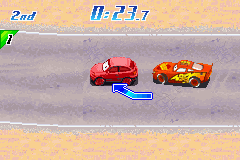
Cars (U)(Trashman)
0 20 2
Cars (U)(Trashman) is a classic Game Boy Advance game that combines driving and racing with a variety of minigames, giving players a fun way to enjoy quick, light-hearted competition. As a GBA title, it uses simple controls and has a nostalgic charm that makes it accessible for gamers of all ages. If you enjoy driving games with mini-challenges, this game offers a playful experience you can try directly in your browser without any downloads.
Getting Into Cars
The main gameplay involves completing different mini-games that focus on driving and racing. Each one offers a different challenge—from basic races to obstacle dodging and timed tasks. Progress usually depends on finishing these challenges to unlock new content or score higher. The rounds are short, with each mini-game lasting just a few minutes, making it perfect for quick play sessions or trying to beat your best scores.
You can choose different mini-games or modes to play and often replay specific challenges to improve your results. The controls are straightforward, typically just directional inputs and a single button, which makes it easy to pick up. The game doesn’t demand complex strategies but encourages learning each mini-game’s pattern for better results. It’s a good choice for quick bursts of fun or testing your reflexes against the clock.
Standout Features
The visuals are bright and cheerful, with a cartoonish style reminiscent of early 2000s handheld titles. This look helps distinguish each mini-game and makes obstacles and targets clear. While it doesn’t aim for realism, the graphics do a good job of communicating gameplay goals and contribute to the playful tone. Progress depends on completing mini-games to unlock new challenges, making repeated play and mastery rewarding.
The game offers replay value through its variety of mini-games and the challenge to beat high scores. The quick rounds and simple mechanics make it easy to jump in and out, and as you get better at each challenge, it can become a personal goal. Since it runs directly in your browser, you can try different difficulty levels or challenge friends to beat your scores without any fuss. It’s a game that encourages quick, satisfying races and challenges.
Strategy and Tips
Getting to know the mechanics of each mini-game helps improve your scores faster. Practice makes perfect, especially for timing-based challenges.
- Start with the simpler mini-games to get comfortable with the controls and objectives before moving on to tougher ones.
- Watch for visual cues that warn you of upcoming obstacles or targets to react more quickly.
- Memorize patterns in obstacle courses or timed tasks to improve your speed and accuracy.
- Try quick retries to learn from mistakes, since most mini-games are short and let you experiment rapidly.
- Set small goals for each mini-game to gradually boost your scores and unlock more content.
Quick Questions
How do I get started playing Cars?
Just select a mini-game or challenge from the menu and start racing or completing tasks right away.
What’s a common mistake beginners make?
Many jump into challenges without paying attention to patterns or cues, which can lead to quick failures. Take a moment to learn each mini-game’s mechanics.
Can I play Cars on mobile or touchscreen devices?
Yes, since it runs directly in your browser, the controls are simple enough to work well on touchscreens, so you can enjoy it on mobile devices without extra setup.
Cars offers a straightforward set of mini-games with bright, cheerful visuals. Its focus on quick, fun challenges makes it a good pick for casual racing fans who want a light competition. The simple mechanics and replayability mean you can enjoy racing whenever you like, right in your browser.
Related games: you can also try 3 in 1 – Asteroids, Yar's Revenge and Pong (E)(sUppLeX) and Boku No Kuwagata 3 (J)(Rising Sun), or browse all other games in the Game Boy Advance category.
How to Play Cars (U)(Trashman)?
Complete mini-games by racing, dodging obstacles, and finishing tasks quickly to unlock new challenges and beat high scores. Practice each game to improve your reflexes and aim for the best results.
Game Controls
Arrow keys control movement; a single button performs actions or confirms choices.
You may be interested in:
-
 Game Boy Advance
♥ 2
Zooo (J)(Rising Sun)
Game Boy Advance
♥ 2
Zooo (J)(Rising Sun) -
 Game Boy Advance
♥ 4
Zooo (E)(Trashman)
Game Boy Advance
♥ 4
Zooo (E)(Trashman) -
 Game Boy Advance
♥ 2
ZooCube (U)(Mode7)
Game Boy Advance
♥ 2
ZooCube (U)(Mode7) -
 Game Boy Advance
♥ 1
ZooCube (E)(Blizzard)
Game Boy Advance
♥ 1
ZooCube (E)(Blizzard) -
 Game Boy Advance
♥ 1
Zone of the Enders – The Fist of Mars (U)(Mode7)
Game Boy Advance
♥ 1
Zone of the Enders – The Fist of Mars (U)(Mode7) -
 Game Boy Advance
♥ 1
Zone of the Enders – The Fist of Mars (E)(Cezar)
Game Boy Advance
♥ 1
Zone of the Enders – The Fist of Mars (E)(Cezar) -
 Game Boy Advance
♥ 1
Zoku Bokura no Taiyou – Taiyou Shounen Django (J)(Independent)
Game Boy Advance
♥ 1
Zoku Bokura no Taiyou – Taiyou Shounen Django (J)(Independent) -
 Game Boy Advance
♥ 7
Zoku Bokura no Taiyou – Taiyou Shounen Django (J)(Caravan)
Game Boy Advance
♥ 7
Zoku Bokura no Taiyou – Taiyou Shounen Django (J)(Caravan)
Comments (0)
No comments yet. Be the first to comment!