Final Fantasy I & II Advance (J)(Hyperion)
0 3 0
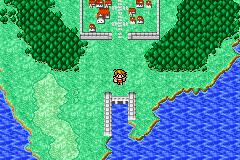
Final Fantasy I & II Advance (J)(Hyperion) is a classic Game Boy Advance game now playable directly in your browser. This collection combines two of Square Enix’s earliest RPGs, offering a nostalgic experience for fans of turn-based battles, pixel art, and storytelling that spans many hours. If you enjoy pixel sprites, strategic combat, and exploring fantasy worlds, this game gives you a simple way to enjoy both titles without needing a console or download.
Getting Into Final Fantasy I & II Advance
The gameplay centers on turn-based combat, where you control a party of characters moving through story-driven scenarios. Each game has its own characters, worlds, and progression, but both share familiar mechanics like leveling up, managing equipment, and exploring dungeons. During battles, you select commands, and outside of fights, you explore maps and complete quests or face bosses. The emulator runs smoothly, providing an experience that feels authentic to the Game Boy Advance with straightforward controls.
Progression follows a familiar pattern: visit towns and dungeons, fight enemies to gain experience, upgrade your gear, and move the story forward. Saving your progress is easy and allows you to pick up right where you left off. Whether you want quick sessions or longer plays, the game suits your pace, especially if you enjoy grinding or want to focus on the story.
Standout Features
The pixel art captures the look of early 2000s RPGs with detailed sprites and atmospheric backgrounds. The style is consistent and makes navigating the game simple. You can customize characters with different gear and magic, which adds variety and replay value as you try different builds.
The collection encourages replay with multiple difficulty levels, optional side quests, and various character classes. Since both games are included, you can switch between them easily, experiencing two different stories and gameplay styles. The challenge and pacing stay true to the originals, making this a rewarding way to enjoy classic RPG design.
Strategy and Tips
Start by balancing your party’s skills and upgrading gear regularly to take on tougher enemies. Managing resources like healing items and magic points is key to surviving longer dungeons.
- Save often, especially before boss fights or tricky encounters.
- Try different character classes and gear setups to find what works best.
- Use magic and items wisely—don’t waste them on minor enemies.
- Explore thoroughly for hidden items, side quests, and upgrades that can make your journey easier.
- Pay attention to enemy weaknesses; exploiting them can turn tough battles in your favor.
Quick Questions
How do I get started if I’ve never played these games before?
Just press start, pick your game, and follow the prompts to create a new save or load an existing one. The game explains the basics clearly.
What’s a common mistake for beginners?
Not saving enough can mean losing progress after difficult fights or sudden game overs. Save often, especially before major battles or exploring new areas.
Is this playable on touch devices?
Yes, the browser emulator is designed for easy control, making it comfortable to play on mobile screens. The controls are simple enough for quick, casual sessions.
Final Fantasy I & II Advance offers a faithful way to experience two classic RPGs. Playing it in your browser makes it easy to enjoy these timeless adventures whenever you want, without any hassle or extra setup.
Related games: you can also try Driver 2 Advance (E)(Eurasia) and Duel Masters – Sempai Legends (U)(Venom), or browse all other games in the Game Boy Advance category.
How to Play Final Fantasy I & II Advance (J)(Hyperion)?
Control a party of characters in turn-based battles and explore towns and dungeons to complete quests, level up, and upgrade gear. Manage resources and strategize to defeat enemies and progress through the story.
Game Controls
Arrow keys for movement; Enter to select; other keys for actions and menu navigation.
You may be interested in:
-
 Game Boy Advance
♥ 2
Zooo (J)(Rising Sun)
Game Boy Advance
♥ 2
Zooo (J)(Rising Sun) -
 Game Boy Advance
♥ 4
Zooo (E)(Trashman)
Game Boy Advance
♥ 4
Zooo (E)(Trashman) -
 Game Boy Advance
♥ 2
ZooCube (U)(Mode7)
Game Boy Advance
♥ 2
ZooCube (U)(Mode7) -
 Game Boy Advance
♥ 1
ZooCube (E)(Blizzard)
Game Boy Advance
♥ 1
ZooCube (E)(Blizzard) -
 Game Boy Advance
♥ 1
Zone of the Enders – The Fist of Mars (U)(Mode7)
Game Boy Advance
♥ 1
Zone of the Enders – The Fist of Mars (U)(Mode7) -
 Game Boy Advance
♥ 1
Zone of the Enders – The Fist of Mars (E)(Cezar)
Game Boy Advance
♥ 1
Zone of the Enders – The Fist of Mars (E)(Cezar) -
 Game Boy Advance
♥ 1
Zoku Bokura no Taiyou – Taiyou Shounen Django (J)(Independent)
Game Boy Advance
♥ 1
Zoku Bokura no Taiyou – Taiyou Shounen Django (J)(Independent) -
 Game Boy Advance
♥ 7
Zoku Bokura no Taiyou – Taiyou Shounen Django (J)(Caravan)
Game Boy Advance
♥ 7
Zoku Bokura no Taiyou – Taiyou Shounen Django (J)(Caravan)
Comments (0)
No comments yet. Be the first to comment!