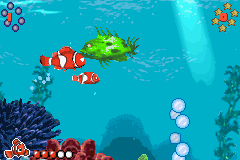
Finding Nemo (E)(Patience)
0 1 0
Finding Nemo (E)(Patience) is a well-loved game from the Game Boy Advance days, capturing the action genre within a family-friendly aquatic setting. As a platformer inspired by the Pixar film, it offers a simple, accessible experience for those looking for a light challenge. Running directly in your browser, this emulated game brings back nostalgic charm and straightforward gameplay without the need for downloads or emulators.
Why Finding Nemo Is Worth Playing
This game appeals because of its uncomplicated yet engaging action, perfect for casual players and younger audiences. The visuals reflect the vibrant underwater world from the movie, with colorful sprites and lively backgrounds that help create a cheerful atmosphere. While it doesn’t push graphical limits, its clear animations and themed environments keep things visually interesting throughout your playthrough. The soundtrack, though minimal, fits the underwater theme and adds to the relaxed, adventurous mood.
What makes Finding Nemo stand out among licensed platformers is its focus on simple mechanics. It’s designed for quick pick-up-and-play sessions, making it great for short bursts of fun or younger players. Its accessible gameplay encourages repeated tries without punishing difficulty, fostering a sense of achievement without frustration. The game emphasizes timing and easy navigation, keeping players engaged without complicated controls or deep strategic planning.
Even with its simplicity, the game manages to evoke a feeling of exploration and discovery, echoing the themes of the film. The familiar characters and lively underwater setting give it a nostalgic, charming feel for fans of the movie or anyone looking for a light, action-focused experience. Its mechanics are easy to understand, and the gentle difficulty curve makes it suitable for all ages and skill levels, offering casual fun with a bit of challenge.
Tips to Get Ahead
Getting off to a good start in Finding Nemo involves understanding its pacing and level layout. Here are some practical tips to help you along:
- Watch enemy patterns and timing to avoid taking unnecessary hits.
- Explore each level carefully for hidden paths or shortcuts that can help you save time.
- Practice movement and timing instead of rushing through levels.
- Monitor your health and avoid risky moves when your life points are low.
- Focus on difficult sections to build muscle memory for smoother navigation.
- Use checkpoints wisely to prevent losing progress after setbacks.
Things to Know Before You Start
Before jumping in, here are some common questions to help set expectations:
How hard is Finding Nemo?
It’s built with a gentle difficulty curve, suitable for casual players and children, with some moments needing precise timing but no steep challenges.
How long does a typical session last?
Most levels are short, letting you finish a run in about 10-15 minutes, which makes it easy to play during quick breaks.
Is Finding Nemo good for kids or beginners?
Yes, thanks to its simple controls and forgiving difficulty, it’s a good choice for children or anyone new to action games. It offers a non-intimidating experience that still provides some challenge.
Does the game include multiple modes or difficulty levels?
No, it sticks to a straightforward, single-mode gameplay focused on progressing through levels rather than offering different modes.
Is this version in English?
Yes, the available version runs in English, with no regional restrictions or subtitles in other languages.
Jump in and explore the colorful depths of Finding Nemo. Its simple action gameplay makes it a fun, relaxed choice for fans of classic Game Boy Advance titles and underwater adventures alike. Whether you’re revisiting childhood memories or discovering it for the first time, this game offers a charming, quick experience that’s free in your browser and ready to entertain.
Related games: you can also try 2 in 1 – Madagascar Operation Penguin & Shrek 2 (U)(Sir VG) and Emerald Uncensored Beta 2, or browse all other games in the Game Boy Advance category.
How to Play Finding Nemo (E)(Patience)?
Move Nemo through levels, avoiding enemies and collecting items to reach the end. Use simple controls to jump, dodge, and explore, completing each stage's goal without losing all health.
Game Controls
Arrow keys control movement; action buttons are mapped to other keys for jumping and interacting.
You may be interested in:
-
 Game Boy Advance
♥ 2
Zooo (J)(Rising Sun)
Game Boy Advance
♥ 2
Zooo (J)(Rising Sun) -
 Game Boy Advance
♥ 4
Zooo (E)(Trashman)
Game Boy Advance
♥ 4
Zooo (E)(Trashman) -
 Game Boy Advance
♥ 2
ZooCube (U)(Mode7)
Game Boy Advance
♥ 2
ZooCube (U)(Mode7) -
 Game Boy Advance
♥ 1
ZooCube (E)(Blizzard)
Game Boy Advance
♥ 1
ZooCube (E)(Blizzard) -
 Game Boy Advance
♥ 1
Zone of the Enders – The Fist of Mars (U)(Mode7)
Game Boy Advance
♥ 1
Zone of the Enders – The Fist of Mars (U)(Mode7) -
 Game Boy Advance
♥ 1
Zone of the Enders – The Fist of Mars (E)(Cezar)
Game Boy Advance
♥ 1
Zone of the Enders – The Fist of Mars (E)(Cezar) -
 Game Boy Advance
♥ 1
Zoku Bokura no Taiyou – Taiyou Shounen Django (J)(Independent)
Game Boy Advance
♥ 1
Zoku Bokura no Taiyou – Taiyou Shounen Django (J)(Independent) -
 Game Boy Advance
♥ 7
Zoku Bokura no Taiyou – Taiyou Shounen Django (J)(Caravan)
Game Boy Advance
♥ 7
Zoku Bokura no Taiyou – Taiyou Shounen Django (J)(Caravan)
Comments (0)
No comments yet. Be the first to comment!