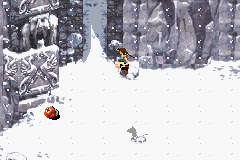
Lara Croft Tomb Raider – The Prophecy (E)(Mode7)
0 2 0
Lara Croft Tomb Raider – The Prophecy (E)(Mode7) is a classic Game Boy Advance game that runs right in your browser. Fans of action-adventure titles will enjoy its simple gameplay and nostalgic feel, reminiscent of the GBA era. The game combines exploration, puzzle-solving, and combat, making it a good choice for those who like light but engaging action on a portable device.
Getting Into Lara Croft Tomb Raider – The Prophecy
The game puts you in control of Lara Croft as she explores different environments, fights enemies, and solves puzzles to move the story forward. The main gameplay involves navigating side-scrolling levels, collecting items, and using a variety of weapons or tools to defeat foes. It follows a linear path but encourages players to think about their route and how they use their items to get past obstacles.
A typical session involves exploring levels, finding important items, and unlocking new areas. Lara jumps, shoots, and interacts with objects in a straightforward action style. While it doesn’t have complex RPG mechanics, it rewards players who pay attention to environmental clues and manage their inventory well. The challenge comes from timing, accuracy, and resourcefulness, blending quick reflexes with strategic thinking.
Standout Features
The visuals capture the sprite-based charm of the GBA, with colorful backgrounds and character animations that reflect the hardware’s style. Environments range from ancient ruins to underground caves, each detailed enough to feel immersive despite the system’s limitations. The progression system is simple, with levels unlocking one after another, but enough variety keeps things interesting across multiple playthroughs.
Replay value comes from trying to beat your best times, finding hidden items, or completing levels without taking damage. The difficulty is moderate, making it accessible for newcomers while still offering a challenge for experienced players. Short levels and clear objectives make it easy to pick up and put down, fitting into quick gaming sessions and encouraging multiple attempts to improve each run.
Strategy and Tips
If you’re new to the game, spend time learning each level’s layout and save your ammunition for tougher enemies. Patience pays off—rushing can cause unnecessary damage or cause you to miss secrets.
- Check every corner for hidden items, especially health and ammo pickups.
- Use environmental objects—cover or puzzles—to your advantage. They often provide safe spots or shortcuts.
- Save often, especially after tough sections or puzzles.
- Pay attention to enemy patterns; timing your shots and movements helps conserve resources and reduces damage.
- If you’re stuck, go back to earlier areas to find clues or items that might help solve current puzzles or obstacles.
Quick Questions
How do I get started with this game?
Just load it in your browser and start exploring—no extra setup needed.
What’s a common mistake beginners make?
Many rush through levels without exploring enough, missing useful items and secrets that can make progress easier.
Does it work well on mobile or touch devices?
Since it runs in your browser, it works on many devices, including phones and tablets, with touch controls. Using a keyboard or controller can make gameplay more precise.
Lara Croft Tomb Raider – The Prophecy offers a solid action experience rooted in GBA classics, with manageable difficulty and short levels perfect for quick gaming. Its straightforward gameplay and charming visuals make it worth a try for fans of retro adventures, all playable directly in your browser for free.
Related games: you can also try Famicom Mini – Vol 28 – Famicom Tantei Club Part II – Ushiro ni Tatsu Shoujo Zengouhen (J)(Caravan) and Cinnamoroll Kokoniiruyo (J)(Rising Sun), or browse all other games in the Game Boy Advance category.
How to Play Lara Croft Tomb Raider – The Prophecy (E)(Mode7)?
Guide Lara through levels by exploring, solving puzzles, and fighting enemies to progress and complete each stage. Collect items, manage resources, and use environmental cover to succeed.
Game Controls
Arrow keys move Lara; other keys handle jumping, shooting, and interacting.
You may be interested in:
-
 Game Boy Advance
♥ 2
Zooo (J)(Rising Sun)
Game Boy Advance
♥ 2
Zooo (J)(Rising Sun) -
 Game Boy Advance
♥ 4
Zooo (E)(Trashman)
Game Boy Advance
♥ 4
Zooo (E)(Trashman) -
 Game Boy Advance
♥ 2
ZooCube (U)(Mode7)
Game Boy Advance
♥ 2
ZooCube (U)(Mode7) -
 Game Boy Advance
♥ 1
ZooCube (E)(Blizzard)
Game Boy Advance
♥ 1
ZooCube (E)(Blizzard) -
 Game Boy Advance
♥ 1
Zone of the Enders – The Fist of Mars (U)(Mode7)
Game Boy Advance
♥ 1
Zone of the Enders – The Fist of Mars (U)(Mode7) -
 Game Boy Advance
♥ 1
Zone of the Enders – The Fist of Mars (E)(Cezar)
Game Boy Advance
♥ 1
Zone of the Enders – The Fist of Mars (E)(Cezar) -
 Game Boy Advance
♥ 1
Zoku Bokura no Taiyou – Taiyou Shounen Django (J)(Independent)
Game Boy Advance
♥ 1
Zoku Bokura no Taiyou – Taiyou Shounen Django (J)(Independent) -
 Game Boy Advance
♥ 7
Zoku Bokura no Taiyou – Taiyou Shounen Django (J)(Caravan)
Game Boy Advance
♥ 7
Zoku Bokura no Taiyou – Taiyou Shounen Django (J)(Caravan)
Comments (0)
No comments yet. Be the first to comment!