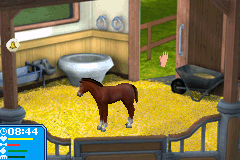
Let’s Ride – Friends Forever (U)(Sir VG)
0 1 0
Let’s Ride – Friends Forever (U)(Sir VG) is a classic Game Boy Advance simulation game that focuses on friendship and riding activities. Its simple mechanics and relaxed gameplay make it a unique addition to the platform’s library. As a title from the GBA era, it offers a nostalgic feel that you can play directly in your browser, with no need for downloads or complicated setups.
Let’s Ride – Friends Forever: Gameplay Overview
The main idea behind Let’s Ride – Friends Forever is managing and taking part in riding-related tasks. Players guide characters through various activities that mimic friendly riding or bonding exercises. The game relies on timing and coordination, with objectives that need to be completed within certain limits to move forward. Its pace is laid-back, making it accessible for a broad range of players, including younger gamers or those looking for a casual experience.
As you play, you’ll navigate characters through different scenarios — whether that’s guiding friends along paths, doing simple tricks, or finishing timed challenges. The interface keeps controls minimal, making it easy to pick up and play. This straightforward design helps players focus on completing tasks without fussing over complex controls. The gameplay encourages trying again to improve scores or unlock new content, creating a sense of progression within its modest scope.
Modes, Levels and Progression
Let’s Ride – Friends Forever has a small but varied set of levels, each presenting different challenges and environments. Progression tends to be linear, unlocking new scenarios as you complete the ones before. While the game isn’t very deep, the variety of activities helps keep things interesting across multiple sessions.
It doesn’t feature many modes or multiplayer options, but enough level variety to motivate replaying earlier stages for better scores. The design supports gradual mastery, with players honing their timing and decision-making through repeated attempts. Its short length makes it suitable for quick gaming sessions or casual plays in a browser.
Winning Strategies
Getting familiar with the timing for each activity makes a big difference. Keeping a steady pace rather than rushing helps improve your chances of success. Take time to understand what each scenario requires before trying to finish it. Using trial and error to figure out the best approach for tricky parts can be helpful, and consistent effort will unlock all available content.
- Pay attention to movement patterns and cues to anticipate actions.
- Practice each level multiple times to find the easiest method.
- Watch for signals that indicate when to perform certain actions.
- Stay patient and precise rather than rushing through levels.
- Focus on small improvements to boost your score or unlock extras.
Common Questions About Let’s Ride – Friends Forever
How does the difficulty change across levels?
The game gets more challenging as you go, with early stages acting as tutorials and later ones introducing tougher timing and coordination tasks.
Are there different modes or multiplayer features?
No, it’s a single-player game with a set of levels; there are no additional modes or multiplayer options.
How long does it usually take to finish all levels?
Most players can complete the game in around 15 to 30 minutes, depending on how familiar they are with the gameplay and their skill level.
Closing: Playing Let’s Ride – Friends Forever offers a simple simulation experience focused on casual fun and friendship themes. Its easy mechanics and gentle progression make it suitable for players of all ages, providing a nostalgic ride through a classic Game Boy Advance title, now playable for free in your browser.
Related games: you can also try Daredevil (U)(Mode7) and Disney Pixar Pack (I)(Independent), or browse all other games in the Game Boy Advance category.
How to Play Let’s Ride – Friends Forever (U)(Sir VG)?
Guide your characters through riding tasks by timing your actions correctly to complete levels and unlock new scenarios in a relaxed, straightforward game.
Game Controls
Use arrow keys as the D-pad; other keys handle actions and menu navigation.
You may be interested in:
-
 Game Boy Advance
♥ 2
Zooo (J)(Rising Sun)
Game Boy Advance
♥ 2
Zooo (J)(Rising Sun) -
 Game Boy Advance
♥ 4
Zooo (E)(Trashman)
Game Boy Advance
♥ 4
Zooo (E)(Trashman) -
 Game Boy Advance
♥ 2
ZooCube (U)(Mode7)
Game Boy Advance
♥ 2
ZooCube (U)(Mode7) -
 Game Boy Advance
♥ 1
ZooCube (E)(Blizzard)
Game Boy Advance
♥ 1
ZooCube (E)(Blizzard) -
 Game Boy Advance
♥ 1
Zone of the Enders – The Fist of Mars (U)(Mode7)
Game Boy Advance
♥ 1
Zone of the Enders – The Fist of Mars (U)(Mode7) -
 Game Boy Advance
♥ 1
Zone of the Enders – The Fist of Mars (E)(Cezar)
Game Boy Advance
♥ 1
Zone of the Enders – The Fist of Mars (E)(Cezar) -
 Game Boy Advance
♥ 1
Zoku Bokura no Taiyou – Taiyou Shounen Django (J)(Independent)
Game Boy Advance
♥ 1
Zoku Bokura no Taiyou – Taiyou Shounen Django (J)(Independent) -
 Game Boy Advance
♥ 7
Zoku Bokura no Taiyou – Taiyou Shounen Django (J)(Caravan)
Game Boy Advance
♥ 7
Zoku Bokura no Taiyou – Taiyou Shounen Django (J)(Caravan)
Comments (0)
No comments yet. Be the first to comment!