Lode Runner (J)(Cezar)
0 2 0
Lode Runner (J)(Cezar) is a classic from the Game Boy Advance era, blending action, strategy, and platforming into a compact, pixel-perfect package. Its nostalgic appeal comes from its straightforward yet challenging gameplay, inviting players into a world where quick reflexes and clever planning matter. This game from the GBA days runs right in your browser, giving you instant access to a title that has kept players coming back with its timeless mechanics and minimalist visuals.
Step Into the World of Lode Runner
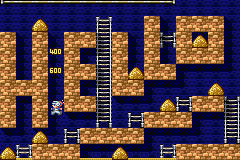
The game showcases pixel art with simple, colorful sprites set against grid-based levels. The sound design features chiptune melodies that add rhythm and tension as you move across tricky platforms. The visuals and audio combine to create an atmosphere that feels both nostalgic and crisp, emphasizing precision and timing. Despite its minimal style, everything about the presentation keeps players focused on the puzzle-platform challenges ahead.
As you advance, the levels become more complex. The game moves quickly, requiring fast decisions and strategic moves to dodge enemies and gather all the gold. The layout encourages trying different routes and approaches, rewarding ingenuity. This straightforward yet tough setup makes each session feel like a new puzzle, whether you’re casually exploring or trying to beat your high score.
How the Gameplay Hooks You
The core gameplay involves navigating tight spaces filled with obstacles, enemies, and collectible gold. You need to plan your moves carefully to avoid being caught and to gather all items before moving forward. The pace keeps you on your toes, pushing you from one challenge to the next, sharpening your reflexes and strategic thinking. As levels get tougher, new enemy patterns and more complex layouts test your timing and foresight.
Progress isn’t just about finishing levels—it’s about refining your approach and finding the best route. The game encourages trial and error, learning enemy patrols and level layouts to improve your runs. This mix of challenge and mastery keeps players engaged, whether they’re racing against the clock or simply enjoying the puzzles. Short sessions feel satisfying, with each level offering a manageable, rewarding challenge.
Pro Tips for Lode Runner
Plan your moves before jumping in—anticipate enemy paths and think ahead.
- Use the environment to trap or avoid enemies—patience often pays off.
- Try to collect all the gold before moving on, unless speed is your main goal.
- Observe enemy patrols to predict where they’ll go and find safe routes.
- Think about your escape routes early so you can react quickly if needed.
- If a plan falls apart, don’t hesitate to restart; learning from mistakes makes your runs better.
Frequently Asked Questions
Does Lode Runner have a story or narrative?
No, it’s focused on puzzle-platforming mechanics. The fun comes from solving levels and avoiding enemies rather than following a storyline.
Does the game get repetitive, or does it stay interesting?
As levels get tougher and designs change, it stays engaging. Still, some players might find the core gameplay loop repetitive after a while. Short sessions tend to be the most enjoyable.
Can I play this game in quick bursts or on different devices?
Yes, playing directly in your browser makes it perfect for quick sessions. It runs the same across devices without needing downloads.
Lode Runner offers a tight, engaging experience rooted in simple but tough mechanics. Its straightforward design challenges players to master each level with skill and patience, making every successful run satisfying and rewarding.
Related games: you can also try Bomberman Max 2 Red Advance (U)(Mode7) and Jimmy Neutron vs. Jimmy Negatron (G)(Mugs), or browse all other games in the Game Boy Advance category.
How to Play Lode Runner (J)(Cezar)?
Navigate levels by moving, avoiding enemies, and collecting all gold before advancing. Plan your moves carefully, use the environment to trap enemies, and complete each puzzle efficiently.
Game Controls
Arrow keys control movement; other keys handle actions like jumping and climbing.
You may be interested in:
-
 Game Boy Advance
♥ 2
Zooo (J)(Rising Sun)
Game Boy Advance
♥ 2
Zooo (J)(Rising Sun) -
 Game Boy Advance
♥ 4
Zooo (E)(Trashman)
Game Boy Advance
♥ 4
Zooo (E)(Trashman) -
 Game Boy Advance
♥ 2
ZooCube (U)(Mode7)
Game Boy Advance
♥ 2
ZooCube (U)(Mode7) -
 Game Boy Advance
♥ 1
ZooCube (E)(Blizzard)
Game Boy Advance
♥ 1
ZooCube (E)(Blizzard) -
 Game Boy Advance
♥ 1
Zone of the Enders – The Fist of Mars (U)(Mode7)
Game Boy Advance
♥ 1
Zone of the Enders – The Fist of Mars (U)(Mode7) -
 Game Boy Advance
♥ 1
Zone of the Enders – The Fist of Mars (E)(Cezar)
Game Boy Advance
♥ 1
Zone of the Enders – The Fist of Mars (E)(Cezar) -
 Game Boy Advance
♥ 1
Zoku Bokura no Taiyou – Taiyou Shounen Django (J)(Independent)
Game Boy Advance
♥ 1
Zoku Bokura no Taiyou – Taiyou Shounen Django (J)(Independent) -
 Game Boy Advance
♥ 7
Zoku Bokura no Taiyou – Taiyou Shounen Django (J)(Caravan)
Game Boy Advance
♥ 7
Zoku Bokura no Taiyou – Taiyou Shounen Django (J)(Caravan)
Comments (0)
No comments yet. Be the first to comment!