Pokemon Fused Green 2.0.1
0 18 5
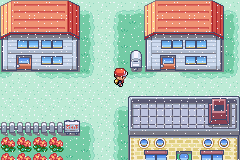
Pokemon Fused Green 2.0.1 is a classic Game Boy Advance game running in your browser, blending familiar Pokémon gameplay with a fan-made twist. Made for fans of the original series, it offers a new take with creature fusions and modifications that keep battles and collecting interesting. Since it plays directly in your browser, there’s no need to download or install anything to enjoy this nostalgic adventure.
Getting Into Pokemon Fused Green 2.0.1
The game follows a typical RPG style, where you explore, catch, and train Pokémon to prepare for battles. Building a balanced team, choosing effective moves, and understanding type advantages are all part of the experience. You start by wandering through towns and routes, encountering wild Pokémon, and battling trainer characters. As you go, your Pokémon level up, evolve, and fuse with others to become stronger or more versatile.
Turns in battles are strategic, with selecting the right moves and keeping your Pokémon healthy key to winning. You’ll spend time assembling your team, challenging rivals, and exploring different areas. The difficulty balances challenge with accessibility, so you don’t need to grind excessively. The open-ended design encourages trying out different fusion combinations and strategies over multiple play sessions.
Standout Features
The pixel art stays true to the GBA era, capturing the charm of classic Pokémon titles. The fused creatures bring variety to the roster, offering new designs and abilities that boost replay value. Experimenting with different fusions can reveal powerful combos or unique types that suit your style. Because of this, each game feels different, encouraging you to revisit and try new strategies.
There are plenty of areas to explore, each with unique Pokémon and trainer battles. As you unlock new fusions and strengthen your team, you’ll face fresh challenges and find ways to improve your gameplay. The in-browser emulator means quick access and instant play—no complicated setup needed, so you can jump right into the action whenever you like.
Strategy and Tips
If you’re just starting out, focusing on a balanced team helps. Here are some pointers to help you along the way:
- Fuse Pokémon with types that complement each other to cover weaknesses and boost attack options.
- Save your fusion resources for key upgrades; experimenting early can be costly but worthwhile.
- Pay attention to Pokémon moves and abilities—fusions can learn unique moves that turn battles in your favor.
- Explore all areas thoroughly to find rare Pokémon and fusions that can strengthen your team.
- Balance your training between offense and defense to prepare for tougher fights.
- Use healing and status items wisely during battles to stay in control.
Quick Questions
How do I start a new game in Pokemon Fused Green 2.0.1?
Just select the start option from the main menu, and you’ll begin with a basic team you can train and fuse as you go.
What’s a common mistake new players make?
Many try fusing Pokémon without thinking about their types and moves, which can weaken your team. Focus on creating fusions with synergy in abilities and types.
Can I play Pokemon Fused Green 2.0.1 on mobile or touch devices?
Yes, since it runs in your browser, it works smoothly on mobile devices with touch screens, making it easy to play on the go.
Pokemon Fused Green 2.0.1 offers a familiar experience with a twist, adding a strategic layer through creature fusions that invites experimentation. Its browser-based setup makes it easy to jump in and enjoy without any fuss.
Related games: you can also try Ougon no Taiyo (J)(Eurasia) and Hugo – The Evil Mirror (U)(Evlstar), or browse all other games in the Game Boy Advance category.
How to Play Pokemon Fused Green 2.0.1?
Explore towns, catch Pokémon, and train your fused creatures for battles. Build a balanced team, use strategic moves, and fuse Pokémon to create stronger or unique fighters to win battles and progress.
Game Controls
Arrow keys move; Z and X handle actions; Enter confirms selections.
You may be interested in:
-
 Game Boy Advance
♥ 2
Zooo (J)(Rising Sun)
Game Boy Advance
♥ 2
Zooo (J)(Rising Sun) -
 Game Boy Advance
♥ 4
Zooo (E)(Trashman)
Game Boy Advance
♥ 4
Zooo (E)(Trashman) -
 Game Boy Advance
♥ 2
ZooCube (U)(Mode7)
Game Boy Advance
♥ 2
ZooCube (U)(Mode7) -
 Game Boy Advance
♥ 1
ZooCube (E)(Blizzard)
Game Boy Advance
♥ 1
ZooCube (E)(Blizzard) -
 Game Boy Advance
♥ 1
Zone of the Enders – The Fist of Mars (U)(Mode7)
Game Boy Advance
♥ 1
Zone of the Enders – The Fist of Mars (U)(Mode7) -
 Game Boy Advance
♥ 1
Zone of the Enders – The Fist of Mars (E)(Cezar)
Game Boy Advance
♥ 1
Zone of the Enders – The Fist of Mars (E)(Cezar) -
 Game Boy Advance
♥ 1
Zoku Bokura no Taiyou – Taiyou Shounen Django (J)(Independent)
Game Boy Advance
♥ 1
Zoku Bokura no Taiyou – Taiyou Shounen Django (J)(Independent) -
 Game Boy Advance
♥ 7
Zoku Bokura no Taiyou – Taiyou Shounen Django (J)(Caravan)
Game Boy Advance
♥ 7
Zoku Bokura no Taiyou – Taiyou Shounen Django (J)(Caravan)
Comments (0)
No comments yet. Be the first to comment!