Pokemon Radical Red v3.1
0 75 7
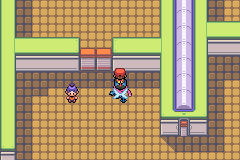
Pokemon Radical Red v3.1 is a fan-made ROM hack based on the classic Game Boy Advance game, offering a tougher challenge for fans of the original Pokémon titles. It keeps the familiar turn-based battles and exploration but adds increased difficulty and new mechanics that appeal to seasoned players. Since it runs in your browser, you can explore the game without installing anything, making it accessible for anyone wanting to revisit or test their skills with a beloved franchise.
Why Pokemon Radical Red v3.1 Is Worth Playing
This version stands out because of its challenging difficulty and expanded content, which encourages players to rethink their strategies. The visuals stay close to the original GBA style, but with some tweaks that sharpen the sprites and backgrounds, giving it a more polished look while keeping the nostalgic pixel art. The atmosphere feels familiar yet more intense, thanks to smarter enemy AI and tougher trainer battles that reward careful team building and resource management. These elements make each victory more satisfying, especially for players who have already completed the mainline titles and want an extra challenge.
What keeps players coming back is how well it balances familiarity with new elements. It sticks to the core mechanics of catching, battling, and training Pokémon but introduces new Pokémon, items, and battle mechanics that weren’t in the original games. The difficulty spike is noticeable but fair, creating a sense of progression that feels earned rather than frustrating. Whether you’re a casual fan or a dedicated trainer looking for a fresh take on the classic formula, Pokemon Radical Red v3.1 offers a mix of nostalgia and challenge that can fill hours of gameplay without feeling repetitive.
Tips to Get Ahead
If you’re new to the game or want some practical advice, these tips can help you progress more easily:
- Build a balanced team early; don’t rely only on type advantages—cover your weaknesses with versatile Pokémon.
- Save often before tough battles; the increased difficulty can make the difference between winning and losing.
- Pay attention to your Pokémon’s moves and learn which strategies work best against tougher opponents.
- Stock up on healing items and status cures in case you face longer or more difficult fights.
- Explore all routes and trainers—you might find valuable items or Pokémon that give you an edge later on.
- Adjust your strategy based on the new mechanics introduced in this version—study enemy patterns carefully.
Things to Know Before You Start
Question?
Is Pokemon Radical Red v3.1 suitable for casual players?
Answer.
This game is better suited for players comfortable with higher difficulty levels and strategic gameplay. It might be less ideal for absolute beginners but offers a rewarding challenge for dedicated fans.
Question?
How long does a typical session last?
Answer.
A game session can last anywhere from 30 minutes to several hours, depending on how much you explore and how many battles you take on.
Question?
Can I play this on different devices or just on desktops?
Answer.
Since it runs in your browser, you can play it on desktops, laptops, and some tablets with web access—no installation needed.
Jump into the game
Pokemon Radical Red v3.1 offers a challenging, nostalgic experience for GBA fans eager to test their skills. Its blend of classic visuals and new difficulty makes it worth trying out, especially if you’re after a more intense Pokémon adventure accessible right through your browser.
Related games: you can also try Les Razmoket rencontrent les Delajungle (F)(Patience) and Disney's Girls Pack (F)(TRSI), or browse all other games in the Game Boy Advance category.
How to Play Pokemon Radical Red v3.1?
Capture, train, and battle Pokémon to defeat trainers and gym leaders, progressing through the story while managing your team’s moves and items to overcome tougher opponents.
Game Controls
Arrow keys move; Enter confirms; other keys handle actions and menu navigation.
You may be interested in:
-
 Game Boy Advance
♥ 2
Zooo (J)(Rising Sun)
Game Boy Advance
♥ 2
Zooo (J)(Rising Sun) -
 Game Boy Advance
♥ 4
Zooo (E)(Trashman)
Game Boy Advance
♥ 4
Zooo (E)(Trashman) -
 Game Boy Advance
♥ 2
ZooCube (U)(Mode7)
Game Boy Advance
♥ 2
ZooCube (U)(Mode7) -
 Game Boy Advance
♥ 1
ZooCube (E)(Blizzard)
Game Boy Advance
♥ 1
ZooCube (E)(Blizzard) -
 Game Boy Advance
♥ 1
Zone of the Enders – The Fist of Mars (U)(Mode7)
Game Boy Advance
♥ 1
Zone of the Enders – The Fist of Mars (U)(Mode7) -
 Game Boy Advance
♥ 1
Zone of the Enders – The Fist of Mars (E)(Cezar)
Game Boy Advance
♥ 1
Zone of the Enders – The Fist of Mars (E)(Cezar) -
 Game Boy Advance
♥ 1
Zoku Bokura no Taiyou – Taiyou Shounen Django (J)(Independent)
Game Boy Advance
♥ 1
Zoku Bokura no Taiyou – Taiyou Shounen Django (J)(Independent) -
 Game Boy Advance
♥ 7
Zoku Bokura no Taiyou – Taiyou Shounen Django (J)(Caravan)
Game Boy Advance
♥ 7
Zoku Bokura no Taiyou – Taiyou Shounen Django (J)(Caravan)
Comments (0)
No comments yet. Be the first to comment!