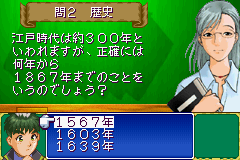
Tantei Gakuen Q (J)(Rising Sun)
0 1 0
Tantei Gakuen Q (J)(Rising Sun) is a classic Game Boy Advance game that brings detective work straight to your browser in a simple, accessible way. If you enjoy solving mysteries and piecing clues together, this game offers a straightforward yet engaging experience that’s easy to pick up even without prior knowledge of the series. Its familiar GBA controls and concise gameplay make it ideal for quick sessions or casual play while browsing.
What Is Tantei Gakuen Q?
This game fits into the puzzle and adventure genre, focusing on solving mysteries through logical deduction and pattern recognition. The main activity involves examining clues, making deductions, and choosing the right options to move the story forward. It doesn’t include complex combat or exploration, but it challenges your reasoning skills and attention to detail, making each mystery satisfying to solve.
As a detective-themed game, Tantei Gakuen Q presents a series of cases that players work through. Each one offers a set of clues, characters, and questions that need careful analysis. Its straightforward interface and clear prompts keep the focus on solving puzzles rather than navigating menus, making it suitable for players of all ages and skill levels. Quick sessions make it perfect for casual gameplay on this browser emulator.
What Keeps You Coming Back
The game’s appeal lies in its variety of puzzles and mysteries, each with its own set of clues and solutions. Replayability comes from trying different approaches or testing your deductions against the correct answers. It encourages refining your reasoning, so each playthrough can feel a little different depending on your choices.
Plus, Tantei Gakuen Q has a steady stream of cases that grow more challenging. The game promotes trying out different options to see what works best, while offering enough hints to keep frustration at bay. Its simple mechanics and quick resolutions make it easy to jump into another case after finishing one, keeping the detective work interesting across multiple sessions.
Handy Tips
If you’re just starting out, keep these tips in mind to solve mysteries more smoothly:
- Read all clues carefully before making deductions; overlooking a detail can lead to mistakes.
- Take notes on what each character says or hints at to avoid forgetting important information.
- If you’re stuck, go back to earlier clues or choices to see if you missed something.
- Try different options if you’re unsure—sometimes experimenting pays off.
- Notice patterns in clues that might suggest logical connections or sequences.
- Don’t rush through cases; taking your time often leads to quicker solutions.
Player FAQ
Is Tantei Gakuen Q easy to pick up and play for newcomers?
Yes, with simple controls and clear prompts, it’s accessible for players of all ages and experience levels.
Can younger players enjoy Tantei Gakuen Q?
Definitely. Its puzzle-based gameplay is suitable for younger audiences, and it doesn’t include mature content.
Do I need an internet connection to play Tantei Gakuen Q?
No, since it runs directly in your browser as a browser-based emulator, you can play offline without any downloads or setups.
Trying out Tantei Gakuen Q on this site offers a simple way to experience a detective puzzle game from the Game Boy Advance era. Its straightforward approach and fun puzzles make it a good choice for casual players looking for a quick mystery to solve without needing internet or complex controls. Whether you’re new to detective games or just enjoy classic GBA titles, this game provides satisfying puzzles that are easy to access and fun to revisit.
Related games: you can also try Surf's Up (U)(OMGba) and Pokemon Charged Red V1.1.02, or browse all other games in the Game Boy Advance category.
How to Play Tantei Gakuen Q (J)(Rising Sun)?
Examine clues, analyze characters, and choose options to solve mysteries. Make deductions based on hints and test different solutions to progress through cases.
Game Controls
Arrow keys act as the D-pad; Enter is used to select options.
You may be interested in:
-
 Game Boy Advance
♥ 2
Zooo (J)(Rising Sun)
Game Boy Advance
♥ 2
Zooo (J)(Rising Sun) -
 Game Boy Advance
♥ 4
Zooo (E)(Trashman)
Game Boy Advance
♥ 4
Zooo (E)(Trashman) -
 Game Boy Advance
♥ 2
ZooCube (U)(Mode7)
Game Boy Advance
♥ 2
ZooCube (U)(Mode7) -
 Game Boy Advance
♥ 1
ZooCube (E)(Blizzard)
Game Boy Advance
♥ 1
ZooCube (E)(Blizzard) -
 Game Boy Advance
♥ 1
Zone of the Enders – The Fist of Mars (U)(Mode7)
Game Boy Advance
♥ 1
Zone of the Enders – The Fist of Mars (U)(Mode7) -
 Game Boy Advance
♥ 1
Zone of the Enders – The Fist of Mars (E)(Cezar)
Game Boy Advance
♥ 1
Zone of the Enders – The Fist of Mars (E)(Cezar) -
 Game Boy Advance
♥ 1
Zoku Bokura no Taiyou – Taiyou Shounen Django (J)(Independent)
Game Boy Advance
♥ 1
Zoku Bokura no Taiyou – Taiyou Shounen Django (J)(Independent) -
 Game Boy Advance
♥ 7
Zoku Bokura no Taiyou – Taiyou Shounen Django (J)(Caravan)
Game Boy Advance
♥ 7
Zoku Bokura no Taiyou – Taiyou Shounen Django (J)(Caravan)
Comments (0)
No comments yet. Be the first to comment!