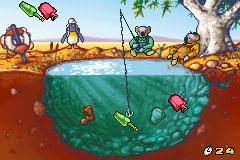
The Koala Brothers – Outback Adventures (U)(Trashman)
0 2 0
Getting Into The Koala Brothers – Outback Adventures
The Koala Brothers – Outback Adventures is a charming platformer from the Game Boy Advance era that invites players into a simple, light-hearted world. The game focuses on completing straightforward objectives across various levels, making it accessible for all ages. Its core gameplay revolves around guiding the koala characters through different environments, solving basic puzzles, and avoiding obstacles.
Playing this classic on your browser means engaging in short, snack-sized sessions that emphasize exploration and collection. The game features a clear progression system where each level introduces new challenges while gradually increasing difficulty. There are no complex mechanics or fast-paced action; instead, it offers a relaxed experience suitable for casual players or those nostalgic for early handheld gaming. Expect to spend around 10-20 minutes per session, depending on your pace and familiarity with the game.
Standout Features
The visuals in The Koala Brothers – Outback Adventures are bright and cartoonish, capturing the cheerful atmosphere of the original game. Its simple sprite-based graphics are clear and colorful, making navigation intuitive even on a small screen. The game’s design emphasizes clarity, with easily distinguishable characters and objects, which is perfect for quick recognition and smooth gameplay.
Progression in the game is straightforward: complete levels to unlock new areas, with each stage offering slightly more complex puzzles or platforming sections. While it doesn’t feature extensive replay value in terms of branching paths or secret levels, replaying levels to improve scores or discover missed collectibles can add some longevity. The game also encourages casual play, perfect for short bursts or revisiting familiar levels for fun.
Strategy and Tips
Getting started is simple—just select your level and begin exploring the environment. Focus on understanding each level’s layout before rushing through it. Here are some tips to help you succeed:
- Observe the environment carefully; many obstacles can be avoided or bypassed with a bit of patience.
- Collect all available items to maximize your score and unlock optional bonuses.
- Take your time with puzzles—rushing can cause unnecessary mistakes or missed opportunities.
- If you get stuck, revisiting earlier levels can help you get more comfortable with the controls and mechanics.
- Use the pause feature to plan your next move, especially in more complex sections.
- Playing in short sessions helps keep the game enjoyable without frustration or fatigue.
Quick Questions
How do I get started with The Koala Brothers – Outback Adventures?
Simply select the level you want to play on this site, and the game will load instantly for browser-based play without any setup needed.
What is the most common beginner mistake?
New players often rush through levels without paying attention to obstacles or collectibles, which can lead to unnecessary retries or missed items.
Can I play this game comfortably on mobile or touch devices?
Yes, since it runs in your browser, it adapts well to touch screens, making it easy to control with taps and drags for a casual gaming experience.
Overall, the game offers a friendly, straightforward platforming experience that fits well into short breaks. The koala brothers – outback adventures provides nostalgic appeal and accessible gameplay, making it a good choice for players of all ages looking for light, carefree fun in their browser.
Related games: you can also try Quad Desert Fury (U)(Venom) and Digimon Battle Spirit (E)(Suxxors), or browse all other games in the Game Boy Advance category.
How to Play The Koala Brothers – Outback Adventures (U)(Trashman)?
Guide your koala characters through levels by solving puzzles, avoiding obstacles, and collecting items to progress and unlock new areas.
Game Controls
Arrow keys control movement; other keys handle jumping and actions.
You may be interested in:
-
 Game Boy Advance
♥ 2
Zooo (J)(Rising Sun)
Game Boy Advance
♥ 2
Zooo (J)(Rising Sun) -
 Game Boy Advance
♥ 4
Zooo (E)(Trashman)
Game Boy Advance
♥ 4
Zooo (E)(Trashman) -
 Game Boy Advance
♥ 2
ZooCube (U)(Mode7)
Game Boy Advance
♥ 2
ZooCube (U)(Mode7) -
 Game Boy Advance
♥ 1
ZooCube (E)(Blizzard)
Game Boy Advance
♥ 1
ZooCube (E)(Blizzard) -
 Game Boy Advance
♥ 1
Zone of the Enders – The Fist of Mars (U)(Mode7)
Game Boy Advance
♥ 1
Zone of the Enders – The Fist of Mars (U)(Mode7) -
 Game Boy Advance
♥ 1
Zone of the Enders – The Fist of Mars (E)(Cezar)
Game Boy Advance
♥ 1
Zone of the Enders – The Fist of Mars (E)(Cezar) -
 Game Boy Advance
♥ 1
Zoku Bokura no Taiyou – Taiyou Shounen Django (J)(Independent)
Game Boy Advance
♥ 1
Zoku Bokura no Taiyou – Taiyou Shounen Django (J)(Independent) -
 Game Boy Advance
♥ 7
Zoku Bokura no Taiyou – Taiyou Shounen Django (J)(Caravan)
Game Boy Advance
♥ 7
Zoku Bokura no Taiyou – Taiyou Shounen Django (J)(Caravan)
Comments (0)
No comments yet. Be the first to comment!