Van Helsing (U)(Independent)
0 3 0
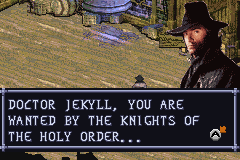
Van Helsing (U)(Independent) is a classic Game Boy Advance game that combines action and shooter elements. Originally made for the GBA, it’s now playable right in your browser, giving fans of retro handheld games a nostalgic thrill. If you enjoy fast-paced combat and straightforward gameplay, this game offers quick bursts of excitement without any downloads or installations.
Getting Into Van Helsing
The gameplay focuses on fast, arcade-style shooting. You control a character whose job is to take down enemies across different levels. The main idea is to move through stages, dodge enemy fire, and shoot to clear threats. It’s about reflexes and accuracy, turning each run into a test of timing. Usually, you start a level, face waves of enemies, and move on once the area is cleared or a boss is defeated. There aren’t any complex stories or RPG elements—just pure action.
The game offers single-player stages with different layouts and enemy placements each time. It encourages trying again and again to improve your score or beat your best time. Play sessions are short, making it perfect for quick fun. As you go further, the challenge gets tougher, demanding quicker reactions and sharper aim. Since it’s based on a classic GBA game, expect a challenge that rewards persistence and skill.
Standout Features
Visually, the game uses pixel art that captures the simple style of handheld gaming. Character sprites and enemies are easy to tell apart, and the backgrounds are minimal but support the fast pace without distracting. Progression is straightforward—each level you clear unlocks the next, and there’s a sense of achievement in beating tougher enemy waves. You can replay levels to beat high scores or improve your speed, which adds replay value without needing branching stories or collectibles.
Since it runs directly in your browser, it loads instantly and plays smoothly, keeping the original feel of the GBA experience. Its simple design means quick load times and smooth performance even on less powerful devices. While it doesn’t have lots of modes or extras, replaying levels to sharpen your skills gives enough motivation for fans of classic shooters. It’s perfect for quick, satisfying gaming sessions that test your reflexes and precision.
Strategy and Tips
To get the most out of Van Helsing, work on quick reflexes and precise aiming. Learn enemy patterns and focus on the most dangerous targets first to stay alive longer.
- Keep moving to dodge enemy shots—standing still makes you an easy target.
- Save your ammo for tougher enemies or bosses; don’t waste shots on weaker foes.
- Use the edges of the screen to avoid attacks and find better angles for shooting.
- Pick up power-ups and weapon upgrades after clearing waves—they can make a real difference.
- Practice aiming and timing to hit enemies more accurately and quickly.
- If you get stuck, try to remember where enemies spawn and their attack patterns to make future runs easier.
Quick Questions
How do I get started playing Van Helsing?
Just click on the link and load the game in your browser; it works instantly without any setup.
What’s a common mistake beginners make?
Many players stand still for too long, making themselves easy targets. Moving around and staying alert helps.
Can I play Van Helsing on mobile or touch devices?
Yes, since it runs in your browser, it adapts well to touch controls, making it easy to play on phones or tablets.
Van Helsing offers a straightforward, challenging experience rooted in classic Game Boy Advance action. Its simple mechanics and focus on quick reactions make it a good choice for fans of vintage handheld shooters, providing quick fun whenever you want a hit of adrenaline right in your browser.
Related games: you can also try Pokemon Elite Redux v2.5 and Pokemon Emerald Extreme Randomizer, or browse all other games in the Game Boy Advance category.
How to Play Van Helsing (U)(Independent)?
Move through levels, shoot enemies, and dodge their fire to clear each stage and defeat bosses. Focus on quick reactions and aiming accurately to improve your score and progress.
Game Controls
Arrow keys control movement; action buttons are mapped to keyboard keys for shooting and other actions.
You may be interested in:
-
 Game Boy Advance
♥ 2
Zooo (J)(Rising Sun)
Game Boy Advance
♥ 2
Zooo (J)(Rising Sun) -
 Game Boy Advance
♥ 4
Zooo (E)(Trashman)
Game Boy Advance
♥ 4
Zooo (E)(Trashman) -
 Game Boy Advance
♥ 2
ZooCube (U)(Mode7)
Game Boy Advance
♥ 2
ZooCube (U)(Mode7) -
 Game Boy Advance
♥ 1
ZooCube (E)(Blizzard)
Game Boy Advance
♥ 1
ZooCube (E)(Blizzard) -
 Game Boy Advance
♥ 1
Zone of the Enders – The Fist of Mars (U)(Mode7)
Game Boy Advance
♥ 1
Zone of the Enders – The Fist of Mars (U)(Mode7) -
 Game Boy Advance
♥ 1
Zone of the Enders – The Fist of Mars (E)(Cezar)
Game Boy Advance
♥ 1
Zone of the Enders – The Fist of Mars (E)(Cezar) -
 Game Boy Advance
♥ 1
Zoku Bokura no Taiyou – Taiyou Shounen Django (J)(Independent)
Game Boy Advance
♥ 1
Zoku Bokura no Taiyou – Taiyou Shounen Django (J)(Independent) -
 Game Boy Advance
♥ 5
Zoku Bokura no Taiyou – Taiyou Shounen Django (J)(Caravan)
Game Boy Advance
♥ 5
Zoku Bokura no Taiyou – Taiyou Shounen Django (J)(Caravan)
Comments (0)
No comments yet. Be the first to comment!