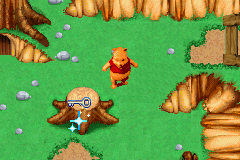
Winnie the Pooh’s Rumbly Tumbly Adventure (U)(TrashMan)
0 3 0
Winnie the Pooh’s Rumbly Tumbly Adventure (U)(TrashMan) is a classic Game Boy Advance game you can play in your browser, bringing a bit of handheld gaming history straight to your screen. Its simple design makes it easy to pick up and enjoy, whether you’re a fan of the Hundred Acre Wood or just want a relaxed adventure to pass the time. It’s great for casual play, offering a cozy experience rooted in the lovable Winnie the Pooh stories.
What Is Winnie the Pooh’s Rumbly Tumbly Adventure?
This game is an adventure that focuses on exploring and completing tasks within Winnie the Pooh’s world. You guide Pooh and friends through different situations, solving puzzles and collecting items to move forward. The gameplay favors gentle, accessible mechanics that don’t demand quick reflexes or complicated controls, so players of all ages can enjoy it.
You can expect a laid-back pace, with an emphasis on exploring and completing tasks rather than high difficulty or timed challenges. The main goal is to help Pooh and friends with their rumbly tumbly problems, often by gathering items or playing simple mini-games. It captures the lighthearted spirit of the original stories while keeping gameplay straightforward and enjoyable.
What Keeps You Coming Back
The game’s appeal lies in its familiar characters and approachable gameplay, making it easy to revisit and find new details each time. Its puzzles and mini-games are simple but varied enough to stay interesting, especially for younger players or anyone looking for a low-stress gaming experience.
Its open-ended exploration and multiple tasks give it replay value. While there aren’t complex levels or unlockables, the relaxed pace and charming presentation make it a cozy choice for casual gamers. Its gentle difficulty and forgiving design mean you can enjoy it multiple times without frustration, making it a nice option for fans of Winnie the Pooh or adventure games on the go.
Handy Tips
If you’re just starting out, here are some tips to help things go smoothly:
- Pay attention to character interactions—they often hint at what to do next.
- Explore every corner of each scene to find hidden items or clues.
- Take your time with mini-games; they’re meant to be simple and fun.
- If you get stuck, go back to earlier areas—sometimes the solution involves an item you overlooked.
- Relax and enjoy the pace; it makes the experience more fun and helps you find everything.
Player FAQ
Is Winnie the Pooh’s Rumbly Tumbly Adventure easy for young children?
Yes. The game uses simple mechanics and a gentle difficulty level that makes it suitable for younger players or newcomers to adventure games.
Can I play Winnie the Pooh’s Rumbly Tumbly Adventure offline or on different devices?
Since it runs on a browser emulator here, you can play it instantly without downloads. It works on any device with a compatible browser and doesn’t need an internet connection after it loads.
How long does it usually take to finish Winnie the Pooh’s Rumbly Tumbly Adventure?
It’s a relaxed game that can be completed in under an hour if you just want to finish the story, but exploring everything and taking your time might extend your playtime.
Winnie the Pooh’s Rumbly Tumbly Adventure offers a gentle, approachable experience built around familiar characters and straightforward gameplay. Its accessibility and charming style make it a pleasant choice for fans of Winnie the Pooh or anyone looking for a relaxing, nostalgic game on the Game Boy Advance platform.
Related games: you can also try The Sims 2 – Pets (U)(Rising Sun) and Pokemon Heart & Soul v1.2.0, or browse all other games in the Game Boy Advance category.
How to Play Winnie the Pooh’s Rumbly Tumbly Adventure (U)(TrashMan)?
Help Winnie the Pooh explore, solve simple puzzles, and collect items to complete tasks in the Hundred Acre Wood at a relaxed pace.
Game Controls
Arrow keys move characters; action buttons are mapped to keyboard keys for interacting and selecting.
You may be interested in:
-
 Game Boy Advance
♥ 2
Zooo (J)(Rising Sun)
Game Boy Advance
♥ 2
Zooo (J)(Rising Sun) -
 Game Boy Advance
♥ 4
Zooo (E)(Trashman)
Game Boy Advance
♥ 4
Zooo (E)(Trashman) -
 Game Boy Advance
♥ 2
ZooCube (U)(Mode7)
Game Boy Advance
♥ 2
ZooCube (U)(Mode7) -
 Game Boy Advance
♥ 1
ZooCube (E)(Blizzard)
Game Boy Advance
♥ 1
ZooCube (E)(Blizzard) -
 Game Boy Advance
♥ 1
Zone of the Enders – The Fist of Mars (U)(Mode7)
Game Boy Advance
♥ 1
Zone of the Enders – The Fist of Mars (U)(Mode7) -
 Game Boy Advance
♥ 1
Zone of the Enders – The Fist of Mars (E)(Cezar)
Game Boy Advance
♥ 1
Zone of the Enders – The Fist of Mars (E)(Cezar) -
 Game Boy Advance
♥ 1
Zoku Bokura no Taiyou – Taiyou Shounen Django (J)(Independent)
Game Boy Advance
♥ 1
Zoku Bokura no Taiyou – Taiyou Shounen Django (J)(Independent) -
 Game Boy Advance
♥ 5
Zoku Bokura no Taiyou – Taiyou Shounen Django (J)(Caravan)
Game Boy Advance
♥ 5
Zoku Bokura no Taiyou – Taiyou Shounen Django (J)(Caravan)
Comments (0)
No comments yet. Be the first to comment!