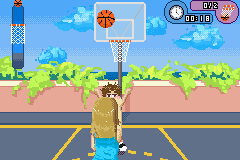
Zoey 101 (U)(Rising Sun)
0 8 0
Zoey 101 (U)(Rising Sun) is a classic Game Boy Advance game emulated in your browser, offering straightforward action gameplay rooted in the era of handheld consoles. If you like simple, accessible games with a nostalgic GBA feel, this one provides short, focused sessions of play that are easy to pick up and enjoy.
The game relies on quick reflexes and timing. Its main idea involves moving through levels, avoiding obstacles, and completing objectives that test your reaction speed. It doesn’t require complex strategies or deep stories—players mainly focus on getting each movement just right. Levels usually take only a few minutes, making it ideal for quick gaming breaks. As a GBA classic, it’s designed for pick-up-and-play sessions without needing a long time commitment.
Getting Into Zoey 101
In this action game, your goal is to guide the character through different stages, avoiding hazards and finishing objectives. The controls are simple—move, jump, dodge—mainly reacting to what appears on screen. As you progress, levels introduce more obstacles or faster sequences, demanding sharper reflexes. The game encourages practicing sections to improve timing and move forward.
Modes are basic: mostly a single run through the levels, with progress marked by finishing each stage. There aren’t complex branching paths or multiple difficulty options; instead, it focuses on consistency and quick reactions. You pick a level, try to beat it with good timing or few mistakes, then move on. Its straightforward style makes it accessible for players of all ages, especially those familiar with GBA action games.
Standout Features
Visually, the game stays true to the GBA’s pixel art style, with clear, colorful visuals that are easy to interpret during fast moments. The visuals help players quickly spot hazards and plan movements. While it’s not overly detailed, its crisp sprites and clean backgrounds suit the quick-paced gameplay.
Progression is linear—each level offers a new challenge that tests your timing and reflexes. You can replay levels to beat your best times or improve your scores, rather than unlocking new content. Its simple progression makes it good for casual players who want to sharpen their skills. As a browser-based emulator, it keeps the feel of the original GBA version, making it easy to jump in and out.
Strategy and Tips
This game rewards focused reactions and a calm approach. Watching hazard patterns before moving can save time and prevent mistakes. Practice helps improve your timing and recognize tricky spots.
- Pay attention to visual cues warning of upcoming obstacles to react more precisely.
- Try to remember hazard sequences so you can anticipate what’s coming next.
- Don’t rush; patience often leads to better timing and fewer errors.
- Take short breaks if you find yourself making the same mistakes repeatedly.
- Maintain a steady rhythm when moving through sections—erratic movements tend to cause errors.
Quick Questions
How do I get started with this game?
Just pick a level from the menu and start playing. The controls are simple and designed for quick access.
What’s a common mistake for new players?
Many rush through levels without paying enough attention to hazards, which can lead to avoidable errors. Watching patterns helps a lot.
Can I play this comfortably on mobile or touch devices?
Yes. Since it runs directly in your browser, you can play on mobile devices with touch controls, making it easy to play anywhere without extra setup.
This browser version of Zoey 101 offers a neat taste of classic GBA action gameplay. Its focus on timing and reactions makes for a quick, satisfying challenge. Fans of simple but skill-based games might find it a nice way to pass the time without much fuss.
Related games: you can also try Golden Sun (F)(Moleia) and Tottoko Hamutaro Hamuhamu Sports (J)(Caravan), or browse all other games in the Game Boy Advance category.
How to Play Zoey 101 (U)(Rising Sun)?
Guide your character through levels by moving, jumping, and dodging hazards, aiming to complete objectives with quick reactions. Retry levels to improve your timing and beat your best scores.
Game Controls
Arrow keys act as the D-pad; other keys handle jump and action buttons.
You may be interested in:
-
 Game Boy Advance
♥ 2
Zooo (J)(Rising Sun)
Game Boy Advance
♥ 2
Zooo (J)(Rising Sun) -
 Game Boy Advance
♥ 4
Zooo (E)(Trashman)
Game Boy Advance
♥ 4
Zooo (E)(Trashman) -
 Game Boy Advance
♥ 2
ZooCube (U)(Mode7)
Game Boy Advance
♥ 2
ZooCube (U)(Mode7) -
 Game Boy Advance
♥ 1
ZooCube (E)(Blizzard)
Game Boy Advance
♥ 1
ZooCube (E)(Blizzard) -
 Game Boy Advance
♥ 1
Zone of the Enders – The Fist of Mars (U)(Mode7)
Game Boy Advance
♥ 1
Zone of the Enders – The Fist of Mars (U)(Mode7) -
 Game Boy Advance
♥ 1
Zone of the Enders – The Fist of Mars (E)(Cezar)
Game Boy Advance
♥ 1
Zone of the Enders – The Fist of Mars (E)(Cezar) -
 Game Boy Advance
♥ 1
Zoku Bokura no Taiyou – Taiyou Shounen Django (J)(Independent)
Game Boy Advance
♥ 1
Zoku Bokura no Taiyou – Taiyou Shounen Django (J)(Independent) -
 Game Boy Advance
♥ 5
Zoku Bokura no Taiyou – Taiyou Shounen Django (J)(Caravan)
Game Boy Advance
♥ 5
Zoku Bokura no Taiyou – Taiyou Shounen Django (J)(Caravan)
Comments (0)
No comments yet. Be the first to comment!