Platform Battlefield v0.4
0 3 0
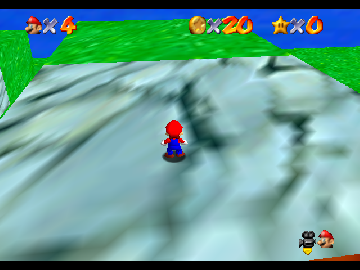
Platform Battlefield v0.4 is a classic Nintendo 64 game that runs right in your browser, giving you a simple platforming experience from that era. It’s perfect for players who enjoy precise jumps, timed challenges, and nostalgic 3D worlds. If you’ve played Nintendo 64 platformers before, you’ll notice how well it captures that straightforward yet engaging gameplay, now available instantly without any downloads.
Getting Into Platform Battlefield v0.4
At its core, the game is about moving through levels filled with obstacles, platforms, and timed sections. The main idea is to run, jump, and avoid hazards to finish each stage. It’s designed for quick sessions, with each level offering a clear challenge that encourages trying again to beat your best times or avoid mistakes. There’s no complicated story or character upgrades; it’s all about mastering movement and timing.
When you start a session, you pick a level. The levels are linear but often hide secret paths or shortcuts worth exploring. Success depends on understanding the layout, timing your jumps right, and reacting quickly to moving hazards. The controls are simple, so it’s easy for newcomers to pick up, but there’s enough depth to keep experienced players trying to improve their runs. Since it’s browser-based, gameplay feels smooth and responsive, with no lag when jumping or maneuvering.
Standout Features
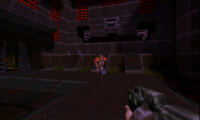
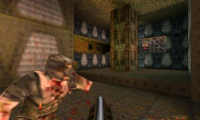
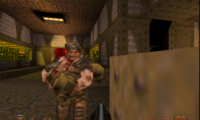
The visuals remind you of early 3D Nintendo 64 titles, with blocky textures and colorful environments. The design keeps levels clear and easy to navigate, which really helps in a platformer where clarity matters. The game doesn’t focus on story, but the stages challenge your timing and precision, making each run feel like solving a puzzle of movement.
Replay value comes from trying to beat your best times or uncover hidden shortcuts. Because it runs in your browser, there’s no saving progress—you just restart levels and aim for a better score. Its simplicity keeps the focus on skill and timing, making it perfect for quick plays or casual practice. The minimal visuals and mechanics work well across devices, including touch screens, though using a keyboard or mouse makes jumping a bit easier on a computer.
Strategy and Tips
Getting the most out of Platform Battlefield v0.4 means paying attention to timing and memorizing levels. Here are some tips:
- Watch hazard patterns before rushing in.
- Use controlled, short jumps to avoid overshooting or hitting obstacles.
- Look around for alternative routes that might be safer or faster.
- Practice difficult sections repeatedly to improve your reflexes.
- Listen for sounds or watch visual cues that signal hazards.
- Maintain a steady rhythm when approaching tricky parts to stay in control.
Quick Questions
How do I start a new level?
Select the level from the menu or start screen, and you’re ready to go.
What’s a common mistake beginners make?
Many rush through sections without paying attention to hazard patterns, which often leads to falls or having to restart.
Can I play this on mobile or touch devices?
Yes, since it runs in your browser, it works on mobile devices with touch controls, though a keyboard or mouse offers more precision for platforming.
Platform Battlefield v0.4 offers a familiar challenge for fans of classic Nintendo 64 platformers, with straightforward controls and a focus on skill. Its browser setup makes it easy to jump into quick sessions, testing your timing and reflexes without much fuss. Whether you’re practicing or just exploring for fun, it’s a neat example of the era’s platforming style presented in a modern, accessible way.
Related games: you can also try Extreme-G (Japan) and Bomberman 64 – The Second Attack! (USA), or browse all other games in the Nintendo 64 category.
How to Play Platform Battlefield v0.4?
Run, jump, and avoid hazards through levels to finish each stage as quickly as possible. Master timing and movement to beat your best times and discover shortcuts.
Game Controls
Arrow keys move your character; spacebar jumps; other keys handle actions.
Comments (0)
No comments yet. Be the first to comment!