Super Mario 64 – Color Splash
0 1 2
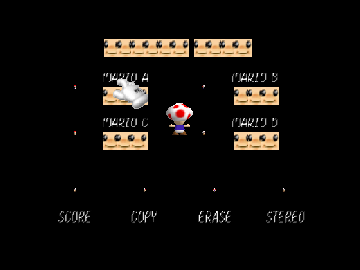
Super Mario 64 – Color Splash is a classic Nintendo 64 game that runs right in your browser, giving players a chance to revisit one of the most influential platformers from the late 90s. Its bright visuals and familiar gameplay still spark nostalgia, while being easy for new players to pick up. This game highlights Nintendo’s early efforts in 3D platforming, now available without any downloads or installations.
Step Into the World of Super Mario 64 – Color Splash
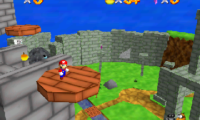
Set in a lively, colorful universe inspired by the Nintendo 64 era, Super Mario 64 – Color Splash features floating islands, detailed levels, and characters you recognize. The graphics use bold colors and simple polygon shapes typical of the console, complemented by a cheerful soundtrack that captures the game’s energetic vibe. The sound effects and music create an inviting atmosphere that encourages exploration of its vivid environments.
The game strikes a balance between wonder and accessibility. Mario’s animations are smooth, showcasing his playful movements as he explores. The interface is straightforward, emphasizing discovery and adventure, making each session feel like stepping into a lively cartoon. This classic Nintendo 64 experience brings the charm and challenge of early 3D platformers straight to your browser.
How the Gameplay Hooks You
Super Mario 64 – Color Splash draws players in with its tight controls and varied levels. Each world offers new puzzles and platforming challenges that keep things interesting. The pacing encourages trying different routes and strategies, helping the game stay engaging over multiple playthroughs. Collecting items and unlocking new areas creates a satisfying loop of progress and mastery.
The game’s open levels give you the freedom to approach objectives in different ways. Its difficulty gradually increases, rewarding skill and patience. Short play sessions work well, with each level feeling complete without overstaying its welcome, making it good for quick gaming or longer nostalgia-filled sessions.
Pro Tips for Super Mario 64 – Color Splash
Start by exploring each level thoroughly before rushing to objectives. Collect coins and power-ups early, which makes later challenges easier.
- Look out for hidden paths and secret spots—they often hold useful items or shortcuts.
- Use Mario’s jumps and spins to land safely on tricky platforms.
- Try to save your lives early on; dying can set you back, especially in tougher levels.
- Experiment with different routes to find the quickest or most fun way through each level.
- If you get stuck, taking a break might help you see solutions you missed before.
Frequently Asked Questions
Can I play Super Mario 64 – Color Splash in short sessions without losing progress?
Yes, since it runs directly in your browser, you can start and stop whenever you like. Each session is independent, making it easy to enjoy quick gaming breaks.
Is the game repetitive or tough for new players?
The difficulty gradually increases, rewarding exploration and skill. Some levels may take patience, but the overall experience is accessible for newcomers and experienced players alike.
Is this version suitable for all ages?
Definitely. Its simple controls and cheerful visuals make it appropriate for everyone. The challenges are manageable, and there’s no mature content.
Super Mario 64 – Color Splash offers a good glimpse of Nintendo’s early 3D platforming efforts, all playable in your browser. Its inviting atmosphere and straightforward gameplay make it a lasting favorite for fans and newcomers alike.
Related games: you can also try Banjo Kazooie – The Gruntch v1.2 and Morita Shougi 64 (Japan), or browse all other games in the Nintendo 64 category.
How to Play Super Mario 64 – Color Splash?
Guide Mario through colorful levels, collect coins and power-ups, solve puzzles, and reach the goal while exploring hidden paths and avoiding obstacles to complete each stage.
Game Controls
Arrow keys act as the D-pad; Enter is Start; on-screen mapped keys handle the action buttons.
You may be interested in:
-
 Nintendo 64
♥ 6
Super Melee Adventure 64 – NESS
Nintendo 64
♥ 6
Super Melee Adventure 64 – NESS -
 Nintendo 64
♥ 43
Super Melee Adventure 64 – Luigi
Nintendo 64
♥ 43
Super Melee Adventure 64 – Luigi -
 Nintendo 64
♥ 8
Super Melee Adventure 64 – FOX
Nintendo 64
♥ 8
Super Melee Adventure 64 – FOX -
 Nintendo 64
♥ 7
Super Melee Adventure 64 – C.FALCON
Nintendo 64
♥ 7
Super Melee Adventure 64 – C.FALCON -
 Nintendo 64
♥ 1
Super Mario The Power Star (Christmas Special)
Nintendo 64
♥ 1
Super Mario The Power Star (Christmas Special) -
 Nintendo 64
♥ 18
Super Mario Star Road Multiplayer (v1.2.1)
Nintendo 64
♥ 18
Super Mario Star Road Multiplayer (v1.2.1) -
 Nintendo 64
♥ 7
Super Mario Star Road – Enhanced
Nintendo 64
♥ 7
Super Mario Star Road – Enhanced -
 Nintendo 64
♥ 6
Super Mario In Crash Bandicoot
Nintendo 64
♥ 6
Super Mario In Crash Bandicoot
Comments (0)
No comments yet. Be the first to comment!