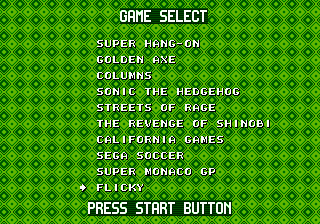
Mega Games 10 (Brazil)
0 1 0
Mega Games 10 (Brazil) gathers classic Genesis titles into a collection you can play right in your browser. It offers a look back at the 16-bit era, where pixel art and chiptune melodies created a distinctive style. Playing through this browser-based emulator, you can enjoy vintage games without any downloads, experiencing the charm of the Genesis console in a modern format.
Step Into the World of Mega Games 10
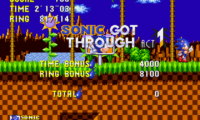
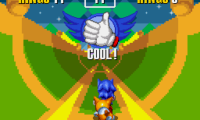
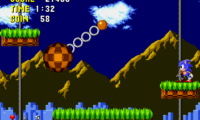
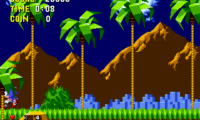
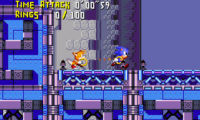
When you start Mega Games 10, you’ll see visuals that reflect the Genesis’s unique sprite work and color choices. The graphics stay true to the originals, with vibrant backgrounds and sharp character designs that hint at the technological limits of the time. The sound design features familiar chiptune music and sound effects, adding to the retro feel with each level or menu. The interface is simple, letting you jump into gameplay quickly without fuss, keeping the authentic Genesis vibe alive.
The atmosphere often feels straightforward — a mix of challenge and pixelated adventure, with each game showing off its own style—whether platforming, shoot ’em up, or action. The emulator runs smoothly, with controls that respond well, making it feel like a genuine Genesis session. It’s easy to jump in for short bursts of nostalgia or to try out different titles without hassle.
How the Gameplay Hooks You
Each game offers a challenge that calls for skill and practice. The pace is quick, often requiring fast reflexes and some strategic thinking to clear levels or reach high scores. Progress usually involves defeating enemies or overcoming obstacles, encouraging repeated tries and mastery. The difficulty reflects the Genesis’s reputation for tough but fair gameplay, keeping things engaging with a good mix of frustration and reward.
The experience tends to be about quick, intense sessions that build your skills and familiarity. Because the games are straightforward, they’re accessible for newcomers, but still hold enough depth for players who want to improve their scores or find hidden secrets. The variety of game types keeps things fresh without dragging on.
Pro Tips for Mega Games 10
To get the most out of Mega Games 10, it helps to understand the pacing and mechanics of each game. Here are some suggestions:
- Learn enemy patterns to react faster in action-packed titles.
- Practice levels to find the quickest routes and safe spots.
- Listen for sound cues that can warn you of threats or indicate when power-ups appear.
- Adjust your approach based on each game’s mechanics and difficulty.
- Play in short sessions to avoid fatigue; the fast pace makes retries rewarding.
- Explore each game to find hidden areas or secrets, if they exist.
Frequently Asked Questions
What kind of atmosphere can I expect from Mega Games 10?
The collection offers a nostalgic feel, celebrating the simplicity and challenge of Genesis games, with pixel art visuals and chiptune soundtracks that evoke a bygone era.
Does Mega Games 10 get repetitive if I play for a long time?
While some titles share mechanics typical of the era, the variety of game types and the quick pace help keep things fresh, especially if you switch between different games in the collection.
Is it suitable for short play sessions or longer gaming marathons?
This browser version works well for quick play, since each game can be finished or tried out in just a few minutes. It’s perfect for casual gaming without long commitments.
Enjoying Mega Games 10 means appreciating the straightforward yet challenging gameplay that made Genesis titles memorable. This collection offers a compact piece of retro gaming, playable directly in your browser for instant nostalgia and fun.
Related games: you can also try Kick Off 3 – European Challenge (Europe) and Hellfire (Europe), or browse all other games in the Genesis category.
How to Play Mega Games 10 (Brazil)?
Choose a game, then use quick reflexes to defeat enemies, avoid obstacles, and complete levels. Focus on mastering each game's patterns and scoring high through practice and skill.
Game Controls
Arrow keys control movement; other keys handle actions like jump or shoot, depending on the game.



Comments (0)
No comments yet. Be the first to comment!