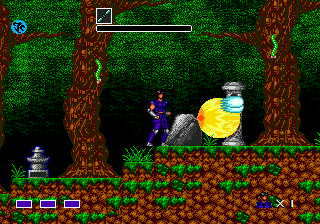
Mystic Defender (USA, Europe) (v1.1)
0 10 0
Mystic Defender (USA, Europe) (v1.1) is a classic Genesis action game that pairs fast-paced combat with a mystical theme. Originally made for the Sega Genesis, it offers a simple yet tough experience that appeals to fans of retro titles. It’s a solid choice for those wanting to enjoy a nostalgic trip back to an era when side-scrolling gameplay was king and the challenge kept players on their toes.
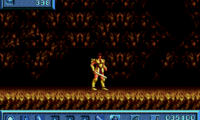
From the moment you load it up, the game greets you with clean pixel-art visuals that hint at its arcade origins. Its atmosphere balances fantasy vibes with straightforward gameplay, putting a focus on quick reflexes and pattern recognition. The visuals may not push hardware limits, but they do a good job of creating a sense of urgency and adventure. The soundtrack is minimal but fitting, helping you stay focused during intense moments. The gameplay keeps things simple—navigating levels full of enemies and obstacles—making it easy to pick up but challenging to master.
Why Mystic Defender Is Worth Playing
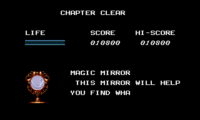
This Genesis classic is notable for its tight controls and brisk pacing. The action revolves around moving through levels while fighting enemies with different attack options. It strikes a balance between button-mashing and strategic timing, encouraging players to learn enemy patterns and save special abilities for tougher fights. Its simplicity makes it accessible for newcomers, but the rising difficulty keeps things interesting for dedicated players. Boss fights stand out because of their pattern-based mechanics, requiring quick reactions and pattern recognition.
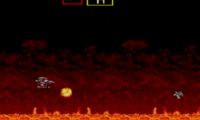
Visually, Mystic Defender keeps things clear and functional. Its sprite work isn’t flashy, but it effectively shows characters and enemies, making gameplay smooth and responsive. The game’s mystical vibe is reflected in enemies and backgrounds that hint at a fantasy setting. It’s a game that keeps you engaged through relentless action, demanding focus and precision. Short sessions—usually 15 to 30 minutes—make it great for quick play, but mastering all levels can take some time. Its straightforward design makes it a good pick for anyone looking for pure, unpretentious action on the Genesis.
Tips to Get Ahead
Learn enemy attack patterns early to avoid taking unnecessary damage.
- Save your special moves for boss fights or tough enemy waves.
- Practice timing your jumps and attacks to stay safe.
- Familiarize yourself with level layouts to anticipate enemy placements and hazards.
- Keep your health pickups for when they’re really needed; don’t waste them on minor enemies.
- Be patient during boss fights to recognize attack cues and react accordingly.
Things to Know Before You Start
Question?
How tough is Mystic Defender?
The challenge is moderate, typical of Genesis action titles, with some sections requiring memorization and quick reflexes. It’s fair but demanding, especially if you’re learning enemy patterns.
Question?
How long does a typical game session last?
Playing through the game usually takes about 15 to 30 minutes, making it good for quick bursts or practicing specific parts.
Question?
Is Mystic Defender good for casual players?
It’s accessible enough for beginners, but the increasing difficulty might test patience. It’s better suited for players with some experience in retro action games who are up for a challenge.
Try Mystic Defender yourself. This browser emulator makes it easy to experience this Genesis classic without any fuss. Its straightforward action and nostalgic feel make it worth a look, whether you’re a veteran or new to retro gaming. See how far your reflexes can take you in this mystical adventure.
Related games: you can also try Muhammad Ali Heavyweight Boxing (Europe) and Instruments of Chaos Starring Young Indiana Jones (USA) (Beta), or browse all other games in the Genesis category.
How to Play Mystic Defender (USA, Europe) (v1.1)?
Move through levels, fight enemies, and defeat bosses by timing attacks and jumps. Learn enemy patterns and use special moves wisely to progress and survive longer.
Game Controls
Arrow keys or WASD control movement; action buttons are on-screen keys or mapped keys for attacking and jumping.

Comments (0)
No comments yet. Be the first to comment!