project Sonic erazor DEMO
0 4 1
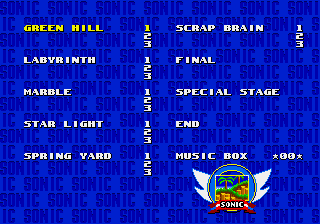
project Sonic erazor DEMO is a classic Genesis game you can play right in your browser. It offers a quick look at the fast-paced action that many remember from their childhood. The demo captures the core gameplay of the original, making it a good pick for fans of retro platformers or anyone curious about Sega’s early hits. Since it runs directly on this site without needing any downloads, you can jump in and see how it feels today.
Getting Into project Sonic erazor DEMO
The game is a side-scrolling platformer focused on speed and timing. You control a character who runs automatically, and your main job is to jump over obstacles, dodge enemies, and gather items along the way. The goal is to move through levels as quickly as possible while keeping control and precision. Usually, you’ll play through a single level or a few stages, trying to beat your best time or score.
There aren’t many complicated mechanics or different modes in the demo, but the challenge comes from mastering jump timing and enemy patterns. It rewards quick reflexes and memorization. It’s accessible for newcomers but offers enough depth for those who want to improve their runs. The game keeps things straightforward, emphasizing fast action and precise platforming without any unnecessary bells and whistles.
Standout Features
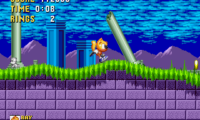
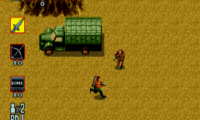
Visually, project Sonic erazor DEMO has the pixel art style typical of Genesis platformers, with bright colors and clear sprite animations. The levels are simple but designed to be challenging, focusing on flow and speed. The game encourages players to memorize layouts and enemy placements to improve their times. Replay value comes from trying to beat your previous best or exploring different routes within each level if they’re available.
Even with its simplicity, the tight controls and clear level design make it engaging. The short levels are perfect for quick gaming sessions, but mastering them can take some practice. Its focus on speed runs and timing keeps players coming back, especially those who enjoy refining their skills or competing for high scores. The retro look and straightforward gameplay give a nostalgic feel while still being accessible for modern players.
Strategy and Tips
To get better at the game, focus on timing your jumps well and keeping an eye on enemy patterns. Practice helps, so don’t be discouraged if you don’t beat your best times immediately. Maintain a steady rhythm and try to anticipate obstacles instead of reacting last minute.
- Start slow to learn the level layout, then gradually speed up as you get more comfortable.
- Watch enemy movements — memorizing patterns can help you avoid surprises.
- Aim for smooth, controlled jumps to keep momentum and avoid losing footing.
- If the game offers shortcuts or alternate routes, try them out for better times.
- Don’t rush—taking a measured approach can often lead to higher scores.
Quick Questions
How do I get started with this game?
Just click to start playing in your browser, and use the keyboard controls to jump and move. It’s designed for quick access and immediate fun.
What’s a common mistake beginners make?
Many players jump too early or too late, which can cause missed timings and falls. Practice your jump timing for smoother runs.
Can I play this on mobile or touch devices?
Since it runs in your browser, you can play it on touchscreens, but the controls work best with a keyboard. On mobile, it might be a bit tricky without a physical keyboard.
This version of project Sonic erazor DEMO offers a quick challenge rooted in classic Genesis gameplay. It’s great for players who enjoy tight controls and speedrun-style platforming, all without needing to install anything.
Related games: you can also try Power Monger (Japan) and Curse (Japan), or browse all other games in the Genesis category.
How to Play project Sonic erazor DEMO?
Run through levels, jumping over obstacles and dodging enemies to reach the end as fast as possible, aiming to beat your best time with precise timing and quick reflexes.
Game Controls
Arrow keys control movement; jump and action buttons are mapped to keyboard keys.




Comments (0)
No comments yet. Be the first to comment!