
Sonic 1 – DSK Edition
0 8 0
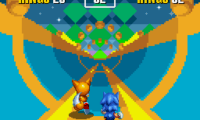
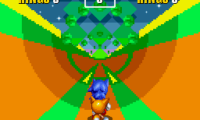
Sonic 1 – DSK Edition is a classic Genesis game that runs directly in your browser through an emulator. As one of the most recognizable platformers from the Sega Genesis era, it offers a straightforward yet challenging experience that has kept players coming back for years. Its bright, colorful graphics and fast-paced gameplay make it a favorite among fans of retro gaming and those who want to enjoy a timeless side-scrolling adventure without any downloads or installations.
Why Sonic 1 – DSK Edition Is Worth Playing
This Genesis classic features the sharp visuals and energetic soundtrack that defined early ’90s platformers. The game’s design emphasizes speed and precision, encouraging players to move quickly through levels while dodging obstacles and enemies. Its simple mechanics make it accessible for newcomers, yet mastering the timing and routes can be rewarding for dedicated players. The in-browser emulation provides a smooth experience, keeping the original’s vibrant look and punchy sound effects intact. If you’re craving a nostalgic hit or want to test your reflexes, Sonic 1 – DSK Edition offers an authentic slice of gaming history that’s easy to jump into and hard to put down.
The level design features a variety of environments that push you to adapt your approach. Its core gameplay—running, jumping, and collecting rings—remains engaging, with difficulty increasing gradually as you progress. The clear, pixel-perfect graphics and memorable music create a lively atmosphere. Since it runs instantly in your browser, you can enjoy the full experience without any hassle, whether for quick sessions or longer nostalgic marathons. Fans of fast-paced platformers or those wanting to experience a key piece of Genesis gaming will find this version captures the spirit of the original game.
Tips to Get Ahead
Getting comfortable with Sonic 1 – DSK Edition mostly involves mastering timing and understanding level layouts. Here are some practical tips to improve your gameplay:
- Collect rings early in each level to increase your chances of surviving hits from enemies or obstacles.
- Learn each level’s layout to find shortcuts and safe zones that can save time or help you recover from mistakes.
- Jump over enemies instead of stopping to fight—speed is essential here.
- Build up momentum before jumps; maintaining speed makes navigating tricky sections easier.
- Watch enemy placement carefully to plan your routes and avoid unnecessary hits.
- If you get stuck, restart levels to memorize tricky sections—sometimes rushing through is faster than cautious exploration.
Things to Know Before You Start
How difficult is Sonic 1 – DSK Edition?
The game offers a fair challenge typical of early ’90s platformers, with precise timing needed for jumps and avoiding obstacles. It’s simple enough for casual players but requires skill and patience for those aiming for high scores or perfect runs.
How long does a session last?
Most levels can be completed in a few minutes, making it suitable for quick play or longer trips down memory lane. It’s worth spending extra time on tough sections or trying to beat your best scores.
Is Sonic 1 – DSK Edition suitable for all ages?
Absolutely. Its colorful visuals and straightforward mechanics make it great for younger players or anyone new to retro gaming, while still offering enough challenge for experienced fans.
Jump into Sonic 1 – DSK Edition to enjoy a beloved platformer that still feels fresh and fun. Playing instantly in your browser makes it easy to grab a quick Sonic fix, whether you’re reminiscing or discovering it for the first time.
Related games: you can also try Micro Machines (USA, Europe) (Alt 2) and Drop Dash in Sonic 3 & Knuckles, or browse all other games in the Genesis category.
How to Play Sonic 1 – DSK Edition?
Run through levels collecting rings, avoid enemies, and reach the end as quickly as possible. Jump, slide, and use speed to overcome obstacles and finish each stage.
Game Controls
Arrow keys control movement; jump and action buttons are mapped to keyboard keys.






Comments (0)
No comments yet. Be the first to comment!