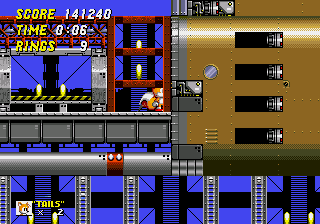
Sonic 2 Reversed Frequencies
0 11 3
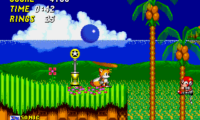
Sonic 2 Reversed Frequencies offers a different take on the classic Genesis platformer, presented as a browser-based version that twists the familiar soundtrack and gameplay into an unsettling, alternate experience. From the moment you start playing, there’s an eerie feeling—sounds are warped, visuals flicker, and the speed feels both exciting and disorienting. This unofficial reimagining of Sonic 2 pushes the bright, energetic world of the original into something darker and more ambiguous, creating a new atmosphere that makes you see the game differently.
Step Into the World of Sonic 2 Reversed Frequencies
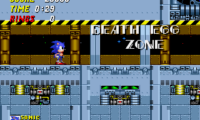
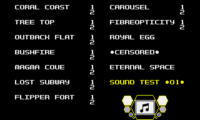
The visuals stay true to the pixel art style of the Genesis era, but everything appears subtly changed. Colors are muted or inverted, and flickering effects add a ghostly touch that makes each level feel more like a strange dream. The soundtrack, a key part of the Sonic series, is turned into unsettling, reversed melodies that echo through the stages, heightening the sense of unease. Despite these changes, the game keeps enough of its original design to spark nostalgia, while the altered mood adds a layer of mystery and tension. It runs directly in your browser, so you can jump straight into this strange sonic universe without needing to download anything and experience its uncanny atmosphere with a click.
How the Gameplay Hooks You
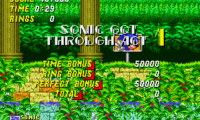
The core gameplay stays faithful to Sonic 2: fast-paced platforming focused on speed, momentum, and precision. But with reversed sounds and visual distortions, timing becomes trickier—especially during high-speed sections where familiar cues might mislead you. The pacing demands quick reflexes, but the strange environment keeps you on edge, pushing you to adapt to the unusual rhythm. Progressing through levels involves navigating hazards and collecting rings, but the unsettling atmosphere makes each section feel more unpredictable, increasing the tension as you race toward the finish. Short play sessions can be intense, leaving you eager to try again and make sense of the chaos.
Pro Tips for Sonic 2 Reversed Frequencies
Getting used to the altered soundscape and visuals will improve your experience. Here are some tips to help you navigate this distorted world:
- Focus on visual clues like platform edges and enemy movements, since audio signals are less reliable with the reversed soundtrack.
- Practice levels in small parts to get a feel for the new timing, especially when speed picks up unexpectedly.
- Take your time during unfamiliar sections to avoid falling into traps caused by the altered environment.
- Notice subtle visual differences—what looks like a safe platform might actually be misleading in this distorted state.
- Stay calm when facing confusing sections; rushing can lead to mistakes amplified by the unsettling atmosphere.
- Remember that the game is best played in short, intense bursts—there’s no need to push for long sessions in one go.
Frequently Asked Questions
Will Sonic 2 Reversed Frequencies work on all devices?
It runs right in your browser, so as long as your device can support web-based games, you should be able to play it without trouble.
Does the game get repetitive after a while?
The altered audio and visuals keep things interesting, but since the core gameplay stays similar, short sessions tend to work best to avoid fatigue.
Is this version suitable for quick playthroughs or longer sessions?
It’s best enjoyed in shorter bursts, as the disorienting atmosphere can become overwhelming if you play for too long. The focus on speed and quick reactions makes it great for quick, intense attempts rather than marathon runs.
Sonic 2 Reversed Frequencies challenges your expectations of the classic platformer, blending familiar gameplay with a disturbing, reversed soundscape. It’s a brief but memorable twist that emphasizes speed and reaction in a warped world, perfect if you’re looking for a fresh, eerie take on a Genesis favorite.
Related games: you can also try Shining Force II – Koe no Fuuin (Japan) and Mega Games 2 (Europe), or browse all other games in the Genesis category.
How to Play Sonic 2 Reversed Frequencies?
Run, jump, and collect rings while navigating through distorted levels, adapting to reversed sounds and visuals. Complete each stage quickly and avoid hazards to reach the end.
Game Controls
Arrow keys control movement; other keys handle jumping and actions.




Comments (0)
No comments yet. Be the first to comment!