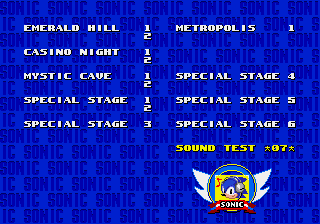
Sonic 2 Versus Edition
0 27 4
Sonic 2 Versus Edition is a classic Genesis game that runs right in your browser, giving you a nostalgic look at Sonic the Hedgehog’s fast-paced platforming. It’s great for fans of retro gaming and multiplayer battles, especially if you enjoy racing against a friend or trying to beat your best time. The game focuses on head-to-head races and split-screen action, staying true to the original while being simple enough to pick up and play without any hassle.
Getting Into Sonic 2 Versus Edition
As a two-player game, Sonic 2 Versus Edition is about racing through levels as quickly as possible. Each player controls a Sonic character, zooming through colorful stages filled with loops, springs, and obstacles. The key is quick reflexes, precise jumps, and using your speed wisely to stay ahead. Usually, players pick their characters and then compete in a series of races or levels. The game scores who finishes first, making it perfect for quick matches or longer contests.
The gameplay is simple: run, jump, and dodge hazards while maintaining your speed. There aren’t any complicated power-ups or branching paths, so it’s all about mastering the levels and moving efficiently. You can jump into a quick race or keep practicing to improve your skills. Since it runs smoothly right in your browser, you can play anytime without installing anything, making it easy to enjoy whenever you like.
Standout Features
The visuals match the bright, cartoon-like style of the original Genesis game. Levels are vibrant, with familiar loops, tunnels, and scenic backgrounds. Even as an emulation in your browser, it preserves the smooth scrolling and sharp sprite work that made the original special. The goal is simple: race through levels, beat your opponent, or improve your best time. The fun comes from playing against others—trying to outpace your friends or beat your own records, with races feeling fast and exciting.
The game encourages repeated play, helping you sharpen your reflexes and race strategies. Its straightforward mechanics mean you can jump right in, but mastering each level and beating your opponent adds a layer of challenge. You can set up multiple rounds to turn it into a mini-tournament, making it perfect for quick sessions or multiplayer fun right in your browser.
Strategy and Tips
To do well in Sonic 2 Versus Edition, quick reactions and knowing the levels help a lot. Here are some tips:
- Stay at high speed but be ready to brake or jump to avoid hazards.
- Learn the best routes through levels to save time around loops and obstacles.
- Use springs and tunnels wisely to gain a boost of speed.
- Keep an eye on where your opponent is and adjust your route if needed.
- Watch the timer or progress to stay on pace.
- Since blocking your opponent isn’t part of the game, focus on your own race for the best results.
Quick Questions
How do I start playing Sonic 2 Versus Edition?
Just load it in your browser, invite a friend or challenge the computer, pick your character, and you’re ready to race through the levels.
What’s a common mistake for beginners?
Many new players rush without controlling their speed, which can lead to hitting hazards or losing momentum—costing valuable seconds.
Can I play Sonic 2 Versus Edition on mobile devices?
Yes, it works on mobile browsers with controls made for touchscreens, so you can race anywhere without needing to download anything.
Playing Sonic 2 Versus Edition gives you a simple, competitive way to enjoy a classic Genesis game right in your browser. Its focus on speed and head-to-head racing keeps things lively, whether you’re trying to beat your best or challenge a friend. It captures the spirit of the original and makes multiplayer fun easy to access at any time.
Related games: you can also try Ghostbusters – Special Edition v1.2a (Pure) and Nakajima Satoru Kanshuu F1 Grand Prix (Japan), or browse all other games in the Genesis category.
How to Play Sonic 2 Versus Edition?
Race against a friend or the clock by running, jumping, and dodging through colorful levels as quickly as possible. The goal is to finish first or beat your best time in fast-paced Sonic levels.
Game Controls
Arrow keys act as the D-pad; Enter is Start; on-screen mapped keys handle the action buttons.
You may be interested in:
-
 Genesis
♥ 21
Sonic 3 & Knuckles Hack – Boss Attack
Genesis
♥ 21
Sonic 3 & Knuckles Hack – Boss Attack -
 Genesis
♥ 25
Sonic 3 & Knuckles Chaotix Edition
Genesis
♥ 25
Sonic 3 & Knuckles Chaotix Edition -
 Genesis
♥ 9
Sonic 3 & Knuckles But With Funny Power Ups
Genesis
♥ 9
Sonic 3 & Knuckles But With Funny Power Ups -
 Genesis
♥ 5
Sonic 3 & Knuckles – Project Angel
Genesis
♥ 5
Sonic 3 & Knuckles – Project Angel -
 Genesis
♥ 18
Sonic 3 & Knuckles – Pro Survivor
Genesis
♥ 18
Sonic 3 & Knuckles – Pro Survivor -
 Genesis
♥ 2
Sonic 3 – Power Of Knuckles
Genesis
♥ 2
Sonic 3 – Power Of Knuckles -
 Genesis
♥ 77
Sonic 3 – Generations Edition
Genesis
♥ 77
Sonic 3 – Generations Edition -
 Genesis
♥ 126
Sonic 3 – EXE Edition
Genesis
♥ 126
Sonic 3 – EXE Edition
Comments (0)
No comments yet. Be the first to comment!