
Sonic Hex Adventure
0 17 1
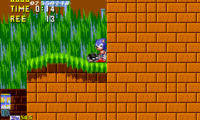
Sonic Hex Adventure is a classic Genesis game that runs directly in your browser, giving you a simple platforming experience rooted in the 16-bit era. Its controls are easy to learn, and the gameplay feels familiar, making it accessible for newcomers without any prior experience. The game keeps the nostalgic feel of the Genesis alive while working smoothly on modern browsers, so no downloads or installations are necessary.
What Is Sonic Hex Adventure?
As a platformer, Sonic Hex Adventure challenges players to move through levels filled with obstacles, enemies, and timed tasks. Speed and precision are key, as you’d expect from Sonic titles, but there are also puzzle elements that require quick thinking. The goal is to finish each stage by collecting items and avoiding hazards within a time limit.
The gameplay is simple but engaging, with mechanics that let players jump right in. The levels are designed to test reflexes and pattern recognition, so each run feels like a mix of trial and error and skillful execution. The focus on fluid movement and tight controls makes the gameplay satisfying, even if it’s a more streamlined version of the full Sonic experience.
What Keeps You Coming Back
Sonic Hex Adventure is quite replayable. Its short levels encourage multiple attempts to beat your best times or uncover hidden secrets. The pixel art style and chiptune soundtrack evoke that classic Genesis vibe, adding a nostalgic touch for fans of that era. The straightforward design makes it easy to play in quick sessions, perfect for a quick break or casual gaming.
There’s also a bit of challenge that makes you want to try again. Mastering jump timing and understanding level layouts get easier with practice. The game doesn’t have complex mechanics; instead, it rewards players who refine their skills and learn each level’s quirks. Its simplicity, along with some difficulty spikes, keeps each session interesting and motivates you to improve.
Handy Tips
If you want to do well in Sonic Hex Adventure, here are some tips:
- Get comfortable with your jump timing early — precision helps avoid hazards and enemies.
- Explore each level carefully; hidden paths or items can give you an advantage or extra points.
- Use the pause button to plan your next move if you’re unsure about upcoming obstacles.
- Practice speedrunning sections to shave off your overall time.
- Watch the timer — rushing can cause mistakes, so try to balance speed with caution.
- Repeat levels to memorize enemy movements and level layouts for smoother runs.
Player FAQ
Is Sonic Hex Adventure suitable for younger players?
Yes, its simple controls and straightforward gameplay make it good for kids or anyone new to platformers. Its forgiving difficulty and clear objectives help players learn without getting frustrated.
Can I play Sonic Hex Adventure offline or on different devices?
The game runs straight in your browser, so you can play it on any device with internet access and a compatible browser. There’s no need to download anything, and it works well on desktops, tablets, and phones.
How long does a typical session last, and is it good for quick play?
Because levels are short and gameplay is straightforward, you can enjoy quick sessions that last just a few minutes. It’s perfect for casual play or practicing specific parts without feeling overwhelmed.
Sonic Hex Adventure offers a nostalgic yet simple platforming experience that’s easy to pick up and hard to put down. Its straightforward style and quick gameplay make it a good choice for casual players or anyone wanting a bit of retro fun right in their browser.
Related games: you can also try General Chaos Daikonsen (Japan) and Sonic 2 Darkspine Sonic, or browse all other games in the Genesis category.
How to Play Sonic Hex Adventure?
Run through levels, avoiding hazards and enemies while collecting items and completing each stage as fast as possible. Use jumps and quick movements to finish before time runs out.
Game Controls
Arrow keys control movement; jump and action keys are mapped to on-screen buttons.
You may be interested in:
-
 Genesis
♥ 4
Sonic Remastered Final Version (S1 Hack)
Genesis
♥ 4
Sonic Remastered Final Version (S1 Hack) -
 Genesis
♥ 6
Sonic Remastered (S1 Hack)
Genesis
♥ 6
Sonic Remastered (S1 Hack) -
 Genesis
♥ 8
Sonic Redemption
Genesis
♥ 8
Sonic Redemption -
 Genesis
♥ 16
Sonic Primo (SHC 2023 Demo)
Genesis
♥ 16
Sonic Primo (SHC 2023 Demo) -
 Genesis
♥ 38
Sonic Poopy
Genesis
♥ 38
Sonic Poopy -
 Genesis
♥ 16
Sonic Overclocked SHC Demo
Genesis
♥ 16
Sonic Overclocked SHC Demo -
 Genesis
♥ 1
Sonic Night Trouble
Genesis
♥ 1
Sonic Night Trouble -
 Genesis
♥ 3
Sonic Night Edition (S1 Hack)
Genesis
♥ 3
Sonic Night Edition (S1 Hack)
Comments (0)
No comments yet. Be the first to comment!