Sonic Redemption
0 8 2
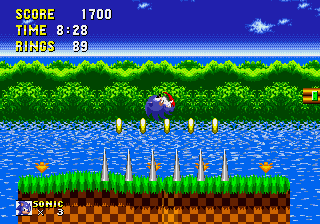
Sonic Redemption is a classic Genesis game that delivers the speed and platforming action fans remember, right in your browser. It captures the spirit of its era with simple gameplay and familiar mechanics, making it perfect for anyone who enjoys quick, arcade-style challenges. If you’re feeling nostalgic for the Genesis days or just want a fun, fast-paced platformer, Sonic Redemption provides an easy-to-start experience without the need to download anything.
Getting Into Sonic Redemption
The main gameplay involves controlling Sonic as he races through levels filled with obstacles, enemies, and collectibles. The game focuses on speed and timing, requiring players to move left and right, jump over hazards, and sometimes use limited power-ups to stay ahead of the clock. Each round typically involves finishing several levels or sections, with the aim of reaching the end in the shortest time possible. The design is straightforward, with no complicated mechanics—just pure platforming action.
Playing Sonic Redemption means getting comfortable with the controls to keep up your momentum and avoid mistakes. The game is suited for quick sessions, encouraging repeated tries to beat your best score or find faster routes. The levels are crafted to test your reflexes and timing, rewarding players who get into the rhythm of each stage.
Standout Features
This Genesis classic has pixel-perfect visuals that evoke the look and feel of early 90s platformers. Bright backgrounds and smoothly animated sprites create a nostalgic yet lively environment that’s visually engaging. Progression is linear but varied; as you advance, the levels introduce subtle layout changes and obstacles to keep things interesting. The difficulty gradually increases, prompting you to adapt your strategies and improve your speed.
Replayability comes from its timing-based gameplay. Trying to beat your best scores or personal records encourages multiple attempts. The game’s simplicity makes it accessible to players of all skill levels, while its challenge keeps things interesting for those wanting to sharpen their reflexes. Since it runs directly in your browser, you can try different routes or strategies easily, making it a lasting browser classic.
Strategy and Tips
To get better at Sonic Redemption, focus on mastering the controls and learning level layouts. Here are some tips:
- Practice jump timing to dodge obstacles and enemies effectively.
- Avoid unnecessary stops or backtracking to keep your speed up.
- Look for shortcuts within levels to save time.
- Stay centered in the level to react quickly to hazards.
- Use power-ups wisely; save them for tricky sections where they make a difference.
- If you get stuck, see where you lost time and adjust your approach next time.
Quick Questions
How do I start playing Sonic Redemption?
The game loads instantly in your browser; just click to begin and follow the on-screen controls to move Sonic.
What’s a common mistake for new players?
Many beginners slow down too much or hesitate before jumps, losing valuable speed and time.
Can I play Sonic Redemption on mobile or touch devices?
Yes, it works with touch controls, so you can enjoy it on smartphones and tablets without extra setup.
Sonic Redemption offers a simple, fast-paced platforming challenge that’s easy to pick up but hard to master. Its quick sessions and focus on speed make it a good choice for casual players wanting some retro fun or experienced platformers looking to improve their times. Playing directly in your browser means instant access to this Genesis classic in a straightforward, browser-based package.
Related games: you can also try Sonic Primo (SHC 2023 Demo) and Battle Mania Daiginjou (Japan, Korea) [En by MIJET v20061029] (~Trouble Shooter Vintage), or browse all other games in the Genesis category.
How to Play Sonic Redemption?
Control Sonic to run through levels, avoiding obstacles and enemies while collecting items. Complete each stage quickly to beat your best time, using jumps and movements to stay ahead.
Game Controls
Arrow keys control movement; jump and action keys are mapped to keyboard buttons.
You may be interested in:
-
 Genesis
♥ 8
Sonic the Hedgehog – Save The Moon
Genesis
♥ 8
Sonic the Hedgehog – Save The Moon -
 Genesis
♥ 4
Sonic the Hedgehog – Revelation
Genesis
♥ 4
Sonic the Hedgehog – Revelation -
 Genesis
♥ 38
Sonic the Hedgehog – Plus Edition
Genesis
♥ 38
Sonic the Hedgehog – Plus Edition -
 Genesis
♥ 2
Sonic the Hedgehog – Hadokoa Sakusen
Genesis
♥ 2
Sonic the Hedgehog – Hadokoa Sakusen -
 Genesis
♥ 149
Sonic the Hedgehog – Anniversary Edition
Genesis
♥ 149
Sonic the Hedgehog – Anniversary Edition -
 Genesis
♥ 4
Sonic the Hackable – Splash Hill Demo
Genesis
♥ 4
Sonic the Hackable – Splash Hill Demo -
 Genesis
♥ 21
Sonic the Hackable – SHC 2019 Release
Genesis
♥ 21
Sonic the Hackable – SHC 2019 Release -
 Genesis
♥ 7
Sonic the Hackable
Genesis
♥ 7
Sonic the Hackable
Comments (0)
No comments yet. Be the first to comment!