
Sonic the Hedgehog – Save The Moon Demo
0 1 1
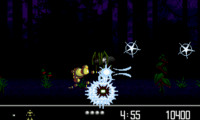
Sonic the Hedgehog – Save The Moon Demo is a browser-based version of a classic Genesis game, giving players a chance to enjoy Sonic’s fast-paced platforming action right in their web browser. Fans of retro gaming and Sonic lovers will find this demo a quick and easy way to get a taste of the character’s universe. It runs instantly without needing to download anything, making it perfect for quick play sessions on any device with internet access.
Getting into Sonic the Hedgehog – Save The Moon Demo
In this demo, you control Sonic as he rushes through colorful, side-scrolling levels filled with obstacles, enemies, and collectibles. The gameplay focuses on precise jumping, quick reactions, and navigating the environment smoothly. The main idea is simple: run, jump, avoid hazards, and gather items to boost your score or progress. Your goal is to finish levels quickly while dodging enemies and environmental threats.
Most play sessions involve choosing a level from the menu and guiding Sonic through the stage. The controls are easy—mainly running and jumping—so it’s accessible for newcomers but still offers enough challenge for experienced players aiming for high scores. Expect a fast-paced experience where timing and memorization help you improve. Since it’s a demo, it might only include a few levels or environments, but the challenge stays fun and replayable.
Standout Features
The visuals stay true to the original Genesis style, with sharp sprite art and vibrant backgrounds that bring Sonic’s world to life. The animations make Sonic’s speedy movements feel smooth, and the level design encourages quick reflexes and good timing. While simplified for browser play, the game keeps the charm of the original pixel art and level layout, offering a nostalgic yet fresh experience.
Advancing in the demo is simple—finish levels to unlock the next or beat your best time. Though it’s limited compared to full versions, it provides enough challenge to keep you trying again and again. Its quick play sessions are perfect for short bursts, and the straightforward mechanics mean you can jump right in without prior experience. Replaying to beat your best scores or climb leaderboards adds to the fun.
Strategy and Tips
Getting started is easy, but mastering the game takes good timing and awareness. Here are some tips:
- Learn the level layout so you can anticipate obstacles and enemy positions.
- Use jumps carefully—timing your jumps over enemies or gaps helps you stay fast.
- Collect rings and items when you can to boost your score and earn extra lives.
- Play through levels multiple times to remember the best routes and safe spots.
- Be patient with tricky sections; rushing can lead to mistakes.
- Watch the timer and aim to finish levels quickly for higher scores.
Quick Questions
Can I start playing without any setup?
Yes, Sonic the Hedgehog – Save The Moon Demo works right in your browser, so you can jump in without downloads or installations.
What’s a common mistake new players make?
Many beginners rush through levels without paying attention to enemy placement or timing jumps, which often leads to unnecessary mistakes or retries.
Is it playable on mobile devices or touch screens?
While it’s optimized for desktop, it generally works on mobile browsers too. However, precise controls on touch screens can be tricky because of how fast the game moves.
Playing Sonic the Hedgehog – Save The Moon Demo offers a quick nostalgic trip back to a Genesis favorite, all in your browser. Its simple style and familiar gameplay make it a great choice for a quick, fun session or sharpening your platforming skills without any fuss.
Related games: you can also try Sonic 3 & Shadow and Semi Ported Hyper Sonic in Sonic by Selbi (S1 Hack), or browse all other games in the Genesis category.
How to Play Sonic the Hedgehog – Save The Moon Demo?
Guide Sonic through colorful levels by running and jumping to avoid hazards, collect items, and finish each stage quickly. Improve your time and score with precise movements and quick reactions.
Game Controls
Arrow keys for movement; spacebar to jump; other keys for actions.



Comments (0)
No comments yet. Be the first to comment!