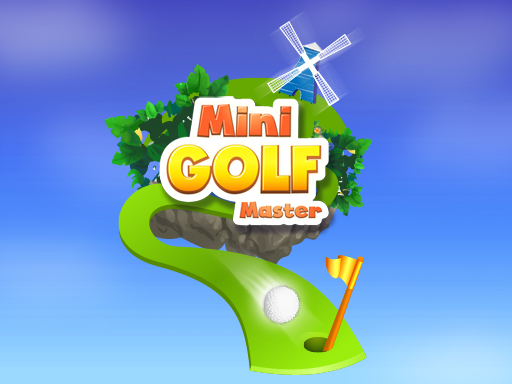
Minigolf Master
The game loads when you press the "Play" button.
The game loads when you press the "Play" button.
Minigolf Master is a charming online browser game that captures the fun and challenge of miniature golf in a digital setting. With its colorful courses, playful obstacles, and physics-based gameplay, it provides a relaxing yet engaging experience for players of all ages. Whether you’re casually playing for a quick break or trying to improve your strokes, Minigolf Master offers enough to keep you coming back. Its simple goal—getting the ball into the hole in as few shots as possible—belies a surprisingly strategic game that rewards accuracy, planning, and a bit of style.
As you move through different courses, each more lively and obstacle-filled than the last, you’ll find yourself in a cheerful atmosphere that balances challenge with accessibility. The game’s vibrant visuals and animated details make every level feel like a small adventure. Plus, unlocking new levels and difficulty settings helps keep things fresh. It’s easy to see why Minigolf Master remains popular among fans of straightforward yet addictive sports games, especially those who enjoy testing their skills across various configurations and control schemes. If you’re looking for a fun way to pass the time while sharpening your golfing instincts, this game might just become a favorite.
One of the best things about Minigolf Master is its variety of courses, each filled with imaginative obstacles that create a lively playground for your shots. From winding tunnels to moving barriers, every level feels like a new puzzle designed to test your control and strategy. The physics engine feels well-crafted, making each shot feel natural and satisfying. Seeing your ball roll smoothly over the terrain, bounce off obstacles, and sink into the hole—especially when you do so with minimal strokes—can be quite rewarding.
Visually, Minigolf Master hits a nice balance between simplicity and charm. Bright colors and animated effects make each course inviting and easy to follow, even on smaller screens. The playful design keeps the mood light, even when the pressure’s on to beat par. The controls are intuitive and adapt well to different difficulty levels, making it accessible for newcomers while still offering enough challenge for players with more experience. Unlocking new courses, difficulty modes, and control schemes adds replay value, encouraging you to improve scores and explore different challenges.
What keeps the game engaging is that finishing a tricky hole or beating your previous best feels rewarding. The star rating system—earning two stars for meeting par and three stars for doing better—pushes you to improve with each try. Different difficulty settings introduce new control schemes and course layouts, which keep things fresh. Whether you play for a few minutes or a longer session, Minigolf Master offers enough variety to stay interesting. It’s a good choice for quick breaks or extended gaming sessions.
If you want to improve your scores and enjoy everything Minigolf Master has to offer, here are some tips:
How difficult is Minigolf Master for new players?
The game is designed to be accessible for all skill levels, with adjustable difficulty settings and controls that suit beginners and more experienced players alike.
How long does a typical session last?
Sessions can be quick, around five minutes, or longer if you’re trying to master tougher courses or unlock new levels. The progression system encourages ongoing play without feeling like a huge time commitment.
Can I play on mobile or offline?
Since it runs directly in your browser, you can play on desktop or mobile devices. However, an internet connection is needed to access the game on this site; offline play isn’t supported.
Related games: you can also try Moto Ride and Basketball Shoot, or browse all other games in the Sports category.
Aim and hit the ball with minimal strokes to get it into the hole across various courses filled with obstacles.
Click and drag with the mouse to aim and set power, then release to hit.