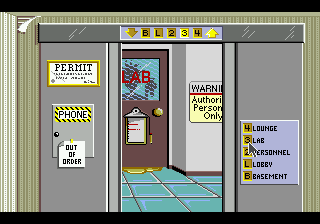
Where in Time Is Carmen Sandiego (USA, Europe) (En,Fr,De,Es,It)
0 1 0
Where in Time Is Carmen Sandiego (USA, Europe) (En,Fr,De,Es,It) is a well-loved Genesis game that brings together strategy, adventure, and educational puzzles into an engaging detective story. This old-school title from the Genesis days invites players to take on the role of a time-traveling investigator, gathering clues from different eras to catch the tricky thief Carmen Sandiego. Its blend of brainteasers and historical trivia makes for a unique challenge that appeals to both casual players and puzzle fans who enjoy a good mental workout.
Why Where in Time Is Carmen Sandiego Is Worth Playing
This Genesis game combines strategic thinking with learning elements wrapped in fun gameplay. The visuals are straightforward but easy to understand, with a colorful interface that favors clarity over flashy effects—fitting for its time. The atmosphere sparks curiosity and discovery as players explore various historical periods, each presenting its own clues and puzzles. The sound effects and music are modest but effective, helping to draw players into the detective mood without being overwhelming.
What makes players keep coming back is the clever puzzle design and its focus on education. Each stage brings a new set of challenges that test your knowledge of history and geography, making every correct guess feel rewarding. The game encourages careful observation and logical reasoning rather than quick reflexes, which makes it accessible but still challenging enough to stay interesting. Its lasting appeal comes from the variety of clues and the satisfaction of solving tricky riddles, all within a straightforward format that works for quick play sessions or longer detective marathons.
Tips to Get Ahead
To improve your chances of catching Carmen Sandiego, try to gather clues carefully and compare information as you go.
- Pay attention to details in each era’s environment—they often hide useful hints.
- Keep track of clues you find, either mentally or on paper, to notice patterns and connections.
- Use elimination to narrow down suspects and locations quickly.
- Review historical facts related to each period to help solve puzzles faster.
- Take your time analyzing each puzzle; rushing can lead to mistakes.
- Remember, each clue gets you closer—patience and persistence help get through the tougher parts.
Things to Know Before You Start
Question?
Is Where in Time Is Carmen Sandiego tough for casual players?
It can be a bit tricky because it needs logical thinking and attention to detail, but it’s designed to be approachable for puzzle lovers. If you’re new, the game guides you into learning as you go.
Question?
How long does a typical game take?
Most players spend around 20-30 minutes per session, making it good for short breaks or longer detective adventures.
Question?
Is it suitable for kids or classroom use?
Yes, with its educational content and puzzle focus, it’s great for younger players and can be used in teaching settings to promote learning about history and geography while having fun.
Question?
Can I play this in my browser?
Definitely. The game runs directly in your browser without needing any downloads, so you can jump right into solving clues across the ages.
Try out this classic Genesis puzzle game and sharpen your detective skills through the ages. Its mix of strategy, learning, and puzzle-solving—available free online—offers a satisfying challenge for players of all kinds.
Related games: you can also try Story of Thor, The – Hikari o Tsugumono (Japan) and SoNiC & SHADOW Double jump 2 by TRaiNoR, or browse all other games in the Genesis category.
How to Play Where in Time Is Carmen Sandiego (USA, Europe) (En,Fr,De,Es,It)?
Explore different historical eras, gather clues, and solve puzzles to catch Carmen Sandiego before time runs out. Use your detective skills to analyze environments, track suspects, and connect clues logically.
Game Controls
Arrow keys move the cursor; Enter confirms selections; other keys are used for actions.
You may be interested in:
-
 Genesis
♥ 1
Winter Olympics (Europe)
Genesis
♥ 1
Winter Olympics (Europe) -
 Genesis
♥ 1
Winter Olympic Games (USA)
Genesis
♥ 1
Winter Olympic Games (USA) -
 Genesis
♥ 1
Winter Challenge (USA) (Beta)
Genesis
♥ 1
Winter Challenge (USA) (Beta) -
 Genesis
♥ 2
Winter Challenge (USA, Europe)
Genesis
♥ 2
Winter Challenge (USA, Europe) -
 Genesis
♥ 2
Wings of Wor (USA)
Genesis
♥ 2
Wings of Wor (USA) -
 Genesis
♥ 1
Wimbledon Championship Tennis (USA) (Beta)
Genesis
♥ 1
Wimbledon Championship Tennis (USA) (Beta) -
 Genesis
♥ 1
Wimbledon Championship Tennis (USA)
Genesis
♥ 1
Wimbledon Championship Tennis (USA) -
 Genesis
♥ 1
Wimbledon Championship Tennis (Europe)
Genesis
♥ 1
Wimbledon Championship Tennis (Europe)
Comments (0)
No comments yet. Be the first to comment!