![Glocal Hexcite (J) [M][!]](https://www.playf2p.com/wp-content/uploads/glocal-hexcite-j-m.png)
Glocal Hexcite (J) [M][!]
0 1 0
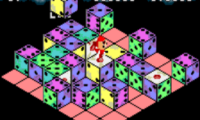
Glocal Hexcite (J) [M][!] is a classic WonderSwan puzzle game that makes you think strategically as you connect hexagonal tiles. Coming from the WonderSwan era, it has straightforward gameplay that appeals to puzzle fans and those who enjoy brain-teasing mechanics. Since it runs directly in your browser, you can enjoy this nostalgic game without downloading anything or setting up an account, making it perfect for quick, casual play.
Getting Into Glocal Hexcite (J) [M][!]
This WonderSwan puzzle game is all about connecting tiles of the same color or pattern by drawing lines across hexagonal grids. The main idea involves selecting a group of adjacent, matching tiles and linking them with a continuous line to clear them from the board. Each successful connection earns points and clears space for new tiles, creating a cycle of pattern recognition and fast decision-making.
Usually, a game starts with a partly filled grid, and players need to quickly spot clusters of tiles to connect before the board fills up. You can play in different modes, including timed challenges or free play, where the goal is to clear as many tiles as possible. The interface is simple: tap or click on a group of matching hexes, draw your line, and watch them vanish. The tricky part is managing the limited space and planning ahead to avoid dead ends.
Standout Features
The visuals are clean and minimal, focusing on clarity rather than flashy effects. The color-coded hex tiles are easy to tell apart, which helps with pattern recognition. As you progress, the game keeps a consistent look, emphasizing functionality and simplicity to keep the focus on the puzzle. The aesthetic suits the gameplay well, helping players concentrate without distractions.
The game gets more challenging with higher difficulty levels or aiming for a better score, encouraging replay to beat your personal best. Its simple mechanics make it accessible from the start, but the challenge keeps experienced players coming back. You can try different strategies to maximize tile clears and improve your scores, whether you’re racing against the clock or just playing casually.
Strategy and Tips
Having a plan from the start helps prevent the board from filling up too fast. It’s better to clear larger groups of tiles instead of small ones, as this frees up space more effectively. Watch out for chain reactions — clearing one group might set up a new opportunity, so think ahead.
- Focus on connecting tiles that will open up new matching options nearby.
- Avoid moves that leave isolated tiles, since these can block future connections.
- Use the edges of the grid to control how tiles come together.
- In timed mode, stay calm and rely on quick pattern recognition rather than overanalyzing.
- Practice recognizing common cluster patterns to make decisions faster during tense moments.
Quick Questions
How do I start playing Glocal Hexcite (J) [M][!]?
The game loads instantly in your browser; just click to start and select matching hex tiles to connect them.
What is a common mistake for beginners?
Trying to clear small groups instead of larger ones, which can quickly fill the board and limit your options.
Can I play this game on mobile or touch devices?
Yes, since it runs in your browser, you can play on mobile devices with touch controls, as long as your browser supports the game.
Glocal Hexcite (J) [M][!] offers a simple yet engaging puzzle experience that’s easy to pick up but can be tricky to master. Its straightforward interface and quick gameplay make it great for casual breaks or quick challenges. Since it runs right in your browser, you can try it whenever the mood strikes without any hassle.
Related games: you can also try Final Fantasy II (J) [!] and Digimon Digital Monsters for WonderSwanColor (J) [!], or browse all other games in the WonderSwan category.
How to Play Glocal Hexcite (J) [M][!]?
Connect groups of matching hex tiles by drawing lines to clear them from the board. Clear as many tiles as possible before the grid fills up or time runs out.
Game Controls
Arrow keys move the cursor; space or Enter selects and connects tiles.
You may be interested in:
-
 WonderSwan
♥ 1
Yakusoku no Chi Riviera (J)
WonderSwan
♥ 1
Yakusoku no Chi Riviera (J) -
 WonderSwan
♥ 2
XI (Sai) Little (J)
WonderSwan
♥ 2
XI (Sai) Little (J) -
![X Card of Fate (TV Animation X) (J) [!]](https://www.playf2p.com/wp-content/uploads/x-card-of-fate-tv-animation-x-j-200x120.png) WonderSwan
♥ 1
X Card of Fate (TV Animation X) (J) [!]
WonderSwan
♥ 1
X Card of Fate (TV Animation X) (J) [!] -
![WonderSwan Handy Sonar (J) [M]](https://www.playf2p.com/wp-content/uploads/wonderswan-handy-sonar-j-m-200x120.png) WonderSwan
♥ 1
WonderSwan Handy Sonar (J) [M]
WonderSwan
♥ 1
WonderSwan Handy Sonar (J) [M] -
![Wonder Stadium (J) [M]](https://www.playf2p.com/wp-content/uploads/wonder-stadium-j-m-200x120.png) WonderSwan
♥ 1
Wonder Stadium (J) [M]
WonderSwan
♥ 1
Wonder Stadium (J) [M] -
![Wonder Stadium ’99 (J) [M]](https://www.playf2p.com/wp-content/uploads/wonder-stadium-99-j-m-200x120.jpg) WonderSwan
♥ 1
Wonder Stadium ’99 (J) [M]
WonderSwan
♥ 1
Wonder Stadium ’99 (J) [M] -
![Wonder Classic (J) [M][!]](https://www.playf2p.com/wp-content/uploads/wonder-classic-j-m-200x120.png) WonderSwan
♥ 1
Wonder Classic (J) [M][!]
WonderSwan
♥ 1
Wonder Classic (J) [M][!] -
![Wizardry – Scenario 1 – Kyounou no Shiren Jou (J) [M][!]](https://www.playf2p.com/wp-content/uploads/wizardry-scenario-1-kyounou-no-shiren-jou-j-m-200x120.jpg) WonderSwan
♥ 1
Wizardry – Scenario 1 – Kyounou no Shiren Jou (J) [M][!]
WonderSwan
♥ 1
Wizardry – Scenario 1 – Kyounou no Shiren Jou (J) [M][!]
Comments (0)
No comments yet. Be the first to comment!