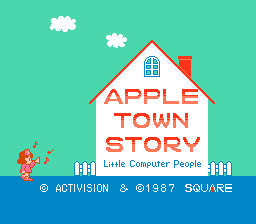
Apple Town Monogatari – Little Computer People (Japan)
0 2 0
Apple Town Monogatari – Little Computer People (Japan) is a nostalgic FDS classic that invites players into a pixelated town inhabited by tiny, animated characters. This simulation game is great for those who enjoy simple, life-focused gameplay with a cute aesthetic. If you like nurturing virtual communities or managing small environments, this game offers a relaxing experience that runs directly in your browser, so no downloads are needed.
Getting Into Apple Town Monogatari – Little Computer People
The main idea is to observe and interact with the little computer people living in your town. You start with a few residents, each with their own routines. The game doesn’t have complex objectives or levels but encourages watching and occasionally influencing their daily activities. You check on your town now and then, see how your characters are doing, and make small interactions to keep them happy or guide their actions.
Interactions are simple but meaningful—giving characters items, talking to them, or helping with tasks. The game runs in real-time, so your town changes naturally as your characters go about their routines. There’s no set ending, which means it’s more about casual management and observation than winning or losing. You can play in short bursts or relax for a while, then come back to see what’s new or how things have changed.
Standout Features
The game’s pixel art has a charming, nostalgic feel. The characters and environment are colorful and simple, yet expressive enough to show personality and mood. As time passes, new characters might arrive, and existing ones develop routines, giving your town a sense of life. The replay value comes from trying different interactions and watching how the town’s dynamics change, making each session feel fresh.
Unlike more goal-driven sims, Apple Town Monogatari rewards patience and curiosity. You can play as much or as little as you like. Experiment with different ways of interacting or just enjoy watching the characters’ daily routines. Its simplicity makes it accessible for all ages and skill levels, encouraging casual play and exploration rather than complex strategies.
Strategy and Tips
Getting the most out of the game takes patience and gentle experimentation. There’s no need to rush; sometimes, just observing your town’s natural flow is the most rewarding part.
- Try talking to characters at different times of day to see how their routines change.
- Use items and conversations sparingly to avoid overwhelming your characters or disrupting their habits.
- Pay attention to new characters or events that might appear as your town develops.
- Watch the overall mood—happy characters tend to lead to more lively interactions.
- Check in now and then to see how small changes affect the overall atmosphere.
- Try different ways of interacting to discover new behaviors or hidden details.
Quick Questions
How do I start playing if I’ve never used this kind of game before?
Just start by observing the characters and trying basic interactions; it’s very straightforward and doesn’t need previous experience.
What is a common mistake beginners make?
Trying to control everything too quickly or over-interacting can disrupt routines and take away from the charm of the game.
Can I play this on mobile or touch devices?
Yes, since it runs right in your browser, it works well on tablets and smartphones, making it easy to play on the go.
Apple Town Monogatari – Little Computer People offers a simple, calming experience with classic pixel art and open-ended gameplay. It’s great for players who enjoy watching virtual life unfold and caring for small communities, all accessible right in your browser without any hassle.
Related games: you can also try Akuu Senki Raijin (Japan) (Disk Writer) and Play Ai Senshi Nicol (Japan), or browse all other games in the FDS category.
How to Play Apple Town Monogatari – Little Computer People (Japan)?
Observe and interact with the tiny characters in your town to keep them happy and see their routines change over time. No goals, just casual watching and small interactions.
Game Controls
Arrow keys for movement; other keys for talking and giving items.
You may be interested in:
-
 FDS
♥ 2
Zelda no Densetsu – The Hyrule Fantasy (Japan) (Virtual Console)
FDS
♥ 2
Zelda no Densetsu – The Hyrule Fantasy (Japan) (Virtual Console) -
 FDS
♥ 2
Zelda no Densetsu – The Hyrule Fantasy (Japan) (Rev 1)
FDS
♥ 2
Zelda no Densetsu – The Hyrule Fantasy (Japan) (Rev 1) -
 FDS
♥ 1
Zelda no Densetsu – The Hyrule Fantasy (Japan) (GameCube)
FDS
♥ 1
Zelda no Densetsu – The Hyrule Fantasy (Japan) (GameCube) -
 FDS
♥ 1
Zelda no Densetsu – The Hyrule Fantasy (Japan) (Collector’s Edition)
FDS
♥ 1
Zelda no Densetsu – The Hyrule Fantasy (Japan) (Collector’s Edition) -
 FDS
♥ 2
Zelda no Densetsu – The Hyrule Fantasy (Japan) (Beta) (1985-12-28)
FDS
♥ 2
Zelda no Densetsu – The Hyrule Fantasy (Japan) (Beta) (1985-12-28) -
 FDS
♥ 2
Zelda no Densetsu – The Hyrule Fantasy (Japan)
FDS
♥ 2
Zelda no Densetsu – The Hyrule Fantasy (Japan) -
 FDS
♥ 1
Zatsugaku Olympic Quiz Part II (Japan) (Unl)
FDS
♥ 1
Zatsugaku Olympic Quiz Part II (Japan) (Unl) -
 FDS
♥ 1
Zatsugaku Olympic Quiz – Watanabe Wataru Hen (Japan) (Unl)
FDS
♥ 1
Zatsugaku Olympic Quiz – Watanabe Wataru Hen (Japan) (Unl)
Comments (0)
No comments yet. Be the first to comment!