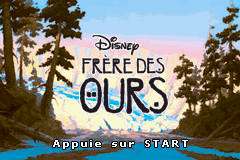
2 in 1 – Frere des Ours & Disney Princesse (F)(Independent)
0 4 0
2 in 1 – Frere des Ours & Disney Princesse is a classic Game Boy Advance game you can play right in your browser on this site. It packs two different titles into one, so you get a taste of different gameplay styles without switching cartridges. If you like retro handheld games, you’ll notice the simple design and familiar mechanics that define this era. For anyone looking for quick, casual play or just a bit of nostalgia, this game fits the bill.
Getting Into 2 in 1 – Frere des Ours & Disney Princesse
There are two separate stories here. The first follows a brother bear, with platform challenges that involve jumping, collecting items, and dodging obstacles. The second focuses on Disney Princess characters, with an emphasis on puzzles and exploration. Each mode offers a different pace and set of mechanics, giving players some variety in a single session.
You pick one of the titles from the menu and then go through a series of levels or scenes. The gameplay is designed for quick bursts, so it’s easy to pick up and play without much setup. Controls are simple—usually just directional movement and a few action buttons—making it accessible for all ages. Since it runs right in your browser, there’s no need to download anything, so you can start playing immediately.
Standout Features
The visuals stay true to the Game Boy Advance look, with pixel art that clearly shows characters and environments. While not overly detailed, the artwork is charming and fits each game’s theme well. Progression is straightforward—moving from one level or scene to the next, unlocking new stages as you go. Having two games in one means more replay value; you might want to revisit both to unlock everything or improve your scores.
The game encourages repeat play, with increasing difficulty and new challenges that keep things interesting. Switching between the two modes is easy, making it a flexible choice for casual gaming sessions. Its simplicity makes it accessible for newcomers, but there’s enough challenge to keep more experienced players coming back for another try.
Strategy and Tips
Starting with easier levels helps you get comfortable with the controls. Watch obstacle patterns to avoid mistakes. Collect items that might unlock secrets or give you extra lives. Take your time moving through levels—rushing can lead to unnecessary errors. Practice helps, so replay sections to improve your scores and efficiency. If you get stuck, replay earlier stages to find helpful power-ups or hints.
- Get comfortable with the controls early to avoid mistakes.
- Explore each level to find hidden items or shortcuts.
- Balance speed with caution—rushing often causes errors.
- Use retries to memorize tricky sections and boost your scores.
- Switch between the two titles to keep gameplay varied and fresh.
Quick Questions
How do I start playing 2 in 1 – Frere des Ours & Disney Princesse?
The game loads instantly in your browser. Just pick which title you want from the menu and start playing. No downloads needed.
What’s a common mistake new players make?
Many try to rush through levels without paying attention to enemy patterns or obstacles, which often leads to unnecessary retries or mistakes.
Can I play this on mobile or touch devices?
Yes. Since it runs directly in your browser, it works well on smartphones and tablets without any extra setup.
Playing 2 in 1 – Frere des Ours & Disney Princesse means enjoying two familiar titles in a browser-based format. Its simple gameplay and nostalgic look make it a good pick for casual players wanting quick retro fun whenever the mood hits.
Related games: you can also try 2 in 1 – Finding Nemo & The Incredibles (S)(Independent) and 2 in 1 – Disney Principesse & Il Re Leone (I)(Independent), or browse all other games in the Game Boy Advance category.
How to Play 2 in 1 – Frere des Ours & Disney Princesse (F)(Independent)?
Choose a game mode, then navigate levels by moving, jumping, or solving puzzles to complete objectives and progress through stages. Replay to improve scores and unlock new content.
Game Controls
Arrow keys control movement; action buttons are mapped to keyboard keys for jumping, interacting, and selecting.
You may be interested in:
-
 Game Boy Advance
♥ 2
Zooo (J)(Rising Sun)
Game Boy Advance
♥ 2
Zooo (J)(Rising Sun) -
 Game Boy Advance
♥ 4
Zooo (E)(Trashman)
Game Boy Advance
♥ 4
Zooo (E)(Trashman) -
 Game Boy Advance
♥ 2
ZooCube (U)(Mode7)
Game Boy Advance
♥ 2
ZooCube (U)(Mode7) -
 Game Boy Advance
♥ 1
ZooCube (E)(Blizzard)
Game Boy Advance
♥ 1
ZooCube (E)(Blizzard) -
 Game Boy Advance
♥ 1
Zone of the Enders – The Fist of Mars (U)(Mode7)
Game Boy Advance
♥ 1
Zone of the Enders – The Fist of Mars (U)(Mode7) -
 Game Boy Advance
♥ 1
Zone of the Enders – The Fist of Mars (E)(Cezar)
Game Boy Advance
♥ 1
Zone of the Enders – The Fist of Mars (E)(Cezar) -
 Game Boy Advance
♥ 1
Zoku Bokura no Taiyou – Taiyou Shounen Django (J)(Independent)
Game Boy Advance
♥ 1
Zoku Bokura no Taiyou – Taiyou Shounen Django (J)(Independent) -
 Game Boy Advance
♥ 7
Zoku Bokura no Taiyou – Taiyou Shounen Django (J)(Caravan)
Game Boy Advance
♥ 7
Zoku Bokura no Taiyou – Taiyou Shounen Django (J)(Caravan)
Comments (0)
No comments yet. Be the first to comment!