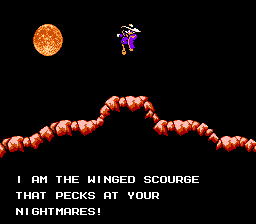
Darkwing Duck (USA) (Beta)
0 3 1
Darkwing Duck (USA) (Beta) is a classic NES game you can play directly in your browser, letting you relive a favorite platformer from the console’s prime without needing any downloads. Its simple controls and familiar gameplay make it easy for new players to pick up and enjoy right away. This game stays true to the original NES experience, giving you a nostalgic trip into the adventures of the crime-fighting hero, Darkwing Duck, all playable instantly and free in your browser.
What Is Darkwing Duck?
Darkwing Duck is a side-scrolling action platformer where you navigate through levels full of enemies, obstacles, and hazards. The gameplay involves jumping, dodging, and defeating enemies using basic attack mechanics typical of the NES era. Your main goal is to get through levels by defeating foes and avoiding environmental dangers, all while keeping an eye on your health and lives.
The game focuses on straightforward action that tests your timing and pattern recognition. It’s designed to be accessible, offering a classic platformer experience that rewards quick reflexes and strategic movement. Its level design and difficulty curve follow typical NES standards, making it suitable for players of all ages who want a nostalgic yet manageable gaming session.
What Keeps You Coming Back
What makes Darkwing Duck engaging is its tight controls and familiar gameplay loop. The levels are varied, encouraging players to learn enemy patterns and find better routes to score points or progress faster. Its simplicity makes it easy to pick up but hard to master, inviting repeated tries to improve your run.
Replaying the game is about beating previous scores, mastering tricky sections, and exploring different paths within levels. Its straightforward action and NES-inspired look make it a good choice for quick gaming sessions or longer nostalgic afternoons. The design encourages players to keep trying, whether to beat a level faster or just enjoy the classic platforming feel.
Handy Tips
Want to get the most out of Darkwing Duck? Here are some quick tips:
- Pay attention to enemy patterns to avoid taking unnecessary damage, especially in tight spots.
- Use jumps wisely to clear obstacles or dodge enemies instead of rushing ahead blindly.
- Pick up power-ups whenever you see them to boost your health or gain temporary benefits.
- Explore levels carefully; some routes might hide secrets or be easier to navigate.
- Practice timing your attacks to deal more damage against tougher enemies.
- Keep an eye on your lives and health to prevent sudden game-overs in tricky moments.
Player FAQ
Is Darkwing Duck easy for beginners?
Yes, this NES classic is simple enough for new players, with easy controls and straightforward gameplay. It’s suitable for younger players or anyone new to retro platformers.
Can I play Darkwing Duck offline or without an internet connection?
Since you can play this version directly in your browser, you don’t need an internet connection once it loads. It’s ready whenever you want without any downloads.
Is Darkwing Duck appropriate for all ages?
The simple mechanics and familiar NES style make it suitable for players of all ages, especially fans of classic platformers or those looking for a relaxed gaming experience.
Darkwing Duck offers a straightforward, enjoyable platforming experience that keeps the charm of the original NES era. Its accessible design and focus on action make it a good choice for fans of classic games, and it’s easy enough to pick up for a quick session or to introduce newcomers to retro gaming. Playing it here means you can enjoy the adventures of darkwing duck right in your browser with no fuss.
Related games: you can also try Battle Stadium – Senbatsu Pro Yakyuu (Japan) and Boulder Dash (USA), or browse all other games in the NES category.
How to Play Darkwing Duck (USA) (Beta)?
Move through levels, avoid enemies and obstacles, jump to reach higher places, and defeat foes to progress. Collect power-ups and explore for secrets while keeping an eye on your health.
Game Controls
Arrow keys act as the D-pad; Enter is Start; on-screen mapped keys handle the action buttons.
You may be interested in:
-
![Zombie Hunter (Japan) [En by KingMike v1.01]](https://www.playf2p.com/wp-content/uploads/zombie-hunter-japan-en-by-kingmike-v1-01-200x120.png) NES
♥ 2
Zombie Hunter (Japan) [En by KingMike v1.01]
NES
♥ 2
Zombie Hunter (Japan) [En by KingMike v1.01] -
 NES
♥ 1
Zombie Hunter (Japan)
NES
♥ 1
Zombie Hunter (Japan) -
 NES
♥ 1
Zoids Mokushiroku (Japan)
NES
♥ 1
Zoids Mokushiroku (Japan) -
 NES
♥ 2
Zoids 2 – Zenebas no Gyakushuu (Japan)
NES
♥ 2
Zoids 2 – Zenebas no Gyakushuu (Japan) -
 NES
♥ 1
Zoids – Chuuou Tairiku no Tatakai (Japan)
NES
♥ 1
Zoids – Chuuou Tairiku no Tatakai (Japan) -
 NES
♥ 11
Zippy Race (Japan)
NES
♥ 11
Zippy Race (Japan) -
 NES
♥ 1
Zhen Ben Xi You Ji (Asia) (Unl)
NES
♥ 1
Zhen Ben Xi You Ji (Asia) (Unl) -
 NES
♥ 1
Zenbei!! Pro Basket (Japan)
NES
♥ 1
Zenbei!! Pro Basket (Japan)
Comments (0)
No comments yet. Be the first to comment!