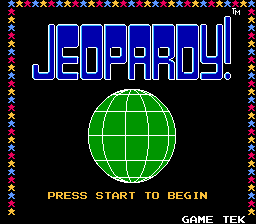
Jeopardy! (USA) (Rev A)
0 1 1
Jeopardy! (USA) (Rev A) is a classic NES game that runs right in your browser, giving fans of trivia and educational games a chance to experience the famous quiz show. If you like testing what you know from TV or just want a quick way to challenge yourself with general facts, this version stays true to the original game. It’s simple enough for casual players, families, or anyone looking for a straightforward quiz from the NES days.
Getting Into Jeopardy!
The main gameplay involves answering questions across different topics arranged in a grid. Each round has clues sorted by categories and point values. Players take turns picking clues and respond in the form of a question, just like on TV. Correct answers add points, while wrong ones subtract points. The game keeps going through multiple rounds, with the goal of having the highest score at the end.
The format matches the TV show, with players racing against the clock and each other. During a game, you choose clues, answer questions, and try to score as much as possible before time runs out or all clues are used up. It’s a test of quick thinking and knowledge across various categories. There are no complicated mechanics or hidden features—just a straightforward quiz that sticks to the familiar structure.
Standout Features
This NES version keeps things simple but effective, with visuals that resemble the show’s iconic game board. The interface shows categories at the top, with clues appearing below as you pick them. Even on a small screen in your browser, it captures the nostalgic feel of the original. While it doesn’t have fancy animations or voiceovers, its clear layout lets you focus on answering questions and having fun.
Your progress depends on how accurate and quick you are. The game tracks your points as you go, and it gets more challenging as clues become tougher or more points are on the line. You can try to beat your previous scores, explore different categories, or prepare for trivia contests. Since questions are shuffled each game, no two sessions are exactly alike, encouraging repeated tries to improve.
Strategy and Tips
Picking familiar categories early can help boost your confidence. Answer quickly to earn more points, but don’t rush without thinking. Keep an eye on the remaining clues and plan your choices so you don’t miss easy points or give opponents a chance. Remember, responses need to be phrased as questions, so practice your wording to stay quick and clear.
- Stick to categories you know well to hit high-value clues early.
- Pay attention to clues marked as more difficult—these often have more points but are riskier.
- Answer correctly and promptly to avoid losing points on mistakes.
- Manage your time well and don’t spend too long on any single clue.
- If you’re unsure, passing and returning later can be a good strategy, especially in practice modes.
Quick Questions
How do I start a new game in this browser version?
Just pick a category and clue, and the game will load the board automatically once you’re ready.
What’s a common mistake beginners make?
Answering without phrasing responses as questions can cost you points or lead to penalties.
Can I play Jeopardy! on my phone or tablet?
Yes, since it runs in your browser, it works on mobile devices with touch controls, so you can enjoy it anywhere.
Jeopardy! is a simple quiz game that captures the essence of the TV show. Its straightforward setup and focus on knowledge make it a fun, accessible way to challenge yourself on a wide range of topics. Playing online means quick access and easy sessions whenever you’re in the mood for a bit of trivia.
Related games: you can also try Chessmaster, The (Europe) and Ikinari Musician (Japan), or browse all other games in the NES category.
How to Play Jeopardy! (USA) (Rev A)?
Select clues from the board, answer in the form of a question, and try to score the most points before time runs out or clues are used up.
Game Controls
Arrow keys move the cursor; Enter selects clues and submits answers.
You may be interested in:
-
![Zombie Hunter (Japan) [En by KingMike v1.01]](https://www.playf2p.com/wp-content/uploads/zombie-hunter-japan-en-by-kingmike-v1-01-200x120.png) NES
♥ 2
Zombie Hunter (Japan) [En by KingMike v1.01]
NES
♥ 2
Zombie Hunter (Japan) [En by KingMike v1.01] -
 NES
♥ 1
Zombie Hunter (Japan)
NES
♥ 1
Zombie Hunter (Japan) -
 NES
♥ 1
Zoids Mokushiroku (Japan)
NES
♥ 1
Zoids Mokushiroku (Japan) -
 NES
♥ 2
Zoids 2 – Zenebas no Gyakushuu (Japan)
NES
♥ 2
Zoids 2 – Zenebas no Gyakushuu (Japan) -
 NES
♥ 1
Zoids – Chuuou Tairiku no Tatakai (Japan)
NES
♥ 1
Zoids – Chuuou Tairiku no Tatakai (Japan) -
 NES
♥ 11
Zippy Race (Japan)
NES
♥ 11
Zippy Race (Japan) -
 NES
♥ 1
Zhen Ben Xi You Ji (Asia) (Unl)
NES
♥ 1
Zhen Ben Xi You Ji (Asia) (Unl) -
 NES
♥ 1
Zenbei!! Pro Basket (Japan)
NES
♥ 1
Zenbei!! Pro Basket (Japan)
Comments (0)
No comments yet. Be the first to comment!